








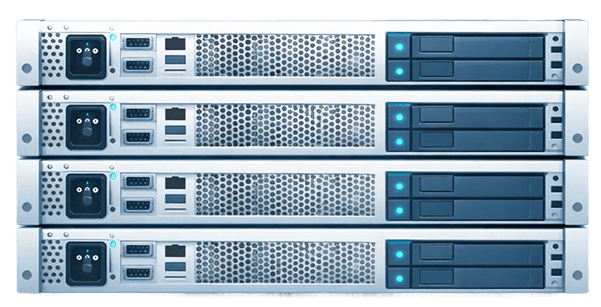

Host an AI agent on your own dedicated server
Deploy your AI agents on a Kimsufi dedicated server and run them 24/7: personal assistant, support agent, research agent or coding agent. Reserved resources, full root access, Anti-DDoS protection included: you choose the model, the tools and the permissions of each self-hosted agent, and you decide what leaves your infrastructure.
Why host your own AI agent?
An AI agent does more than answer a question. It receives a goal, reasons with a large language model (LLM), then acts: it calls APIs, reads and writes files, queries a database, browses the web or triggers a workflow. It loops this way until it reaches its goal, keeping a memory of what it has already done. That is what sets it apart from a simple chatbot: the agent acts on your behalf.
Your laptop is not enough to host an AI agent: an autonomous agent must stay reachable at night, receive webhooks, run scheduled tasks and keep its connections open. SaaS agent platforms and serverless cloud solve the availability problem, but they impose their own limits: usage-based billing, capped execution times, a restricted choice of models, data that passes through a third party.
Self-hosting an AI agent on a dedicated server puts you back in control:
- Data control: the agent's files, memory and logs stay with you. With a local model, even prompts never leave your infrastructure.
- Technical freedom: any framework, any model, your own tools and MCP servers.
- Your internal systems within reach: the agent connects to your CRM, your ERP or your business applications through an encrypted VPN tunnel, without exposing them publicly.
- Clear costs: the price of the machine does not depend on the number of agents it runs; only calls to remote models are still billed by their provider.
Kimsufi, the OVHcloud Eco range, provides unmanaged dedicated servers: you install and administer your agent stack, keeping full control of the environment.
Why choose a Kimsufi dedicated server to host an AI agent?

Reserved resources
Processor, RAM and storage are not shared with anyone. Your agents, their vector database and their tools run side by side, unaffected by other customers' workloads.

Full root access
Install the operating system, containers, frameworks and models of your choice. You set each agent's permissions on the machine yourself.

Security included
Anti-DDoS protection is included with all offers and our datacenters are ISO 27001 certified. You stay in control of the API keys and of the data your agents handle.

Ready in minutes
OS installation starts in one click and everything is ready a few minutes after you order, with unmetered traffic included and a 100 Mbps to 1 Gbps connection depending on the model.
Chargement du catalogue…
Use cases: what your agents do for you, 24/7
A self-hosted AI agent really comes into its own when it works continuously, without waiting for you to open your computer. An autonomous agent can handle, for example:
- Personal assistant: Hermes Agent or OpenClaw manage your reminders, summarize your emails and reply to you from a messaging app. The agent runs on your infrastructure, and you talk to it from your phone.
- Customer support: an agent connected to your documentation and your ticketing tool drafts replies, which your team approves before they are sent.
- Monitoring and research: every morning, the agent scans sources, extracts the key points and sends you a summary.
- Development: Claude Code or OpenHands fix a bug, run the tests and open a merge request overnight.
- Business automation: in n8n, the AI Agent node inserts an agent in the middle of an existing automation workflow, for example to sort incoming requests before routing them to the right department.
These uses have one thing in common: the agent needs a stable, always-on environment, with controlled permissions on your applications and your data.
VPS, cloud or dedicated server: which infrastructure for your AI agents?
AI agent hosting falls into three main families: managed cloud, VPS and dedicated servers. The right choice depends on the number of agents, how long they run and the resources they consume.
- Managed cloud and serverless (Cloud Run, functions, agent platforms): you deploy a container and the platform handles scaling. This is convenient for agents that respond to occasional requests, less so for agents that need to run for a long time, keep state or drive a browser. The bill follows usage, so it varies from one month to the next.
- VPS: a virtual machine carved out of a shared physical host. A VPS is enough to test a first agent that calls a remote model. But the memory of an entry-level VPS runs out quickly when the agent launches a headless browser, a vector database and several services.
- Dedicated server: the entire physical host is yours. You run several agents on it, along with their tools, a database, a web interface, your applications and, if needed, a small local model, with no noisy neighbors.
You can prototype on a VPS, then move to a dedicated server when your agents go into production: more agents, more memory, stricter privacy requirements. If your agents already run in Docker, migration stays simple: you copy the configuration files and volumes, then restart. And if your hosted agent relies on compute-intensive local models, a GPU becomes necessary: Kimsufi's RISE-GPU-1 comes with one.
How do I host my own AI?
Hosting your own AI means running it on infrastructure you control rather than in a vendor's cloud. Choose a suitable server, install Linux and Docker, then deploy your agent with a framework or a ready-to-use agent. The model can be called via API (OpenAI, Claude, Mistral) or served locally by Ollama. Then protect the interface with HTTPS, a firewall and authentication.
Can I deploy an AI agent without a GPU?
Yes. An agent that relies on an LLM provider's API does not need a GPU: the server orchestrates, and the computation happens at the provider. Small quantized open source models also run on CPU, more slowly. For larger local models, a GPU server such as the RISE-GPU-1 becomes necessary.
How do I create my own AI agent for free?
Frameworks such as LangChain, LangGraph or CrewAI, and most open source agents, are free. When you self-host, the cost comes from the infrastructure and the model: API calls billed by usage, or a local model that only consumes your own resources. To try it out, start with a small configuration and an open source model served by Ollama.
What are the main self-hostable AI agents?
Among the most frequently cited projects: OpenClaw and Hermes Agent as personal assistants, OpenHands and Claude Code for development, Dify, Flowise and n8n for business automation from a visual interface, and Agent Zero as a general-purpose agent. All of them deploy on Linux.
How do I secure access to my self-hosted AI agent?
Never expose it without protection: an HTTPS reverse proxy, strong authentication or a VPN, key-based SSH and a firewall. Isolate the agent in a container without root privileges, store API keys outside the code and approve sensitive actions manually.
What is the difference between a VPS, Cloud Run and a dedicated server for an AI agent?
Cloud Run runs containers on demand and bills by usage: ideal for short requests. A VPS shares a physical host with other virtual machines: enough for a first agent. A dedicated server reserves all the hardware for you: suited to several agents running continuously with their tools and data.