




















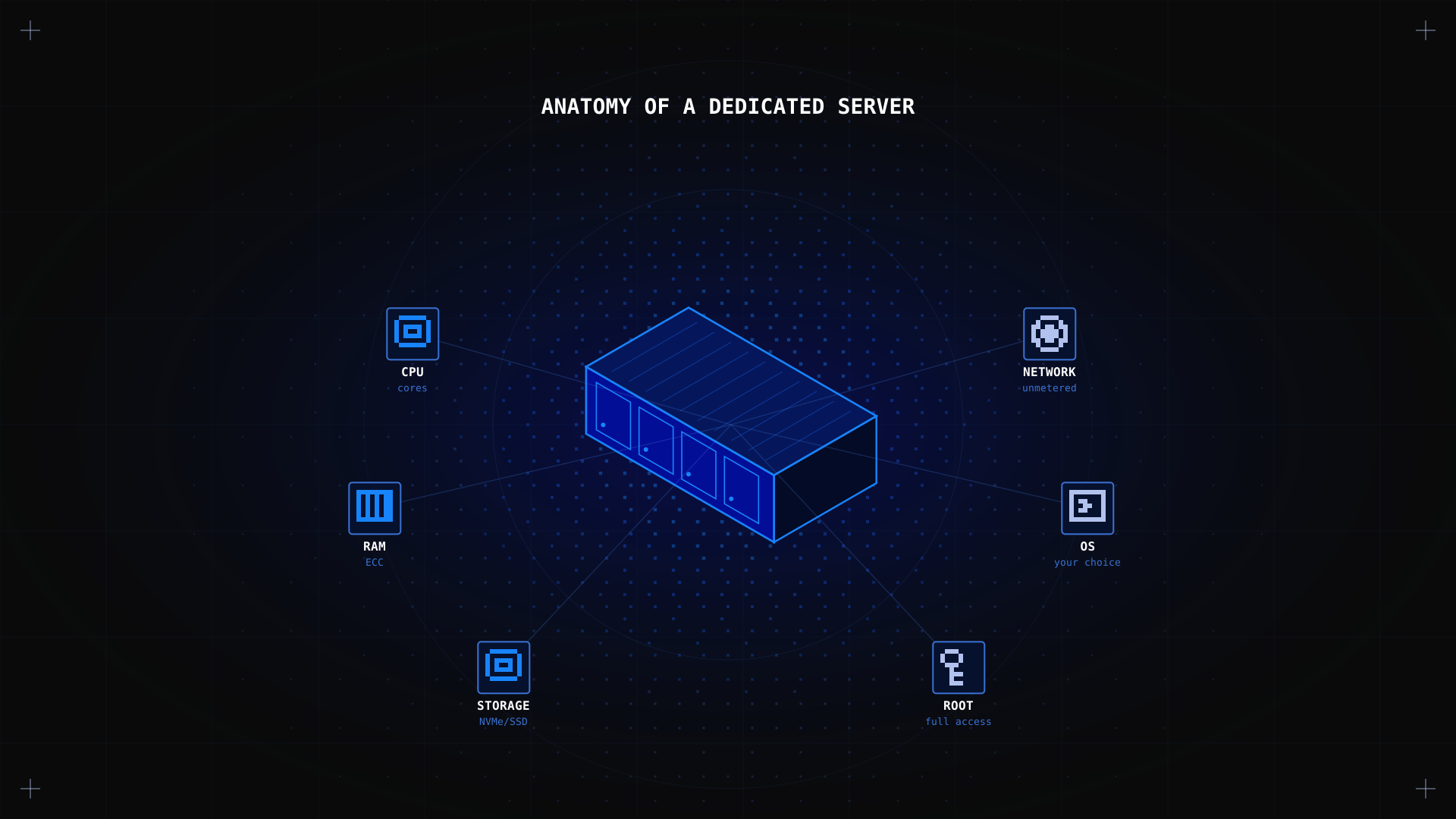
A dedicated server is a physical server exclusively allocated to a single client. Unlike shared hosting or a Virtual Private Server (VPS), there are no other users on the machine: all CPU, RAM, storage, and bandwidth resources are yours alone. Dedicated server hosting gives you root access, complete control over the server environment, and the bare metal performance of real hardware. Kimsufi dedicated servers start at $11.10/month, making this level of control genuinely accessible to developers, small businesses, and enthusiasts alike.
What Is a Dedicated Server?
In the simplest terms, a dedicated server is an entire physical server rented from a hosting provider and used by one organisation or individual. The term 'dedicated' refers to the fact that the hardware is dedicated to a single client: it is not shared with other tenants, as is the case with shared hosting or cloud VMs.
A dedicated server typically consists of a CPU (or multiple CPUs), RAM, one or more storage drives (SSD, NVMe, or HDD), a network interface card, and a connection to the data centre's network. The hosting provider owns and maintains the physical hardware and the data centre infrastructure; the client controls everything at the software level: the operating system, installed applications, firewall rules, and user accounts.
💡 Example A dedicated game server for Minecraft or Ark Survival Evolved, a web server running a high-traffic e-commerce site, or a database server hosting sensitive financial data are all classic examples of dedicated server use cases.
How Does a Dedicated Server Work?
When you rent a dedicated server, the hosting provider provisions the physical machine in their data centre and installs your chosen operating system: typically a Linux distribution (Ubuntu, Debian, AlmaLinux) or Windows Server. You then connect via SSH (for Linux) or RDP (for Windows) using the credentials provided, and you have full administrative access to configure it however you need.
Unlike cloud virtual machines, there is no hypervisor layer between your workloads and the physical hardware. This direct access is what gives dedicated servers their performance edge for CPU-intensive and I/O-heavy workloads. The server runs continuously in the data centre, connected to a redundant power supply and a high-bandwidth network uplink.
Key components of a dedicated server
- CPU: handles all processing. Entry-level dedicated servers use quad-core Intel Xeon or AMD EPYC processors; high-end configurations offer 32+ cores.
- RAM: dedicated servers typically offer 16 GB to 256 GB of ECC RAM, ensuring data integrity for critical workloads.
- Storage: SSD (SATA or NVMe) for performance-critical workloads; HDD for large-capacity backup or media storage needs.
- Network: 100 Mbps to 10 Gbps uplinks with unmetered or high-quota bandwidth. Kimsufi includes unmetered bandwidth on all plans.
- Operating system: you choose at provisioning time and can reinstall at any point from the control panel.
What Are the Types of Dedicated Servers?
Dedicated servers are categorised by their hardware configuration and target use case. Kimsufi organises its offering into three main ranges:
- KS (entry-level) starting at $11.10/month. Ideal for personal projects, development environments, game servers, and small websites. Features multi-core Intel or AMD processors, 16 to 32 GB RAM, and SSD storage.
- SYS (professional) starting at $33.20/month. Designed for business workloads, production databases, and higher-traffic applications. Includes NVMe SSD storage and higher RAM configurations.
- RISE (high-performance) starting at $61.20/month. For resource-intensive workloads: machine learning, virtualisation, large e-commerce platforms, and high-traffic websites. Offers AMD EPYC or Intel Xeon Scalable processors and NVMe RAID storage.
Servers are also categorised by processor architecture: Intel Xeon for proven enterprise workloads, AMD EPYC for high core-count computing, and AMD Ryzen for cost-effective gaming and development.
What Are the Benefits of Dedicated Servers?
Complete control
With a dedicated server, you have root access and complete control over the server environment: operating system choice, software stack, network configuration, and security policies. There are no restrictions imposed by a shared hosting provider, and no other tenants who could affect your configuration.
Superior performance
Because all hardware resources are yours exclusively, dedicated servers deliver consistent, predictable performance. There is no 'noisy neighbour effect', a problem common with VPS and shared hosting, where other users on the same physical machine can consume resources and slow things down for everyone else.
Enhanced security
A dedicated server is an isolated environment. There is no risk of another tenant's compromised application affecting your data. You implement your own security measures: firewalls, intrusion detection, encryption, and access controls, without interference. This makes dedicated servers the natural choice for businesses handling sensitive data, financial transactions, or personal information subject to compliance requirements.
Dedicated resources
Every gigabyte of RAM, every CPU core, and every IOPS of disk performance belongs to you. This is particularly valuable for resource-intensive applications such as databases, video transcoding, game servers, and scientific computing, where consistent resource availability is non-negotiable.
DDoS protection
All Kimsufi dedicated servers include OVHcloud's built-in anti-DDoS protection at no additional cost. Traffic scrubbing happens at the network level before it reaches your server, protecting your services from volumetric attacks without any configuration required on your part.
What Is the Difference Between a Dedicated Server and a VPS?
This is one of the most common questions when evaluating hosting options. If you are still weighing things up, our guide Do I need a dedicated server? walks through the decision in detail. The short answer: the fundamental difference is physical vs virtual.
| Type | Hardware | Performance | Cost |
|---|---|---|---|
| Dedicated server | Physical machine, exclusively yours | No hypervisor overhead | Fixed monthly rate |
| VPS (Virtual Private Server) | Virtual slice of a shared physical server | Hypervisor layer reduces performance | Lower entry cost, pay per resource |
| Shared hosting | Shared server, shared resources | Highest latency, lowest control | Cheapest, no root access |
For CPU-intensive or I/O-heavy workloads, a dedicated server consistently outperforms a VPS at the same price point. The VPS advantage is flexibility: you can spin up and tear down instances in minutes and scale resources without changing plans. A dedicated server requires more planning but delivers more raw performance.
What Is a Dedicated Server vs a Private Server?
The terms are often used interchangeably, but there is a distinction worth knowing. A 'private server' in gaming contexts refers to an unofficial server running game software outside the official game infrastructure, not necessarily on dedicated hardware. A dedicated server is a hardware concept: a physical machine dedicated to a single tenant. A private game server can run on a dedicated server, a VPS, or even a home PC.
What Is a Dedicated Game Server?
A dedicated game server is a server that runs a multiplayer game environment continuously, independent of any player's machine. Unlike a peer-to-peer or 'listen server' (where one player's PC acts as the host), a dedicated game server runs 24/7 in a data centre, providing stable, low-latency gameplay for all connected players. It supports more players simultaneously, runs regardless of whether the host is online, and can be customised with mods and settings.
Kimsufi's KS and SYS ranges are popular choices for dedicated game servers. Minecraft, Ark Survival Evolved, Rust, Palworld, and 7 Days to Die all run well on entry-level and mid-range configurations, with unmetered bandwidth ensuring no surprise bills regardless of player traffic.
Who Needs a Dedicated Server?
A dedicated server is the right choice when your workload has outgrown shared hosting or VPS, or when your requirements demand a level of control, performance, or security that virtualised environments cannot provide. Not sure if that describes your situation? Our budget dedicated servers guide can help you find the right fit. Typical candidates include:
- High-traffic websites receiving tens of thousands of daily visitors that would overwhelm a shared hosting environment.
- E-commerce platforms handling payment data, requiring compliance with PCI DSS security standards and isolated environments.
- Game server operators running multiplayer games for 20+ concurrent players.
- Developers running CI/CD pipelines, build servers, or staging environments that need consistent compute resources.
- Companies with strict data sovereignty requirements that need to control where and how their data is stored.
- Businesses running resource-intensive applications: video transcoding, machine learning inference, large database servers.
FAQ
What is an example of a dedicated server?
What is the difference between serverless and dedicated server?
Serverless computing (AWS Lambda, Cloudflare Workers) executes code in ephemeral containers managed entirely by the cloud provider: you pay per execution with no persistent server to manage. A dedicated server runs continuously in a fixed location with predictable performance. Serverless works well for event-driven, bursty workloads; dedicated servers excel at persistent, resource-intensive applications.
What is dedicated server hosting?
Dedicated server hosting is a hosting service where a provider rents you an entire physical server for your exclusive use. The provider handles hardware maintenance, data centre operations, and network connectivity; you handle the software, operating system, and applications.
Can I run a dedicated server at home?
Technically yes, but home-hosted servers face real challenges: residential ISPs often block server ports, upload bandwidth is limited, and power and cooling costs add up quickly. For most use cases, renting a dedicated server from a provider like Kimsufi offers better performance, reliability, and cost-efficiency than self-hosting.
Conclusion
A dedicated server gives you exclusive access to physical hardware, complete control over your server environment, and the raw performance that shared and virtualised infrastructure simply cannot match. Whether you need it for a high-traffic website, a game server, a production database, or a development environment, it is the most powerful and flexible self-managed hosting option available. Ready to get started? Configure a Linux server from scratch with our step-by-step guide, or browse the ranges below.
Explore Kimsufi dedicated servers Choose from KS, SYS, and RISE ranges. Root access, unmetered bandwidth, and built-in DDoS protection from $11.10/month.