




















Server RAM (Random Access Memory) is the memory module used in dedicated servers, workstations, and data centre hardware. While it performs the same fundamental role as desktop RAM, temporarily storing data for fast CPU access, server RAM is built to different specifications. Its features are designed for the reliability, error correction, and sustained performance demands of 24/7 production environments. For any user running a dedicated server, understanding server memory is essential to choosing the right configuration.
Why Is Server RAM Different from Regular RAM?
Consumer (desktop/laptop) RAM is optimised for cost and single-user performance. Server RAM prioritises reliability, error correction, and compatibility with multi-socket server platforms. The key differences come down to three areas:
- ECC (Error-Correcting Code): server RAM almost always includes ECC, which detects and automatically corrects single-bit memory errors. A single uncorrected bit flip in a desktop is usually harmless; in a server running a database or financial application, it can cause silent data corruption or a crash. ECC is what creates that extra layer of data integrity in production.
- Registered (RDIMM) vs Unbuffered (UDIMM): server RAM commonly uses registered memory, which includes a register chip between the memory controller and the DRAM chips. This reduces electrical load on the memory controller, enabling larger memory configurations (more DIMMs per channel) with greater stability.
- Capacity and channel support: server motherboards support more memory slots and higher total capacities than consumer boards, typically from 256 GB to several terabytes, depending on the platform.
- Speed and latency: server RAM is optimised for throughput and sustained performance under continuous load, whereas desktop RAM often trades higher latency for peak burst performance.
Types of Server RAM
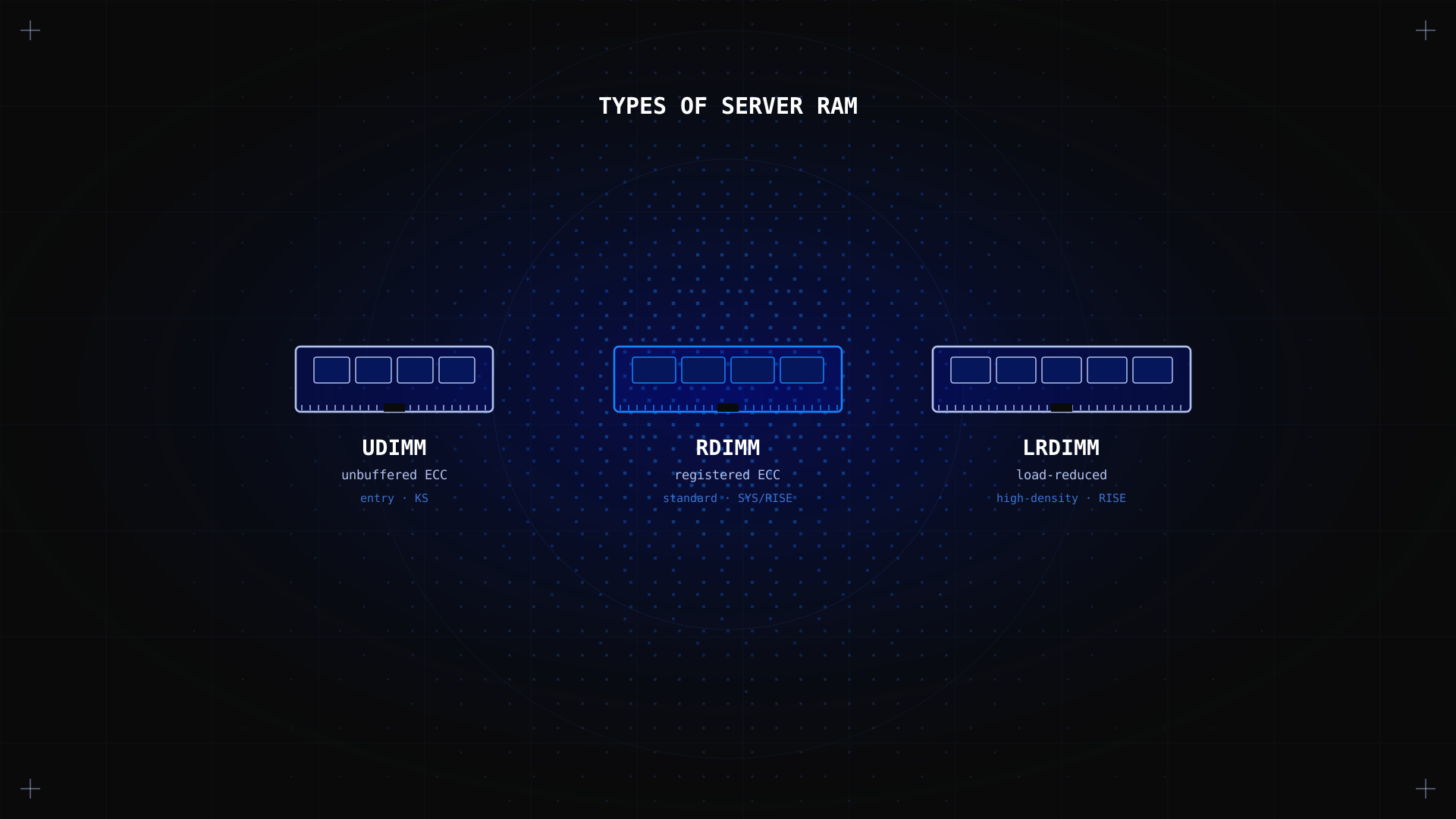
ECC RDIMM (Registered ECC)
The most common memory type in dedicated servers. RDIMM provides error correction and the stability benefits of registered memory. It is supported by Intel Xeon and AMD EPYC platforms, the processors used in most professional dedicated servers including Kimsufi's SYS and RISE ranges.
ECC UDIMM (Unbuffered ECC)
Error-correcting but unbuffered. Lower cost than RDIMM, with a capacity limit of typically 2 DIMMs per channel. Used in entry-level workstations and some lower-end server configurations, including the Kimsufi KS range.
LRDIMM (Load-Reduced DIMM)
An advanced variant that further reduces electrical load compared to RDIMM, enabling even larger memory configurations in high-density server deployments. Used in large-scale database and virtualisation platforms requiring hundreds of gigabytes of RAM, such as the higher-end RISE configurations.
What Is the Price of Server RAM?
Server RAM pricing in the retail market varies significantly by type, capacity, and manufacturer. As a reference point for June 2026 market rates: a 16 GB DDR4 ECC RDIMM module from a tier-one brand (Samsung, Micron, SK Hynix) typically costs between $40 and $80. A 32 GB RDIMM runs $80 to $150. LRDIMM modules for high-capacity configurations can reach several hundred dollars per module.
For Kimsufi users, server RAM is not a separate purchase. Every dedicated server comes with factory-configured memory included in the monthly price, pre-validated for the specific server platform. This means the RAM your server ships with is guaranteed compatible and ready to perform from day one. You do not need to source, purchase, or install memory modules separately. The memory configuration is listed clearly for each server in the product page, so you can choose a plan that matches your workload from the start.
Entry-level KS servers include 16 to 32 GB of ECC RAM from $11.10/month. Mid-range SYS servers offer 32 to 64 GB from $33.20/month. High-performance RISE servers reach up to 192 GB ECC RDIMM from $61.20/month. All configurations include ECC memory as standard, with no additional memory module cost to factor in.
How to Upgrade Server RAM on a Dedicated Server?
On a self-owned or colocated server, upgrading RAM involves purchasing compatible modules, physically installing them in the server's DIMM slots, and verifying detection by the OS. The process requires powering down the server and ensuring the new modules match the platform's supported memory specifications exactly, as mismatched RAM can cause boot failures or performance issues.
On a hosted dedicated server like Kimsufi, the memory configuration is fixed per server model and cannot be changed independently. The right approach to getting more RAM is to upgrade to a higher-tier server plan that includes the memory capacity you need. This ensures hardware compatibility and avoids the reliability risks that come from mixing memory modules in production. If your current server's RAM is becoming a bottleneck, check your usage with free -h or htop to confirm, then compare available configurations to find the right upgrade path.
How to Choose the Right Server RAM Configuration
Since Kimsufi dedicated servers come with pre-configured memory, choosing server RAM means selecting the right server plan for your workload. Here is how to approach that decision:
- Match RAM to your use case: the table below shows recommended memory capacity by workload type. When in doubt, size up rather than down: running out of RAM under load causes swapping to disk, which dramatically degrades performance.
- ECC is non-negotiable for production: for any server running critical applications or storing important data, ECC memory protects against silent data corruption. The performance impact is negligible. All Kimsufi servers include ECC memory as standard.
- Plan for growth: if your application's data set or user base is growing, factor in 12 to 18 months of projected growth when choosing a memory configuration. Migrating to a higher-tier server later is straightforward, but planning ahead avoids disruption.
| Use case | Recommended RAM | RAM type |
|---|---|---|
| Entry-level web server, small game server | 16 GB | ECC UDIMM or RDIMM |
| Production web app, medium database | 32–64 GB | ECC RDIMM |
| Redis / Memcached caching layer | 64–128 GB | ECC RDIMM |
| Virtualisation host, large database | 128–192 GB | ECC RDIMM or LRDIMM |
| Machine learning, large-scale analytics | 192 GB+ | ECC LRDIMM |
FAQ
Can I use server RAM on a normal PC?
ECC UDIMM can work in some consumer motherboards that support ECC (certain AMD Ryzen platforms). RDIMM is incompatible with consumer motherboards, which lack the registered memory controller support. In practice, server RAM is designed for server platforms and is not the right choice for desktop builds.
What RAM is best for servers?
ECC RDIMM (DDR4 or DDR5) from reputable manufacturers (Samsung, Micron/Crucial, SK Hynix) is the standard choice for dedicated servers. The specific configuration depends on your server platform's supported memory specifications and your workload's RAM requirements.
What is the difference between DDR4 and DDR5 server RAM?
DDR5 offers higher bandwidth and improved power efficiency over DDR4, and is supported by newer Intel Xeon Scalable (4th gen+) and AMD EPYC (Genoa) platforms. DDR4 remains the dominant standard in current dedicated server deployments. Kimsufi servers feature DDR4 ECC memory on most configurations.
What is the difference between server RAM and regular RAM?
Server RAM includes ECC error correction, uses registered (RDIMM) architecture for larger and more stable configurations, and is validated for continuous 24/7 operation. Regular desktop RAM prioritises cost and burst performance, lacks ECC on most consumer modules, and is not designed for the sustained load and reliability requirements of server environments.
Conclusion
Server RAM differs from desktop memory in reliability features (ECC), electrical design (RDIMM), and capacity support. For a dedicated server, ECC memory is the right choice to protect your data from silent corruption, and the amount you need depends entirely on your workload: from 16 GB for entry-level web servers to 192 GB for large databases and virtualisation platforms. With Kimsufi, the memory configuration is included in every server plan, pre-validated, and ready to use from day one. Ready to set up your server? Our guide on how to host a dedicated server walks you through the full process step by step.
Explore Kimsufi servers with ECC RAM All Kimsufi dedicated servers include ECC server RAM as standard. Browse KS, SYS, and RISE ranges from $11.10/month.