













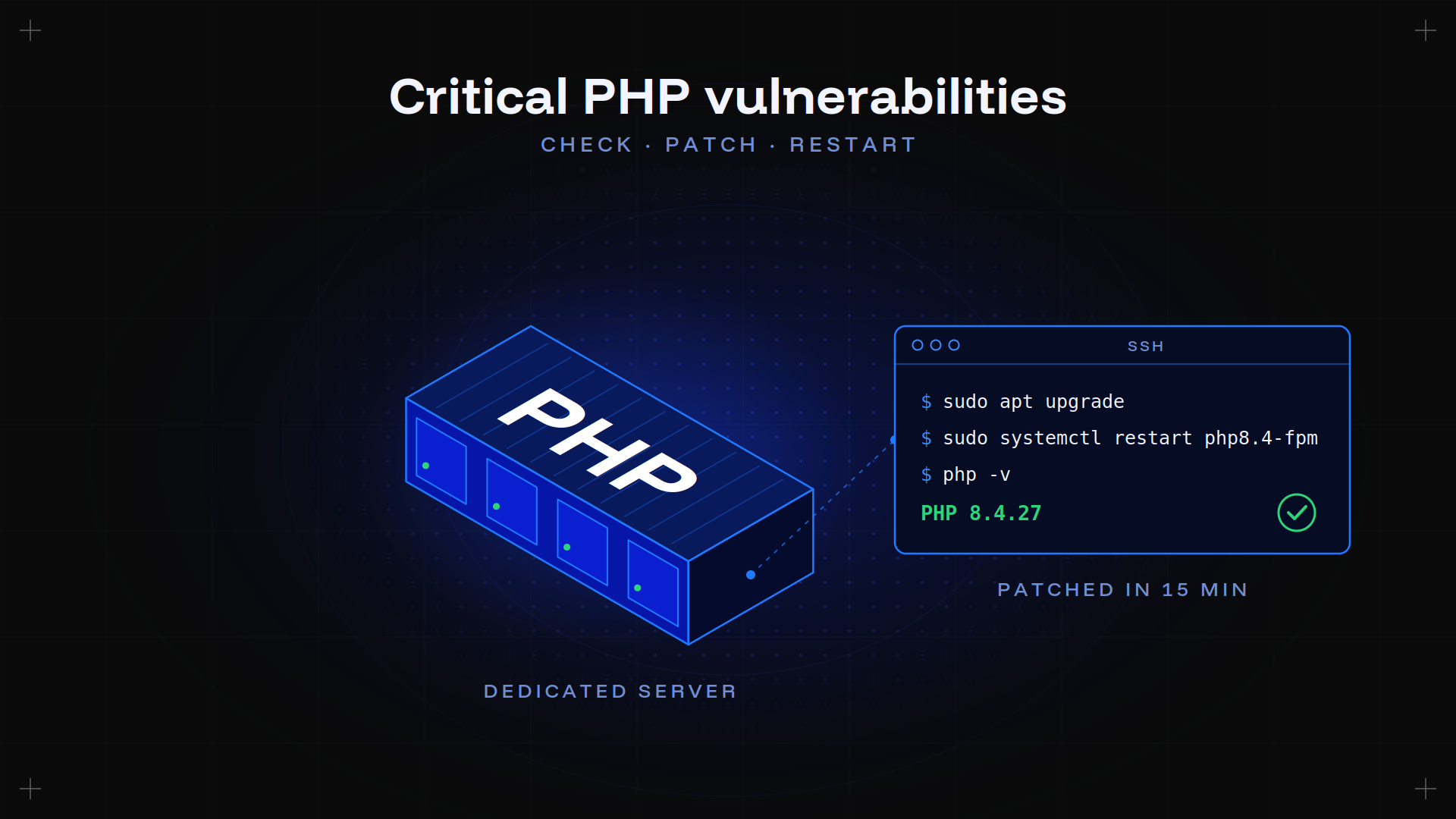











If PHP runs on your Kimsufi server, update it to PHP 8.2.35, 8.3.36, 8.4.27 or 8.5.12, then restart PHP-FPM or Apache. That's it, and it takes about 15 minutes. The restart is the step everyone forgets: without it, the old version stays in memory and your server stays exposed. Below: every command, and what to do if your PHP version has no fix.
Published October 22, 2026 · By Louise Boderé · Reviewed by Denis Hamon · Updated as new information comes in
Key takeaways
- Two critical flaws in PHP itself, rated 9.2 out of 10: an attacker can run code on your server without an account or a password.
- Every version before 8.2.35, 8.3.36, 8.4.27 and 8.5.12 is affected, whatever CMS you run.
- Apache with mod_php is the most exposed setup: the attack was demonstrated before your own code even runs.
- PHP 8.1 and older won't get a new official release. You need your distribution's fix, a compiled patch or a migration.
- On a dedicated server, you're the admin: nobody will patch your machine for you.
What happened on October 21
On Wednesday, October 21, the PHP project released fixes for two critical flaws, CVE-2026-109618 and CVE-2026-109619. Both are rated 9.2 out of 10 on the CVSS v4 scale.
Within hours, many websites went offline as a precaution, according to Le Monde. Finland's government portal reported its sites fully or partly unavailable. Public-sector and local-government platforms went offline in the UK, Germany, Denmark, the Netherlands and Belgium. In France, the interior ministry put all its exposed sites into maintenance at the request of ANSSI, the national cybersecurity agency. CERT-EU, the UK's NCSC and Australia's ACSC advised taking down any site that couldn't be patched. Cloudflare's CTO reported the first attacks the same day.
The scale makes sense: PHP runs 69.3% of websites whose server-side language is known (W3Techs, October 22, 2026). WordPress, Drupal, Joomla, Magento, admin panels: anything built on it is in scope.
The two flaws, in plain words
The problem isn't in your application. It's in how PHP manages memory between two requests.
| Flaw | What happens | The result |
|---|---|---|
| CVE-2026-109618 | An oversized request (a form upload with files, for example) exhausts memory at the wrong moment. PHP leaves its internal data in an invalid state, then reuses it. | Remote code execution |
| CVE-2026-109619 | Data from a previous request stays in memory after it was freed. The next request reuses it. | Remote code execution |
Either way, the attacker gets the rights of your web server. An HTTP connection to your site is all it takes.
Is your server exposed? Check in 2 minutes
You're affected as soon as PHP answers web requests: PHP-FPM, Apache with mod_php, php-cgi, FrankenPHP or LiteSpeed. The PHP project rates the risk highest with mod_php.
Connect over SSH and run:
php -v                                              # command-line version
systemctl list-units --type=service | grep -i fpm   # active PHP-FPM services
apache2ctl -M 2>/dev/null | grep -i php             # is mod_php loaded in Apache?
Careful: the command-line version can differ from the one serving your site, especially when several PHP versions are installed. Check each FPM pool, and your admin panel if you use one (Plesk, cPanel…).
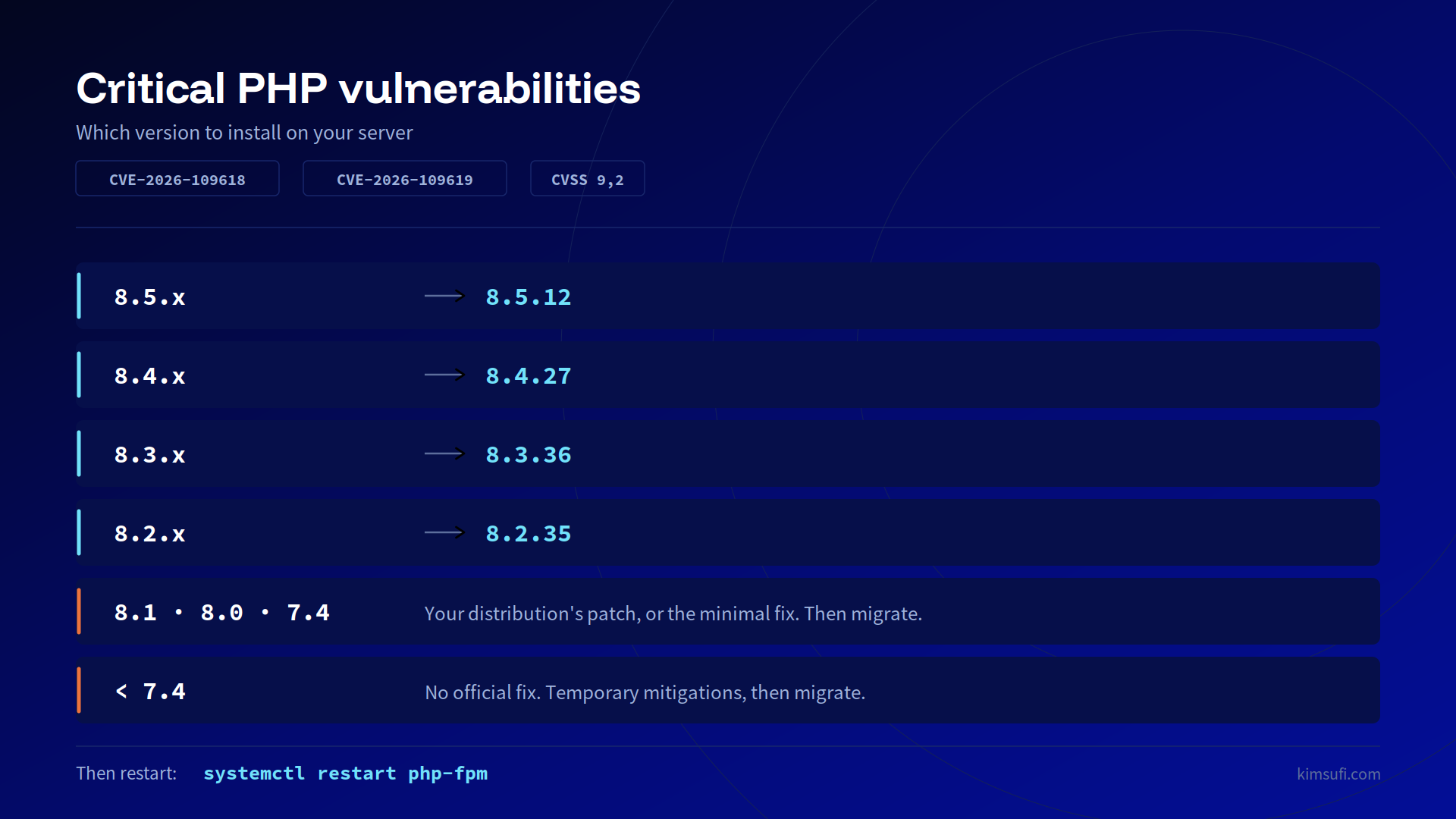
Then compare with this table:
| Your version | What to do |
|---|---|
| 8.5.x | Move to 8.5.12 |
| 8.4.x | Move to 8.4.27 |
| 8.3.x | Move to 8.3.36 |
| 8.2.x | Move to 8.2.35 |
| 8.1, 8.0, 7.4 | No new official release. Install your distribution's fix, or compile the minimal patch published by the PHP team. Then plan a migration. |
| Older than 7.4 | No fix. Apply the temporary measures below and migrate. |
The same table, to keep handy or share with your team:
Good to know: with Debian or Ubuntu packages, the version number may not change. Distributions often ship the fix without changing the version, and only the package suffix moves. In that case, look for the CVE number in the package changelog:
apt changelog php8.2-common | grep -m1 CVE-2026-109618 # adjust to your versionIf the line shows up, the fix is in.
Patch in 4 steps
Allow about 15 minutes per server. Start with the machines exposed to the internet.
- Back up. At least your configuration files and your data. Our dedicated server backup guide covers the options.
- Update PHP with your system's package manager:
bash sudo apt update && sudo apt upgrade # Debian, Ubuntu sudo dnf upgrade # AlmaLinux, Rocky Linux
PHP built from source: get the fixed release from php.net. In containers: rebuild your images on an updated PHP base image, then redeploy.
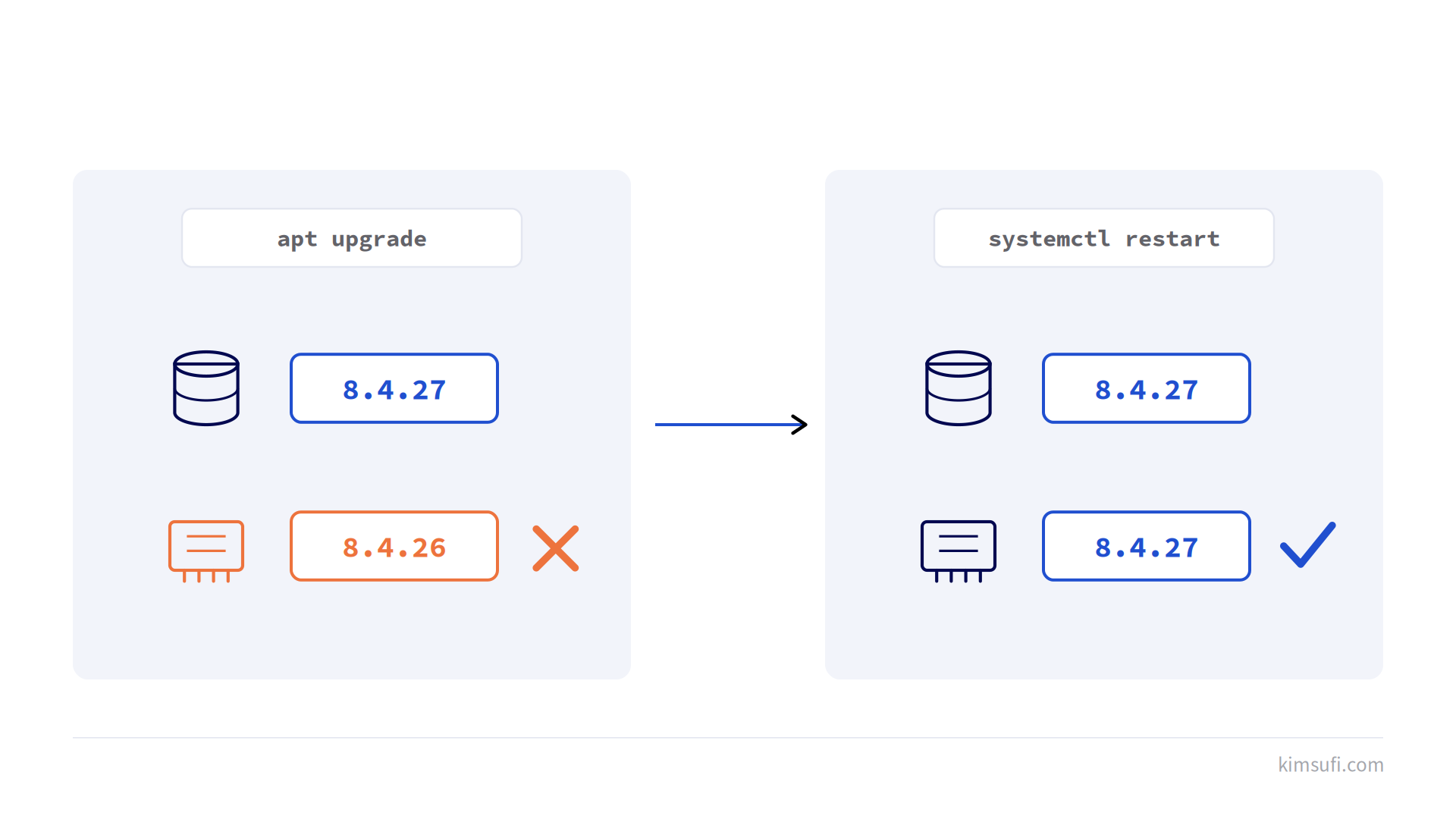
- Restart your PHP services. This is the step people forget most.
bash sudo systemctl restart php8.4-fpm # replace 8.4 with your version sudo systemctl restart apache2 # httpd on AlmaLinux and Rocky Linux
- Check. Run
php -vor theapt changelogcommand above again, then open your site to confirm it responds normally.
Why the restart matters: after apt upgrade, the fixed version is on disk, but the PHP process that's already running still uses the old one.
Your distribution doesn't have the fix yet? Some repositories publish it a few hours late. Check again, and apply the measures below in the meantime.
Can't patch right now? Temporary measures
The PHP project is clear: only the update fully protects you. These settings, taken from the official announcement, reduce the risk in the meantime. Put them in your php.ini or your FPM pool, not in ini_set() or a .user.ini, then restart all your PHP workers.
session.upload_progress.enabled = 0: blocks the confirmed attack paths of the second flaw. The option is rarely used, and PHP recommends keeping it off even after the update.- On PHP 8.5 only:
fatal_error_backtraces = 0. post_max_size = 8Mif your site doesn't accept file uploads,32Motherwise, withupload_max_filesizebelow it.- If your application doesn't need form uploads with files, block those requests (multipart) at the web server or proxy.
PHP also mentions memory_limit = -1. On a server with little RAM, be careful: a single request could then take all the memory. If you apply it, set a limit at the container or cgroup level, as PHP recommends.
None of this possible tonight? Do what many government sites did: cut web access while you patch. If you set up UFW as in our firewall guide, these two commands close HTTP and HTTPS without touching SSH:
sudo ufw delete allow 80/tcp
sudo ufw delete allow 443/tcp
Once the fix is in, sudo ufw allow 80/tcp and sudo ufw allow 443/tcp bring your site back.
What OVHcloud does, what you do
On a Kimsufi server, you control the whole system. OVHcloud doesn't touch your machine without your consent: the update is yours to run.
On its side, OVHcloud updates the OS images offered at installation and warns customers whose servers appear exposed. The details are in OVHcloud's article on these flaws, updated as new information comes in.
After the emergency: your PHP version matters too
This crisis is a reminder of a simple rule: a PHP version that has reached end of life gets no more fixes. PHP 8.2 has only two months of security support left.
| Version | Security support until |
|---|---|
| PHP 8.2 | December 31, 2026 |
| PHP 8.3 | December 31, 2027 |
| PHP 8.4 | December 31, 2028 |
| PHP 8.5 | December 31, 2029 |
Source: supported PHP versions. Use this update to move to PHP 8.4 or 8.5. And so you don't learn about the next flaw from the news, our dedicated server maintenance guide explains how to automate security updates.
Frequently asked questions
Is my WordPress site affected?
Yes, if PHP is below the fixed versions. The flaw isn't in WordPress but in PHP, which runs it. Updating WordPress or its plugins isn't enough.
Do I need to reboot the whole server?
No. Restarting PHP-FPM or Apache is enough. Rebooting the machine works too, but takes all your services down for longer.
My server only runs PHP from the command line, with no website. Am I exposed?
The PHP project targets installations that serve web requests. PHP run only by local scripts is less exposed. Update it anyway: it's the same command.