























Proxmox VE and VMware ESXi both turn one physical server into many virtual machines, but they diverge on licensing, storage architecture, and who carries the operational risk. This comparison covers performance, cost, scalability, and the workloads each platform fits, so you can choose with numbers rather than habit.
Key takeaways
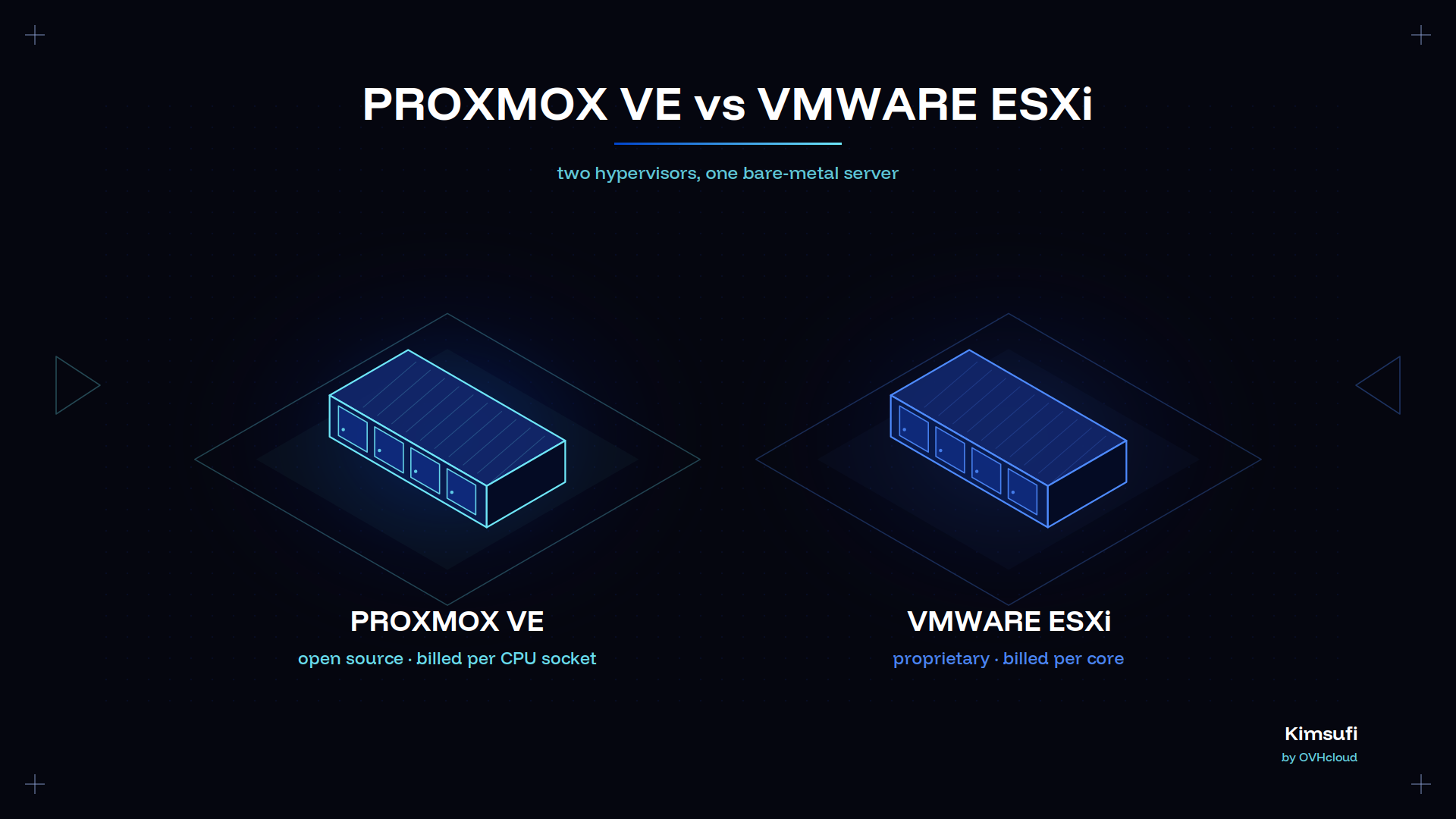
- Proxmox VE is free and open source under the AGPLv3. Paid plans are optional, from €120 per occupied CPU socket per year.
- ESXi is no longer sold on its own. It ships inside a VMware subscription bundle priced per physical core, minimum 16 cores per CPU.
- Blockbridge benchmark data put Proxmox ahead of ESXi in 56 of 57 NVMe/TCP tests, a 48.9% average IOPS gain. Read it as a signal about the Linux storage layer, not a verdict.
- ESXi still leads on ecosystem maturity: vSAN, DRS, and an extensive hardware compatibility list that server makers certify against.
- Both run cleanly on a Kimsufi bare-metal host, so your hypervisor decision does not constrain your hardware requirements.
What is Proxmox VE?
Proxmox Virtual Environment is an open-source virtualization platform based on Debian. It combines two engines in one product: KVM for a full VM, and LXC for lightweight Linux containers.
One workflow for both. Creating a VM and creating a container follow the same steps, in one web interface on port 8006 covering clustering, the firewall, and software-defined networking. Backups cover VMs and LXC guests on a single schedule.
Version 9.2, published May 2026. It runs on Debian 13 "Trixie" with QEMU 11.0, LXC 7.0, ZFS 2.4, and Ceph Tentacle as the default storage option. It added a dynamic load balancer for pooled resources, and WireGuard as an SDN fabric.
Nothing sits behind a paid level. The licence is the AGPLv3. Live migration, snapshots, high availability, and the REST API behave the same whether you pay or not. A subscription buys the tested enterprise repository and Proxmox support, nothing more.
What is VMware ESXi?
VMware ESXi is a proprietary type 1 hypervisor that installs on 64-bit hardware and runs each VM through its own kernel, the VMkernel. It has led the enterprise market for two decades, and most commercial backup and orchestration tools support ESXi first.
It rarely works alone. vCenter Server provides centralized management, and the features enterprises buy ESXi for, vMotion, DRS, and high availability, all require it. A standalone host driven from the vSphere Host Client can create and run VMs, but cannot join a cluster.
Broadcom changed what you can buy. The catalogue collapsed into a few subscription bundles, with no standalone paid ESXi or vSphere 9.
The free hypervisor still exists. Withdrawn in early 2024, it returned in 2025 and is still downloadable in 2026, with an 8 vCPU cap per VM, no vCenter, and no vendor support.
Core architecture differences
Proxmox VE is a Linux distribution with virtualization on top. ESXi is a purpose-built hypervisor with a minimal closed-source kernel. That difference explains nearly everything else.
| Component | Proxmox VE | VMware ESXi |
|---|---|---|
| Base | Debian 13, 64-bit Linux kernel | VMkernel, proprietary |
| VM engine | KVM and QEMU | VMkernel worlds |
| Containers | LXC, native | None, requires Tanzu |
| Disk format | RAW, QCOW2, ZFS volumes | VMDK on VMFS |
| Storage controller | VirtIO SCSI | PVSCSI, NVMe controller |
| Management | Included on every node | vCenter for pooled features |
| Licence | AGPLv3, free | Proprietary, subscription |
What a Linux base gives you
Proxmox VE exposes a full Linux userland, so standard tools come with it: ssh, apt, systemd, zfs. Passing a PCIe device to a VM is a kernel parameter, not a support case, and root access enables the kernel-level tuning databases often need.
ESXi restricts you to a hardened shell and a documented API. That shrinks the attack surface, and what you can improvise.
Where LXC changes the maths
Containers create the second real difference. Proxmox treats an LXC container as a first-class object next to a VM, so a reverse proxy needs no full guest. On ESXi, every guest is a VM unless you add a Tanzu layer.
The trade-off resembles the choice between a virtualized slice and exclusive hardware, set out in our dedicated servers and VPS comparison.
Performance benchmarks: CPU, memory, storage
CPU and memory
On CPU and memory performance, the two land within a few percent of each other. Both use hardware-assisted virtualization on 64-bit x86 processors, and neither adds meaningful overhead to a compute-bound workload.
Decide on other criteria: raw CPU performance will not distinguish them. Test your specific workload.
Storage
Storage performance is where the numbers separate.
The most cited public benchmark, from Blockbridge, compared Proxmox VE 7.2 with ESXi 7.0 Update 3c on identical hardware: a 32-core AMD host, dual port 100 GbE NICs, 32 Ubuntu VMs of 4 vCPUs each, and fio driving NVMe/TCP.
| Test result | Finding |
|---|---|
| Tests won by Proxmox | 56 of 57 |
| Average IOPS gain | 48.9% |
| Latency reduction | Above 30% |
| Max bandwidth | 12.8 GB/s vs 9.3 GB/s |
Read the full technical note first. Blockbridge sells NVMe storage with a Proxmox integration, so the design favours the Linux path, and both releases are old.
The signal still holds. KVM reaches NVMe devices through VirtIO SCSI with fewer translation layers than the SCSI path ESXi uses, and the gap widens as per-VM queue depth rises.
💡 If your workload is storage-bound, benchmark it on your own hardware. One fio run at your real block size tells you more than any published figure, and surfaces device limits no table shows. That matters most for database performance and game server hosting, where tail latency, not average throughput, is what players feel.
Licensing models and total cost of ownership
This is the decisive section in 2026. Neither platform charges per VM, and that is where the similarity ends. The licensing requirements pull in opposite directions, and the per-core model adds complexity that per-socket billing avoids.
How Proxmox bills
Per occupied physical CPU socket, per year. Core count is irrelevant.
List prices are €120 for Community, €370 for Basic, €550 for Standard, and €1,100 for Premium, per socket per year, excluding tax. Every node in a group must hold the same level.
Running with no subscription is legal and common, and the official pricing page confirms no feature is gated by plan.
How VMware bills
Per physical core, with a floor of 16 cores per CPU. An 8-core processor bills as 16.
Broadcom publishes no list price for vSphere Foundation. Advisers cite market rates of $150 to $190 per core per year, while Cloud Foundation lists near $350. Broadcom's core counting guidance defines the rules, including that BIOS-disabled cores still count.
One machine, both models
Take a dual socket server with two 16-core processors:
| Cost item | Proxmox VE Standard | VMware vSphere Foundation |
|---|---|---|
| Licensed unit | 2 sockets | 32 cores |
| Indicative annual cost | €1,100 | $4,800 to $6,080 |
| Three-year total | €3,300 | $14,400 to $18,240 |
| Features gated by tier | None | Varies by bundle |
The ratio is close to an order of magnitude on any dual socket server, and compounds with every machine you add.
A second cost escapes most spreadsheets: renewal leverage. Pricing that rises at renewal removes the leverage you had when you signed. Support for vSphere 8 ends 11 October 2027, a hard date on the next negotiation.
Hardware is a fixed line item, as our breakdown of dedicated server costs shows.
Scalability and cluster management
Proxmox: every node is equal. It scales to 32 nodes comfortably, the tested max, using Corosync for membership and pmxcfs for a replicated configuration filesystem. No separate appliance needs licensing, deployment, or patching: every node serves the same interface and API, so no single component decides your uptime.
High availability rules restart a VM elsewhere when a machine fails.
ESXi: further at the top end. A vSphere cluster supports up to 96 hosts, DRS rebalances VMs on its own against resource policies, and admission control ensures headroom for failover. That maturity is real.
The trade-off is a single point of failure. ESXi requires vCenter for anything beyond one host. Lose vCenter and you lose vMotion, DRS, and HA until it returns, which is why production designs run it as a protected VM or paired appliance.
The Proxmox approach spreads that responsibility across the group.
Either approach is robust at the scale most teams operate, whether three machines of mixed guests or one dedicated database server with a handful of VMs.
Storage and networking features: vSAN, vMotion, SDN
Shared storage
vSAN is the clearest capability gap. VMware pools local disks across hosts into a shared datastore with policy-driven redundancy, deduplication, and stretched sites, priced by capacity rather than per socket.
Proxmox offers Ceph as its answer, shipped in the setup wizard, which delivers comparable distributed storage and is robust in production once you know it.
Both approaches require a dual port network design and low latency between machines to stay stable.
Live migration
Both platforms have it. vMotion is more polished, with mature handling of shared-nothing moves, storage migration, and cross-site transfers.
Proxmox does the same essential job with no downtime, and pairs with local ZFS replication when there is no central storage. If you have relied on it for years, expect Proxmox to feel more hands-on, not less capable.
Networking
Closer than it looks. Proxmox ships Linux bridges, VLANs, bonds for a dual port NIC, and an SDN stack covering EVPN, BGP filtering, and WireGuard fabrics. VMware offers switch fabrics in the higher bundles, and NSX for advanced micro-segmentation.
Your disk selection matters as much as either feature set, and our guide to storage options for dedicated servers shows where NVMe earns its price.
Security, updates and vendor support
ESXi presents a smaller attack surface by design. There is no general-purpose userland, vSphere Lifecycle Manager gives it a robust patch pipeline, and the certified compatibility list means a supported configuration is supported end to end.
Provisioning a host from a validated image takes one pass.
Proxmox inherits Debian's robust security model. You patch with apt. The enterprise repository holds packages back for extensive testing to ensure stability, while the no-subscription repository ships them sooner with less validation.
That second channel suits a lab and is a poor choice for production. A per-VM firewall ships enabled.
Support economics differ more than support quality. Proxmox plans buy tickets and a response target: Basic covers three tickets a year at one business day, Standard ten at four hours, Premium unlimited.
VMware support comes bundled, and Broadcom's post-acquisition support experience is the most common complaint in renewal talks. Both cover the basics. Neither vendor supports your hardware, though, and a provider that runs the physical layer changes day-to-day operations.
Ideal use cases: lab, SMB, enterprise
Lab and homelab. Proxmox is the simple answer. Nothing is capped, containers keep resource requirements low, and snapshots make experiments reversible.
Free ESXi is a workable alternative for learning the VMware interface, but the 8 vCPU limit and missing vCenter make it a weak simulation of production.
One small server running a few Linux guests, a TeamSpeak voice server, and an observability container covers most home requirements.
Small and medium business. The licensing maths decides it. A three-node Proxmox cluster with Ceph delivers high availability for the annual price of a few core licences, using ordinary Linux skills.
Choose ESXi at this size only when a specific software publisher supports nothing else, or when your team's VMware experience is worth more than the subscription.
Enterprise. ESXi remains defensible at scale, particularly where DRS policies, stretched storage sites, NSX segmentation, and a certified platform are already load-bearing.
Migration is a complex programme, not a weekend. It touches backup, tooling, and staff training, and a lot of enterprises keep VMware professionals on staff. ESXi/Proxmox migration is now a standard project type, with virt-v2v handling the disk conversion.
Pros and cons summary
| col1 | Proxmox VE | VMware ESXi |
|---|---|---|
| Strengths | Free and open source, KVM plus LXC in one platform, no gated features, per-socket pricing, strong storage performance, Linux tooling | Mature vSAN and live migration, DRS automation, certified hardware compatibility, extensive tool support |
| Weaknesses | Smaller ecosystem, Ceph demands operator expertise, fewer certified appliance images, less hands-off VM balancing before 9.2 | Per-core subscription with a 16-core floor, no standalone product, requires vCenter, version 8 support ends October 2027, no native containers |
| Best fit | Labs, SMB estates, cost-sensitive and container-heavy workloads | Large estates with VMware investment and certified applications |
Final recommendation: which hypervisor fits your needs?
Starting fresh in 2026? Build on Proxmox VE. It is production-ready, costs are predictable, container support is useful, and nothing is held back for a higher tier.
The case gets more compelling the smaller your environment, because the 16-core minimum per CPU penalises modest machines hardest. It is also the most credible open-source alternative for a lot of estates leaving per-core licensing behind.
Stay on ESXi when a certified application platform, a vSAN stretched deployment, or a DRS policy set already carries production, and when migration costs more than three years of subscription.
That is a legitimate answer, not a failure to modernize, and it fits a lot of regulated estates. Match the platform to your specific requirements, not the loudest recommendation.
Kimsufi sells bare-metal servers, not hypervisors, so we have no stake in which you run. The virtualization use case page lists Proxmox, ESXi, KVM, and Hyper-V as supported options, alongside Kubernetes and Docker Swarm.
The KS range starts at $11.10 USD/month, SYS at $33.20 USD/month, and Rise at $64.00 USD/month, with up to 48 physical cores, 1024 GB of ECC memory, and NVMe Datacenter Class devices. Deploy your hypervisor, keep root access, pay a fixed monthly price.
Conclusion
There is no universal winner, only a choice that depends on what you operate today. Proxmox VE is the better default for new builds and small estates. ESXi holds its ground where a certified enterprise platform is already in production.
Either way, run it on 64-bit hardware you control, with a fixed monthly cost and full root access.
Frequently asked questions
Is ESXi better than Proxmox?
Not as a general rule. ESXi is stronger on pooled orchestration, shared storage, and certification. Proxmox is stronger on cost, containers, and storage performance on Linux. For a new deployment under 10 machines, Proxmox usually wins on cost.
Why is VMware considered better than Proxmox?
Twenty years of enterprise adoption. vSphere features such as DRS and storage migration are more hands-off, the hardware compatibility list is comprehensive, and almost every commercial backup or monitoring product certifies against ESXi first.
What are the disadvantages of Proxmox?
A smaller commercial support ecosystem, Ceph requiring genuine skill to run well, no equivalent to DRS for hands-off VM balancing before version 9.2, and fewer certified appliance images. Community documentation is extensive but less curated than VMware's.
Is ESXi end of life?
ESXi is not discontinued, but standalone ESXi as a product is gone. General support for vSphere 8 ends on 11 October 2027, and version 9 exists only inside the vSphere Foundation and Cloud Foundation bundles. The free hypervisor remains available for non-production requirements.
Which hypervisor has the lower total cost of ownership?
Proxmox, in almost every scenario. Per-socket billing beats per-core billing with a 16-core floor, the maths is simpler, and the software runs with no subscription. VMware closes the gap only where its automation removes measurable professional staff time.
Can Proxmox run Windows workloads as well as ESXi?
Yes. KVM runs a 64-bit Windows Server VM with VirtIO drivers for disk and network, and performance is competitive. Add the VirtIO driver set during setup, since Windows does not ship it. Check your application vendor's support statement, because some certify only on ESXi.
How does vMotion compare to Proxmox live migration?
Both move a running VM between machines with no downtime. vMotion is more automated, integrates with DRS, and handles cross-site moves. The Proxmox alternative covers the same core job and works without central storage using local ZFS replication, with more manual configuration.