























Server monitoring software collects metrics from every machine you operate and alerts you when a server drifts from its baseline. This comparison covers the main open source and commercial platforms of 2026, what each costs, and how their pricing models behave as your server count grows.
Key takeaways
- Four platforms are free at any server count: Zabbix, Prometheus, Nagios Core, and Checkmk Community.
- The billing unit decides your invoice. Per server, per node, per sensor, or per service: the same estate costs very different amounts.
- Checkmk renamed its editions in version 2.5: Raw became Community, Enterprise became Pro and Ultimate. Older overviews use dead names.
- Checks over SNMP cover reachability and status. Real resource utilization data needs an agent installed.
- Running the platform yourself on a Kimsufi dedicated server removes per-server software cost entirely.
Why server monitoring matters for modern IT
An unmonitored server fails silently until a customer reports it. Monitoring software turns that into a measured event with a timestamp, a metric, and a root cause.
- Downtime costs more than the fix. A disk at 96% capacity is a five-minute change today and an outage next week. Operational efficiency starts with knowing before the customer does. Early detection is the whole point, and it is what uptime figures really show.
- Capacity planning needs history. Trend data on memory and CPU resource utilization tells you when to add a server. Without a baseline, capacity planning is guesswork.
- Reliability becomes measurable. Uptime, mean time to detection, and mean time to repair are the main KPIs. Reliability you cannot quantify is an opinion.
- Hybrid estates fragment visibility. Most organizations now run some workload on-premises and some in a cloud environment. One console across both is the main reason organizations replace their monitoring software.
Virtualization adds a layer: a virtual server needs metrics from the guest and from the hypervisor underneath. Virtual machine density is also the main reason an agent beats polling, and what makes multi vendor coverage matter.
Our dedicated server maintenance guide covers the routine tasks monitoring data should trigger.
Key features to look for in server monitoring software
Seven capabilities separate a usable platform from a status page.
- Data collection depth. CPU, memory, disk, and network at minimum, plus service tests and log analytics.
- Automatic discovery. The software finds new servers and services itself, rather than waiting for manual configuration.
- Dashboard flexibility. Custom views per audience, from a wall display of headline KPIs to a single-service overview.
- Alerting logic. Customizable thresholds, dynamic baselines, dependency awareness, and escalation, so one switch failure does not display 400 alerts.
- Template libraries. A device template for common server hardware saves hours. OpManager ships over 8,000; SolarWinds more than 1,200 application templates.
- API and integration. A REST API to push metrics into the tools your team reads.
- Collector reliability. A monitoring component that needs babysitting adds work instead of removing it.
💡 Check the agent story before you commit. Polling over SNMP and Windows WMI deploys quickly but stays shallow. An agent enables process-level detail, and it is what every platform here needs for accurate resource utilization.
Top open-source server monitoring tools
Four open source projects dominate, all genuinely free to run at any scale.
Zabbix
Released under the AGPLv3 since version 7.0, with unlimited servers and unlimited metrics. No commercial edition holds back functionality: the download is the complete product.
The company sells optional support instead, from €245 per month for Silver. Version 7.4 is the stable line, and 7.0 LTS carries support until 30 June 2027.
Its template system is deep and its configuration layer granular, which is also the learning curve. Expect to write the first templates by hand.
Prometheus
The cloud native standard, Apache 2.0 and a CNCF project. It pulls metrics from HTTP endpoints, stores them as time series, and queries them with PromQL. Every component is a separate open source project.
This one expects assembly. Grafana supplies the dashboard layer, Alertmanager routes notifications, and node_exporter enables server hardware telemetry. That modularity suits container estates and frustrates anyone wanting one installer.
Nagios Core
Still free, still GPL, and still the engine underneath several commercial products. You configure it through text files, there is no automatic discovery, and it shows its age.
Nagios XI is the paid edition on that engine, adding a web interface and wizards. Its free tier stops at seven nodes.
Checkmk Community
Formerly Raw Edition, renamed in version 2.5.0, released April 2026. Free under the GPLv2 with unlimited servers, roughly 2,000 check plugins, and auto-discovery that needs no hand-written configuration.
Pro and Ultimate sit above it. Community lacks multi-tenancy, high availability, and a support agreement.
Enterprise-grade monitoring solutions
Paid platforms sell an interface you do not maintain, commercial support, and integration breadth.
- Datadog. SaaS, agent-based, and the broadest integration catalogue here. Infrastructure monitoring, APM, log analytics, database monitoring, and security analytics sit in one platform, billed per module. Custom metrics and digital experience monitoring are separate modules, priced per digital service.
- SolarWinds Observability. The former SAM and NPM products sit in one platform, on-premises or SaaS. Its template library and multi vendor server hardware coverage suit mixed estates.
- PRTG. A Windows application from Paessler, licensed by sensor rather than by server. PRTG server monitoring is strong on network devices and quick to configure, which is why PRTG appears in so many mid-size shops. PRTG ships thousands of preconfigured sensor templates, so a new switch is monitored minutes after discovery.
- OpManager. ManageEngine's device-centric platform, sold by device count across Standard, Professional, and Enterprise editions. OpManager's automatic discovery and multi vendor templates cover most switch estates.
Comparing popular tools: Zabbix, Datadog, SolarWinds, Nagios, PRTG, Checkmk
| Product | Model | Billing unit | Free tier | Best fit |
|---|---|---|---|---|
| Zabbix | Self-hosted | None, support only | Unlimited servers | Any size, in-house skills |
| Prometheus | Self-hosted | None | Unlimited | Cloud native container estates |
| Nagios Core | On-premises | None | Unlimited | Legacy check compatibility |
| Checkmk | On-prem or SaaS | Per service | Community edition | Fast time to value |
| Datadog | SaaS | Per server, per module | 5 servers | Multi cloud and hybrid estates |
| SolarWinds | On-prem or SaaS | Per node | Trial only | Multi vendor hardware |
| PRTG | On-premises | Per sensor | 100 sensors | Network-heavy environments |
| OpManager | On-premises | Per device | Very limited | Distributed sites |
The main split is not open source against commercial. It is whether your company would rather spend money or staff time. PRTG makes that trade-off most visible.
Pricing models, free trials, and licensing options
Four billing units are in play, and the main variable is the unit, not the headline rate.
Per server
Datadog charges $15 per server per month for infrastructure monitoring on an annual commitment, and $31 per server per month for APM on top. The definition is broad: a virtual server, a Kubernetes node, or a managed database instance each count as one.
Costs scale with autoscaling peaks, not your average. The Datadog pricing page lists current rates.
Per node
SolarWinds Observability Self-Hosted starts around $8 per node per month on a multi-year contract. A node is any device, so a fully instrumented server costs the same as a switch.
Per sensor
PRTG counts one sensor per monitored metric, and PRTG server monitoring costs are sized on that total. One well-monitored server consumes roughly ten sensors, so the billing unit and the device diverge fast.
The PRTG freeware edition includes 100 sensors, about ten devices. PRTG Hosted Monitor and PRTG Enterprise Monitor are priced separately. Paid tiers run from $200 per month for 500 sensors to $1,642 per month for 10,000, with no overage option between tiers. Paessler publishes the full sensor tier list.
Per service
Checkmk bills by service rather than by server. The vendor's own guidance puts 100 servers at roughly 3,000 billable services, so measure before you budget. Pro starts at €190 per month.
Nagios XI still sells perpetual licences by node, from $2,595 for 100 nodes, plus annual support renewal.
💡 Every commercial product here offers a 30-day trial. Run it against your real estate, not a lab: the sensor or service count it discovers is the number your quote is built on.
Deployment options: on-premises, cloud, and hybrid environments
Self-hosted. You run the platform on your own server. No per-server fee, full data control, and the operational work is yours. A modest server handles a few hundred devices comfortably.
SaaS. The vendor runs the platform. Faster to start, no infrastructure to maintain, and your telemetry leaves your network for their cloud environment. Server data lives with the vendor.
Hybrid. A local collector forwards to a cloud console. Common in a hybrid environment where data cannot leave the premises, and the usual answer for a hybrid multi cloud estate. Pick the deployment type per server. Server groups with strict data rules stay local.
Running it yourself has one structural advantage: cost stops scaling with server count. A dedicated server running Zabbix or Checkmk is a fixed monthly line item, and our budget dedicated servers show how low that can be.
Essential metrics and dashboard design
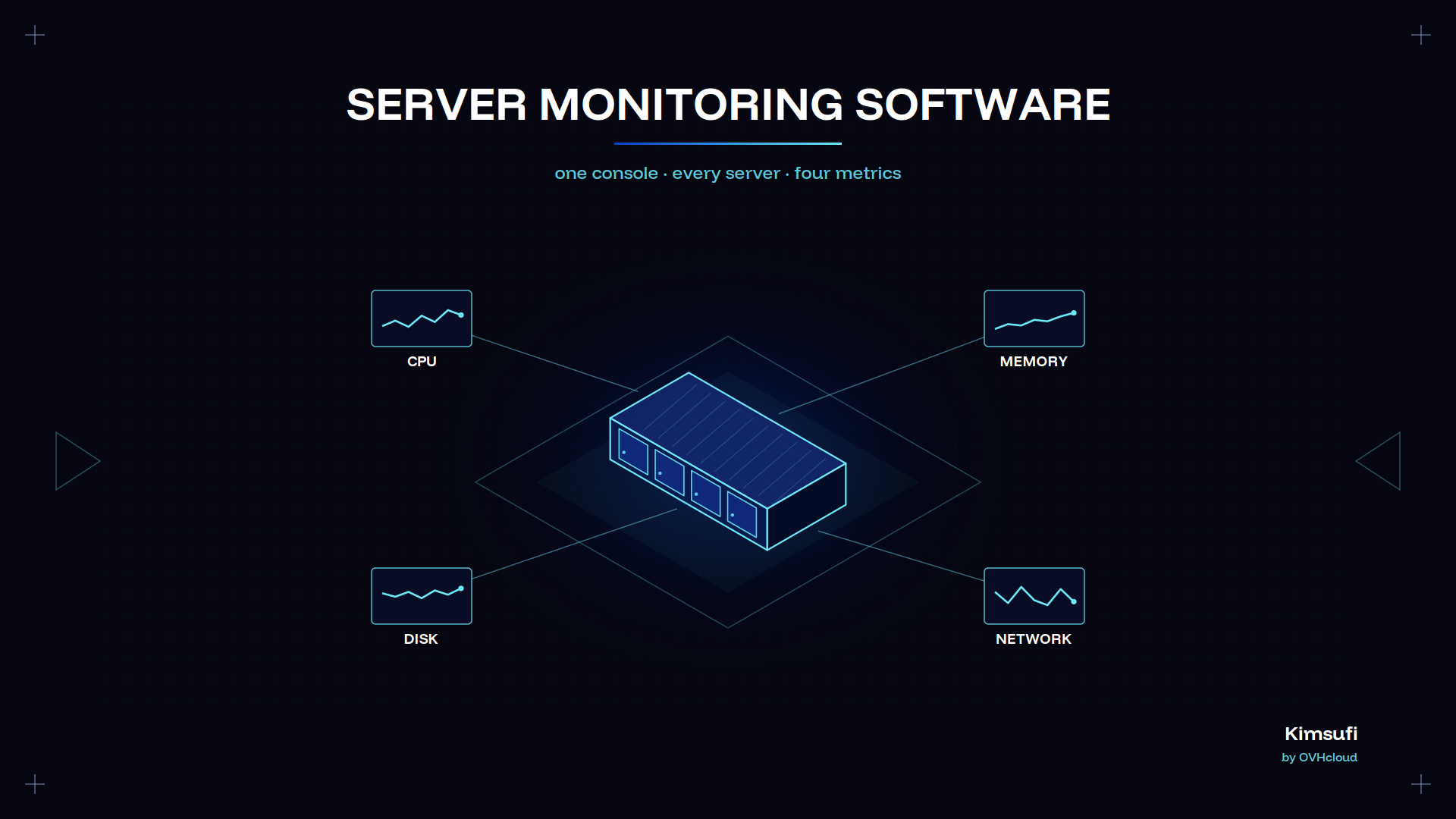
Start with four resource utilization metrics on every server, then add service checks. These answer most resource utilization questions you will get.
| Metric | What to watch | Typical threshold |
|---|---|---|
| CPU | Sustained usage and steal time | 85% usage for 15 minutes |
| Memory | Available memory and swap activity | Swap in use at all |
| Disk | Free capacity and write latency | 85% used, above 20 ms |
| Network | Throughput, errors, connection count | Error rate above zero |
Memory is the resource utilization figure most often misread. Our server RAM guide explains why available memory matters more than total usage, and storage options for dedicated servers covers latency by disk type.
Design each dashboard for one audience. An operations display needs red or green at a glance. An engineer troubleshooting a database wants raw time series to troubleshoot with. One dashboard for both serves neither.
Keep the main dashboard to eight panels of custom KPIs. Availability, error rate, response time, and saturation cover most incidents, and every other metric belongs one click deeper.
Resource utilization panels belong on the operations display, not the executive one. A saved dashboard template makes that repeatable, and a second template can display the same KPIs at data centre level for each data centre you run.
Alerting, automation, and incident response
An alert nobody acts on is noise. Three rules keep it usable.
- Alert on symptoms, not causes. Page on the service being slow, not on CPU usage being high. High CPU on a batch server is normal.
- Use dynamic baselines where load varies. A static threshold on a server with a weekly cycle fires every Monday. Baseline detection learns the pattern.
- Model dependencies. Tell the software which server sits behind which switch, and one link failure produces one alert rather than 400. That data also enables accurate root cause detection.
From there you can turn alerts into action. Most platforms trigger a script on a threshold breach, so a full disk rotates its own logs and a stuck service restarts automatically before anyone reads the notification.
Recovery still depends on having something to restore, and our backing up a dedicated server guide covers it. Automatic remediation buys time; it does not replace a backup.
Scalability and multi-cloud support
The main scale limit is collection rate, not server count. One Zabbix or Checkmk instance covers thousands of devices for most organizations, and the main constraint is data collection rate against its database.
Distributed collection is the answer. Proxies or remote probes gather data locally and forward it upstream, which enables monitoring across a multi cloud footprint without opening firewall holes everywhere. That is what makes a self-run platform scalable.
Cloud native estates change the problem. Containers live for minutes, so identity comes from labels rather than virtual server names, and virtual lifetimes break any static inventory. This is monitoring software designed for that.
For multi cloud coverage, confirm each provider's API is supported natively. A generic script works, but you lose the metadata that makes the analytics useful, and cloud native resource utilization figures with it.
Implementation best practices and integration tips
- Instrument one server type first. Get web servers right, save the configuration as a template, then move to the next server type. Server groups inherit that template, and one template applied to 50 servers is the point of a template library.
- Set thresholds from measured data. Run two weeks with alerting off, read the measured baseline, then set thresholds against that base. Vendor defaults do not know your workload.
- Integrate with what your team reads. Alerts into chat and tickets, not a mailbox nobody opens.
- Monitor the monitoring server. A dead collector reports perfect uptime. One external check ensures you find out.
- Document what each alert means. A runbook link in the alert body cuts resolution time more than any dashboard, and that is where operational efficiency comes from.
Security and compliance considerations
Monitoring software is a high-value target, and that is the main risk of running it yourself. This one product holds credentials for every server you operate.
- Keep the console off the public internet. Bind it to a management network or put it behind a VPN, and control who can reach it. Agents connect outbound to it, not the reverse.
- Scope the monitoring account. The collector needs read access to counters, not root. Grant the minimum, apply role-based access control, and audit it. That ensures a compromised collector changes nothing.
- Retain data long enough to matter. Most organizations must keep operational logs for a defined retention window. Confirm that before sizing the disk.
- Patch the platform. Agents run everywhere with elevated rights, so an unpatched version is a widespread problem, not a local one.
Running the platform yourself keeps operational telemetry inside a known jurisdiction. Kimsufi servers sit in ISO 27001 certified data centres, which matters when an auditor asks where telemetry from your digital estate and digital services is stored.
Conclusion
The market splits cleanly in 2026. Free and open source platforms have closed the functionality gap. What commercial vendors sell is convenience, support, and operational efficiency.
If your estate is stable and your team knows Linux, run it in-house. One dedicated server runs Zabbix, Checkmk, or a Prometheus stack for a fixed monthly cost, with no per-server contract to renegotiate.
The Kimsufi range starts at $11.10 USD/month, SYS at $33.20 USD/month, and Rise at $64.00 USD/month, with full root access and unlimited traffic. Our guide to a dedicated server for a website covers sizing if that server carries other services.
Frequently asked questions
What is the best tool for monitoring servers?
No single product wins outright. Zabbix is the strongest free all-rounder, Prometheus for cloud native containers, Datadog for integration breadth, Checkmk for fastest setup. Match the billing model to your estate: that is the main cost driver.
Is Nagios still free?
Nagios Core is free and open source in 2026. Nagios XI is a separate commercial product; its free tier covers seven nodes or 100 services.
What is the best monitoring software?
For most small and mid-size organizations running it in-house, Zabbix or Checkmk Community. Both are free at any server count, both offer automatic discovery, and both scale to thousands of devices on one server.
What are the top 10 network monitoring tools?
Zabbix, Prometheus with Grafana, Nagios Core, Checkmk, PRTG, OpManager, SolarWinds Observability, Datadog, LibreNMS, and Icinga.
How does server monitoring improve uptime?
By shortening detection and diagnosis. Most outages announce themselves as a trend, and monitoring turns it into an alert while there is time to act. Better reliability and less downtime follow.
What metrics should I monitor on my servers?
CPU, memory, disk capacity and response time, and network throughput on every server. Add service tests for what it does, plus temperature and disk health from the server hardware. Windows servers expose the same resource utilization counters through WMI.
Can I use server monitoring software in a hybrid multi cloud environment?
Yes, usually through remote collectors forwarding to a central console. Confirm native support for each cloud provider's API rather than generic scripts.
What are the typical pricing models for server monitoring tools?
Per server, per node, per sensor, per service, or free. Per-sensor models such as PRTG look cheapest per unit and multiply fastest, so count yours during the trial.
Do I need an agent on every server to collect metrics?
Not for reachability and status, which SNMP or an API check covers. For process-level detail and accurate resource utilization figures, yes.
How can I automate alerts and remediation actions?
Every platform runs a script on a threshold breach. Start with reversible actions such as log rotation or a service restart. Keep destructive ones behind human approval.