




















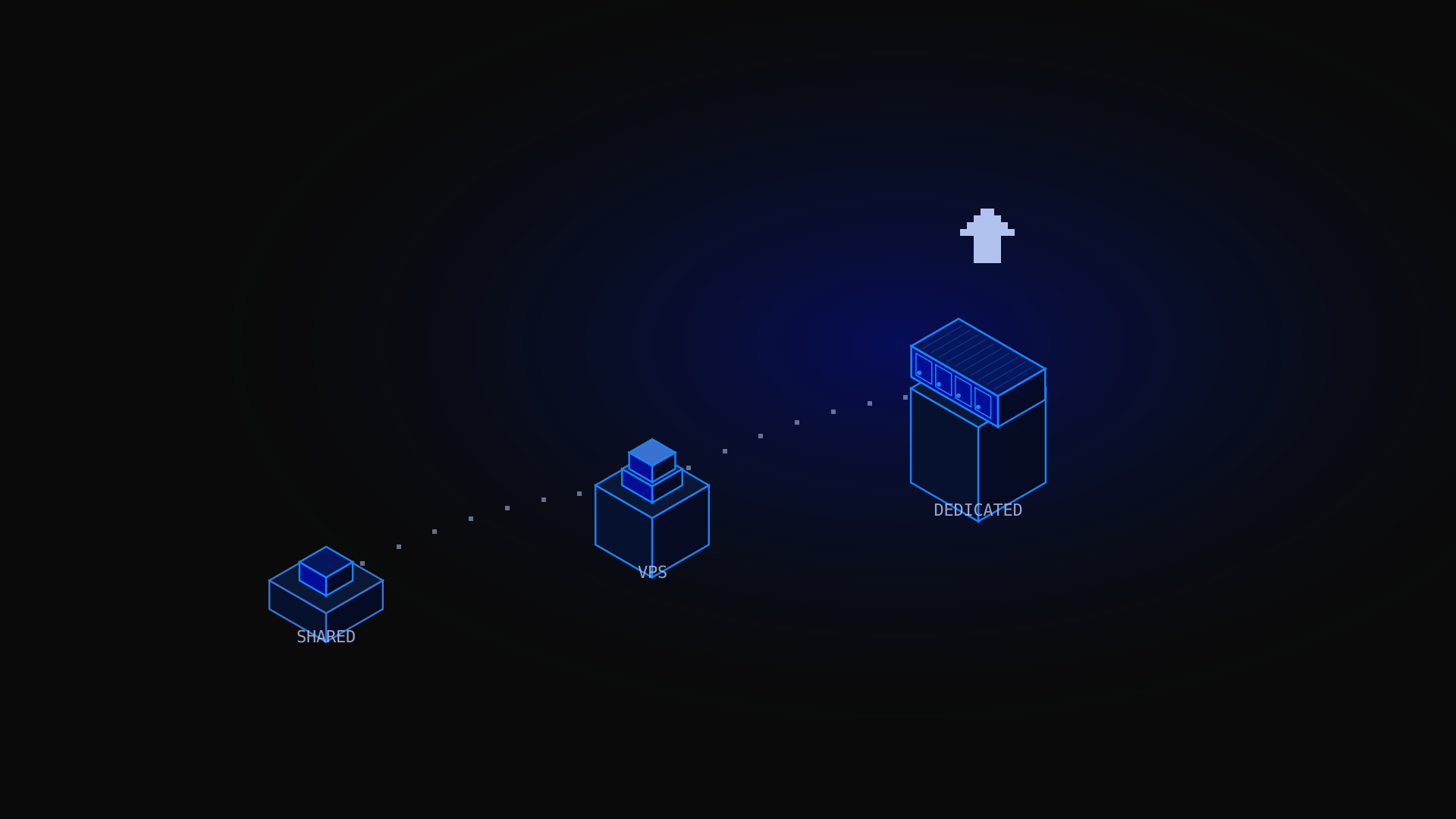
Running your website on a dedicated server means giving it the most powerful, controlled, and secure hosting environment available. A website dedicated server allocates an entire physical machine exclusively to your site: no shared resources, no noisy neighbours, no performance compromises. Whether you run a high-traffic e-commerce store, a media platform, a SaaS application, or a corporate website, this guide covers everything you need to know: what dedicated hosting is, how to choose a server, what it costs, how to manage it, and what security measures are included.
What Is a Dedicated Server for a Website?
New to the concept? Our dedicated server guide covers the fundamentals in detail. In short: a dedicated server is a physical server exclusively allocated to a single client, in this context to host one or more websites. Unlike shared hosting (where hundreds of sites share the same machine) or a VPS (where multiple virtual machines share physical hardware), a website on a dedicated server has the entire machine to itself: all CPU cores, all RAM, all disk I/O, and the full network bandwidth.
Dedicated server hosting is the top tier of web hosting. It delivers the performance of bare metal hardware, the security of an isolated environment, and the flexibility of complete root access. The hosting provider maintains the physical infrastructure and data center; you control everything at the software level: the web server, the operating system, the database, the firewall, and the application stack.
Not sure whether you need one? Our guide Do I need a dedicated server? can help you decide. As a rule of thumb: when shared hosting or a VPS can no longer handle your traffic, when your site processes sensitive customer data requiring compliance, or when your application needs guaranteed, consistent performance regardless of load, a dedicated server is the natural next step.
Benefits of Dedicated Hosting for Websites
Maximum performance
Dedicated servers deliver the highest performance available in web hosting. All CPU cores, RAM, and NVMe SSD storage are reserved exclusively for your website. There is no hypervisor overhead (as with VPS), no resource contention with other tenants, and no throttling by the hosting provider. For high-traffic websites, this translates to faster page load times, lower TTFB (Time to First Byte), and better Google Core Web Vitals scores.
Complete control over the server
Root access gives you full administrative control: choose your Linux distribution or Windows Server, install any software, configure the web server (Apache, Nginx, LiteSpeed), tune PHP settings, set up custom cron jobs, and implement your preferred security architecture. You are not limited by the restrictions of a shared hosting control panel.
Enhanced security
An isolated server environment means there is no risk of cross-contamination from other websites. You implement and manage your own security measures: firewall rules, intrusion detection (Fail2ban), SSL/TLS certificates, WAF (Web Application Firewall), and access controls. For e-commerce sites handling payment data or healthcare platforms managing patient records, this level of isolation is essential for compliance with PCI DSS, HIPAA, or GDPR. You stay in control of what goes in and out, and you can protect your infrastructure exactly the way you need to.
Dedicated resources: no traffic spikes from neighbours
On shared hosting, a viral article on another site sharing your server can consume all available CPU and memory, making your own site unresponsive. On a dedicated server, your resources are guaranteed. A traffic spike from a marketing campaign or news coverage will not affect your performance because there are no other tenants to compete with. You handle the load on your own terms.
Custom server configuration
Need to configure a specific PHP version for a legacy application? Want to set up Redis as an in-memory cache, or run a Node.js application that requires a specific runtime? All of this is possible on a dedicated server. No restrictions, no upselling for features that are standard on hardware you already own. The range of options at your disposal is genuinely wider than on any other hosting type.
Unmetered bandwidth
Kimsufi dedicated servers include unmetered bandwidth on a shared uplink. For websites with variable or high traffic (news sites, streaming platforms, file distribution), this means no surprise bandwidth bills at the end of the month, regardless of how much content your visitors consume.
Types of Dedicated Hosting for Websites
Unmanaged dedicated hosting
The most common type for technical users. You receive root access to the server and are responsible for all software management: OS updates, security patches, application configuration, and monitoring. Unmanaged hosting is the most cost-effective option and gives you the greatest flexibility. All Kimsufi servers are unmanaged dedicated servers.
Managed dedicated hosting
The hosting provider handles server management tasks on your behalf: OS updates, security patching, monitoring, and sometimes application management. Managed hosting costs significantly more than unmanaged but reduces the technical expertise required. It suits businesses that need dedicated server performance without an in-house sysadmin team. If this is your situation, it is worth comparing managed plans carefully before committing, as pricing and service levels vary a lot between companies.
Semi-managed dedicated hosting
A middle ground: the provider handles infrastructure and OS-level management (updates, security patches, hardware replacement) while you manage the application layer. Increasingly common as providers offer tiered support packages.
Bare metal servers
The term 'bare metal' emphasises that there is no virtualisation layer: you have direct access to the physical hardware. All Kimsufi dedicated servers are bare metal. This distinction matters for performance-critical workloads where hypervisor overhead would be a problem.
How to Choose a Dedicated Server for Your Website
Selecting the right dedicated server comes down to matching the hardware to your actual workload. Here is a practical framework to help you make the right choice, whether you are migrating from a VPS or moving up from shared hosting.
Step 1: Assess your current resource usage
Review your current hosting plan's CPU, RAM, and disk usage statistics. If you are consistently hitting 80% or more on any resource, you need more capacity. If your site is outgrowing a VPS, an entry-level dedicated server (KS range) is the natural next step. It is also worth checking whether your current environment supports monitoring tools that can give you a clearer picture of peak usage.
Step 2: Estimate your traffic requirements
A WordPress site receiving 10,000 daily visitors has very different requirements from a 500,000-visitor news site. As a rough guide: a well-optimised WordPress site with caching can handle 10,000 to 50,000 daily visitors on an entry-level dedicated server. An uncached dynamic application or a high-concurrency API will require significantly more. Factor in expected growth over the initial term, not just your current usage.
Step 3: Choose your CPU architecture
For general web hosting workloads, any modern multi-core processor (Intel Xeon or AMD EPYC) will perform well. For compute-intensive workloads (image processing, video transcoding, machine learning inference), opt for AMD EPYC or Xeon Scalable processors with higher core counts. GPU-accelerated configurations are also available for AI inference or rendering workloads that need additional processing power.
Step 4: Select storage type
NVMe SSD storage offers the lowest latency and highest throughput, essential for database-heavy applications and high-concurrency web servers. SATA SSD is adequate for most standard web hosting workloads. HDD is only appropriate for bulk storage (backups, media archives) where I/O latency is not critical. The memory configuration of your server works alongside storage: make sure you have enough RAM to cache frequently accessed data and reduce disk I/O under load.
Step 5: Decide on managed vs unmanaged
If you have a developer or sysadmin on staff who can manage the server, unmanaged hosting (Kimsufi) is the most cost-effective choice. If you need the provider to handle server management, budget for managed hosting, which typically costs two to three times more per month. For most technical teams, unmanaged is the right starting point: you get more control and a lower price, and you can always add expert support services later if your needs change.
| Hosting type | Best for |
|---|---|
| Shared hosting | Blogs and small brochure sites under 1,000 daily visitors. No technical management needed. |
| VPS | Growing websites from 1,000 to 20,000 daily visitors. Root access without dedicated hardware cost. |
| Dedicated server (KS) | Established websites from 20,000 to 100,000 daily visitors. Consistent performance required. |
| Dedicated server (SYS/RISE) | High-traffic sites with 100,000+ visitors, e-commerce, SaaS, and resource-intensive applications. |
What Is the Cost of a Dedicated Server for a Website?
Dedicated server pricing varies based on hardware configuration, data center location, and whether management services are included. Kimsufi offers some of the most competitive pricing in the market, with an introductory offer structure that makes it easy to get started without a large upfront commitment.
- KS range: from $11.10/month. Entry-level dedicated servers for small-to-medium websites. Intel or AMD processors, 16 to 32 GB RAM, SSD storage.
- SYS range: from $33.20/month. Professional configurations for business websites and applications. NVMe SSD, higher RAM, better CPU configurations.
- RISE range: from $61.20/month. High-performance dedicated servers for demanding applications. AMD EPYC or Intel Xeon Scalable, NVMe SSD RAID, up to 192 GB RAM.
All Kimsufi plans include no setup fees (on most configurations), monthly billing, unmetered bandwidth, built-in DDoS protection, root access, and KVM over IP for out-of-band management. There are no hidden charges for bandwidth overages, and no additional tax surprises on standard plan pricing.
💡 Cost comparison A Kimsufi KS dedicated server at $11.10/month often costs less than a premium shared hosting plan, with exponentially more performance, control, and resources. When you compare dedicated server pricing across providers, always check whether bandwidth, DDoS protection, and management tools are included or sold separately. The headline price is rarely the full picture.
How to Manage a Dedicated Server for Your Website
Managing a dedicated server involves regular maintenance tasks that keep your website running securely and efficiently. If you are new to server management, the learning curve is real but manageable. Here is what to address from day one.
Operating system and software updates
Keep your OS and all installed software up to date. On Ubuntu/Debian, configure unattended-upgrades for automatic security patches. On AlmaLinux, use dnf-automatic. Regular updates are the single most important security practice for a self-managed server, and they help protect against the downtime that vulnerabilities can cause.
sudo apt update && sudo apt upgrade -y    # Ubuntu/Debian

sudo dnf update -y                         # AlmaLinux
Web server configuration
Nginx and Apache are the most common web servers for websites on dedicated servers. Nginx excels at high-concurrency static content serving; Apache offers broader compatibility with legacy PHP applications and .htaccess configurations. Both can be tuned for performance through worker process configuration, connection limits, and caching headers. For a step-by-step walkthrough, see our guide on how to configure a Linux server.
Database management
MySQL (MariaDB) and PostgreSQL are the standard database servers for web applications. On a dedicated server, tune the database configuration for your available RAM: the InnoDB buffer pool (MySQL) or shared_buffers (PostgreSQL) should be set to 50 to 70% of available RAM for database-heavy workloads.
Monitoring and alerting
Install a monitoring solution to track CPU, memory, disk usage, and application response times. Netdata provides real-time dashboards with minimal configuration. For more comprehensive monitoring, Prometheus + Grafana is the industry standard. Configure alerts for high CPU usage, low disk space, and service outages. Good monitoring means you can address issues before they affect your visitors, not after the fact.
Backup strategy
Implement automated backups of your website files and database. Use rsync for file backups and mysqldump or pg_dump for database backups. Store backups in a separate environment or in cloud object storage, following the 3-2-1 rule: three copies of your data, on two different media, with one stored offsite. For complete implementation details, see our dedicated server backup guide.
What Security Measures Are Included with Dedicated Server Hosting?
Built-in DDoS protection
All Kimsufi servers include OVHcloud's proprietary anti-DDoS protection as standard. The system monitors traffic patterns and automatically mitigates volumetric attacks (UDP floods, SYN floods, amplification attacks) at the network edge before malicious traffic reaches your server. Protection capacity scales to hundreds of Gbps, the same infrastructure that protects OVHcloud's own data centers. You do not have to configure anything to benefit from it.
Physical security
Servers are housed in OVHcloud data centers with 24/7 physical security, biometric access controls, CCTV monitoring, and redundant power supplies (N+1 UPS, diesel generators). Physical access to your server is restricted to authorised data center staff only.
Network isolation
Each dedicated server operates on a dedicated network interface with its own public IP address. There is no shared network namespace with other customers, and your server's network traffic is logically isolated from other tenants in the data center.
KVM over IP (out-of-band management)
Kimsufi servers include KVM over IP access, which allows you to connect to the server's console even if the operating system is unresponsive or you have accidentally locked yourself out via SSH. This is an essential recovery tool that eliminates the need to physically contact the data center team to regain access.
You are responsible for implementing application-level security: configuring UFW or iptables firewall rules, setting up Fail2ban for brute-force protection, managing SSL/TLS certificates, keeping software patched, and following Linux server hardening best practices. The infrastructure is secure by design; the application layer is yours to protect.
What Is the Performance of Dedicated Servers for Websites?
Performance on a dedicated server for a website is determined by four factors: CPU speed and core count, RAM capacity, storage type and IOPS, and network bandwidth.
- CPU: a modern quad-core server processor can handle 50,000+ PHP requests per day on a well-optimised WordPress site. For concurrency-heavy applications (APIs, real-time services), higher core counts reduce queuing latency.
- RAM: 16 GB is adequate for most websites. Database-heavy applications benefit from 32 to 64 GB, allowing the entire working dataset to be cached in memory and reducing disk reads significantly.
- Storage: NVMe SSD storage delivers 3,000 to 7,000 MB/s sequential read speeds and sub-millisecond latency, essential for database-heavy CMSs (WordPress, Magento, WooCommerce) and high-concurrency applications.
- Bandwidth: Kimsufi's unmetered bandwidth ensures your site's performance is not limited by traffic volume, even during peak periods.
For a high-traffic website, the most impactful performance optimisations after choosing the right hardware are: enabling PHP OPcache, deploying a Redis or Memcached caching layer, configuring Nginx with static file caching, and using a CDN for static assets. These application-level optimisations multiply the benefit of the underlying dedicated server hardware. When you get this stack right, the difference in speed is something your visitors will notice.
FAQ
What is the difference between dedicated hosting and cloud hosting for websites?
Dedicated hosting provides a fixed physical server with predictable performance and cost. Cloud hosting (VMs or containers) offers on-demand scalability but introduces hypervisor overhead and variable costs. For websites with predictable, high traffic, dedicated hosting typically offers better performance per dollar. For highly variable traffic patterns, cloud hosting's elasticity is advantageous. The right choice depends on whether your priority is cost predictability or flexibility to scale up and down.
How many websites can I host on a dedicated server?
A single dedicated server can host hundreds of websites using virtual hosting in Nginx or Apache. With a control panel like cPanel or Plesk, managing multiple sites becomes straightforward. The practical limit is determined by your server's resources: RAM for concurrent PHP processes, CPU for request handling, and disk for site files and databases.
Do I need technical knowledge to manage a dedicated server?
Unmanaged dedicated servers require comfort with Linux command-line administration: installing packages, editing configuration files, managing services, and reading log files. If you do not have this expertise in-house, managed dedicated hosting or a managed VPS is a sensible intermediate step. Many teams start with an unmanaged server and simply contact support when they run into something unfamiliar.
What uptime can I expect from a dedicated server?
Kimsufi's infrastructure is backed by OVHcloud's SLA. The data centers feature redundant power and network connectivity, and the hardware is designed to minimise downtime at the infrastructure level. Your application uptime depends on both the hardware availability (covered by the provider's SLA) and how you configure your software stack. For mission-critical uptime requirements, a hot standby server or a load-balanced multi-server setup is worth considering from the outset.
Can I host an e-commerce site on a dedicated server?
Dedicated servers are one of the best hosting environments for e-commerce. They provide the performance for fast product page loads (which directly affect conversion rates), the security isolation required for PCI DSS compliance, and the flexibility to install and configure your chosen e-commerce platform (WooCommerce, Magento, PrestaShop) exactly as needed. For any online store that is starting to feel the limits of shared hosting, a dedicated server is a natural next step.
Can I run Windows Server on a dedicated server?
Yes. Kimsufi dedicated servers support Windows Server as an operating system option. This makes them a practical choice for teams that run ASP.NET applications, use Windows-native tools, or simply prefer a Windows-based environment for server management. You can install and configure Windows Server just as you would on any physical machine, with full administrative access from day one.
Conclusion
A website dedicated server is the highest-performance, most controllable, and most secure hosting environment available. For websites that have outgrown shared hosting or VPS, it delivers bare metal performance, complete root access, and the isolation needed for compliance-sensitive applications. With Kimsufi's dedicated server ranges starting at $11.10/month, including unmetered bandwidth, built-in DDoS protection, and no setup fees, dedicated hosting is more accessible than ever.
Find your website dedicated server Browse KS, SYS, and RISE ranges at Kimsufi. Monthly billing, root access from day one, and DDoS protection included.