




















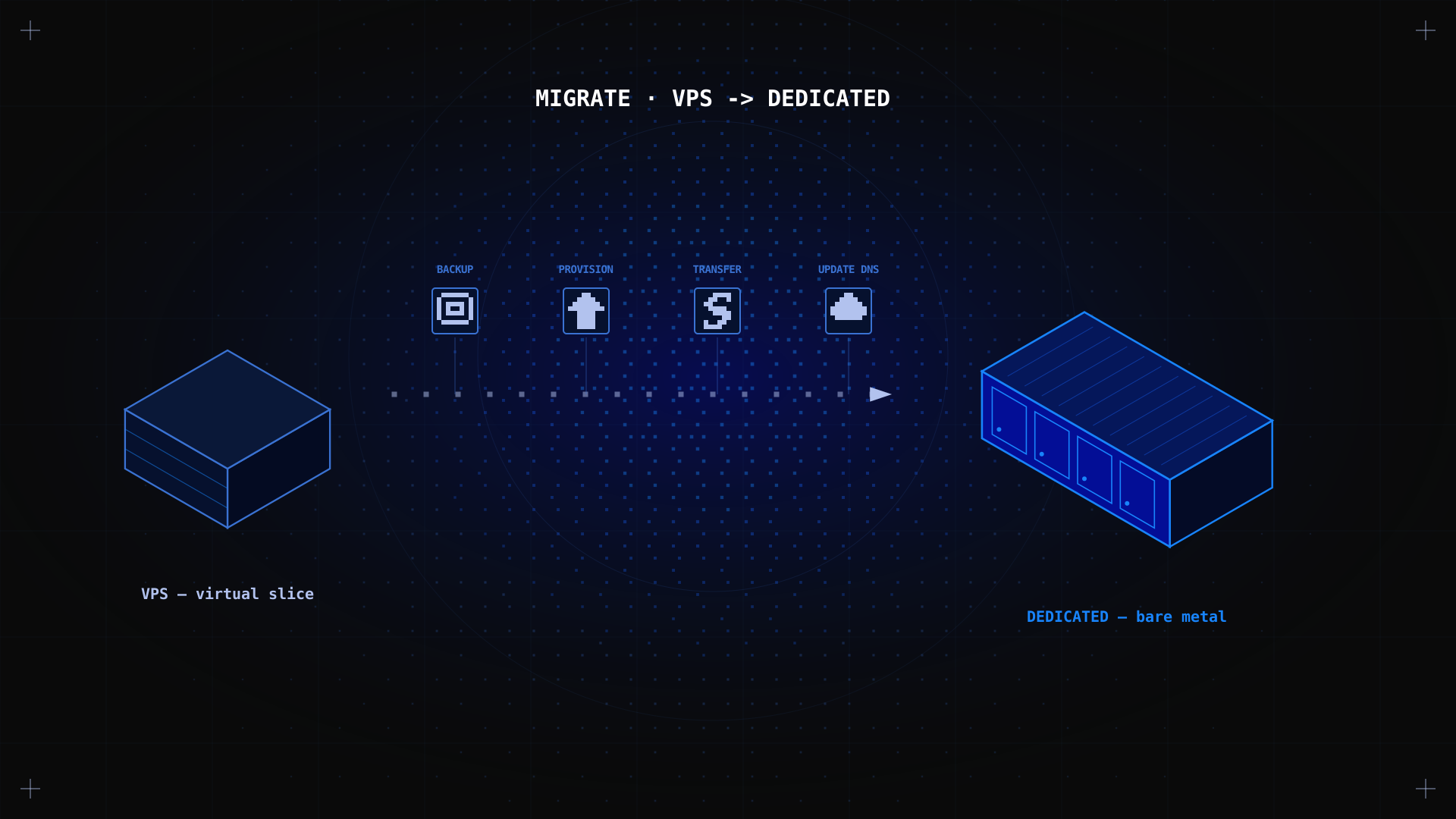
A VPS (Virtual Private Server) is an excellent starting point. It gives you root access, isolated resources, and a reasonable price, and it serves most growing applications well. But there comes a point where the limitations of shared physical hardware start to matter. This guide covers the clear signs that you need to upgrade from VPS to a dedicated server, what the differences are in practice, how to migrate your data, and what to expect from the process.
Key Takeaways
- A VPS is a virtualised slice of a physical server. A dedicated server gives you the entire physical machine. The difference in performance is most noticeable on CPU-intensive and I/O-heavy workloads.
- The 5 clear signs you need to upgrade: consistent high CPU usage, slow loading times under load, security or compliance requirements, resource-intensive applications, and hitting VPS plan limits regularly.
- Migration from VPS to dedicated involves backing up data, provisioning the new server, transferring files and databases, reconfiguring services, and updating DNS.
- Kimsufi dedicated servers start at $11.10/month, making the upgrade often cheaper than many assume, especially compared to premium VPS plans.
- The migration process typically takes 2 to 4 hours for a standard web application, with minimal downtime if planned correctly.
What Is the Difference Between VPS and Dedicated Server?
A VPS uses a hypervisor to divide a single physical server into multiple virtual machines. Each VM gets its own OS, isolated resources, and root access. The catch: the underlying CPU, RAM, and storage IOPS are still shared among all VMs on that physical host. A busy neighbour can consume CPU cycles (CPU steal time), and disk I/O performance is variable under load.
A dedicated server allocates the entire physical machine to a single customer. There is no hypervisor layer, no shared hardware, and no resource contention with other tenants. Every CPU core, every gigabyte of memory (RAM), and every IOPS of disk performance is yours. This is what 'bare metal' means: direct access to the hardware without virtualisation overhead.
| col1 | VPS hosting | Dedicated server |
|---|---|---|
| Hardware | Shared physical server, virtualised | Exclusive physical machine |
| CPU | vCPUs (shared, may experience steal time) | Full dedicated CPU cores |
| RAM | Allocated but shared physical pool | All RAM exclusively yours |
| Storage I/O | Shared IOPS, variable under load | Dedicated IOPS, consistent |
| Network | Shared uplink | Dedicated uplink, unmetered on Kimsufi |
| Root access | Yes (within VM) | Yes (full bare metal) |
| DDoS protection | Varies by provider | Included on all Kimsufi servers |
| Starting cost | From ~$5/month | From $11.10/month (Kimsufi KS) |
When Should You Upgrade from VPS to Dedicated?
The right time to upgrade is when the limitations of virtualised infrastructure are actively affecting your application's performance, security posture, or scalability. Here are the concrete signals to watch for:
1. Consistent high CPU usage
If your VPS CPU is regularly running above 70 to 80%, your applications are competing for processing power. On a VPS, this is made worse by CPU steal time: cycles consumed by other VMs on the same physical host. Check your VPS monitoring dashboard for steal time. If it is regularly above 5 to 10%, you are losing performance to neighbours you cannot control, and these performance issues will only grow as your traffic increases.
top # look for 'st' (steal) in the CPU line
2. Slow loading times under traffic
If your application performs well at baseline but loading speed drops noticeably during traffic spikes, product launches, or peak hours, your VPS plan is hitting its resource ceiling. On shared hardware, every customer of your provider hits their traffic spike at the same time. A dedicated server handles these spikes consistently because there are no other tenants to compete with. Slow pages cost you customers and hurt your business, especially for e-commerce sites.
3. Security or compliance requirements
PCI DSS, HIPAA, and strict GDPR data privacy and isolation requirements may mandate an environment where data is physically isolated from other users' infrastructure. A VPS, by design, shares physical hardware. A dedicated server provides the level of isolation these compliance frameworks require.
4. Resource-intensive applications
Machine learning inference, video transcoding, large database workloads, high-concurrency APIs, e-commerce businesses with high transaction volumes, and CI/CD build pipelines all need sustained CPU and RAM that VPS plans cannot reliably handle. These workloads benefit directly from dedicated hardware where there is no virtualisation overhead and no resource contention.
5. Growth: you keep hitting plan limits
If you are regularly upgrading your VPS plan to get more RAM or CPU, and each upgrade feels like a short-term fix, you are scaling vertically within a virtual environment that still shares a physical host. A dedicated server is often the more cost-effective next step: more raw power and resources at a comparable or lower monthly price, with better and more consistent performance.
Is VPS Better Than Dedicated Server Performance?
No: for CPU and I/O performance, a dedicated server consistently outperforms a virtual server at the same or similar price point. The VPS advantage is flexibility: you can scale resources up or down quickly, pay for only what you use, and spin up new instances in minutes. For workloads with predictable, sustained resource requirements, dedicated servers deliver better performance per dollar.
For workloads that are highly variable or bursty (traffic spikes that are unpredictable and short-lived), cloud hosting with auto-scaling may be more efficient than either VPS or dedicated. Dedicated servers are the optimal choice to handle consistent, high-demand workloads.
How to Migrate from VPS to Dedicated Server: Step by Step
Migration is more straightforward than most people expect. If you have a working VPS setup, you have everything you need. Here is the full process, with tips to keep downtime minimal. If you need a refresher on server configuration, our Linux server setup guide walks through everything from SSH to firewall.
Step 1: Order and provision your dedicated server
From your Kimsufi account, select a server that matches your current VPS specs, with room to grow. A KS server starting at $11.10/month covers most small-to-medium application migrations. Provision with the same OS as your VPS for a simpler configuration process.
Step 2: Back up your VPS
Before touching anything, take a full backup of your VPS. This is your safety net and an essential step. Backup all website files, databases, configuration files, and cron jobs. Read our dedicated server backup guide to learn the tools and process in detail.
# Files

rsync -avz /var/www/ backup-user@BACKUP:/backups/www/

# Databases (MySQL)

mysqldump --all-databases > all-databases.sql
Step 3: Configure the new dedicated server
Set up the dedicated server from scratch: create a non-root user, configure SSH key authentication, set up UFW, and install your application stack (web server, PHP, database). This is a clean install, not a clone: start fresh and reinstall only what you need.
Step 4: Transfer data and applications
# Transfer website files

rsync -avz /var/www/ newuser@DEDICATED_IP:/var/www/

# Import databases

mysql -u root -p < all-databases.sql
Step 5: Reconfigure services and test
Reconfigure your web server virtual hosts, update database connection strings in your application configuration, recreate cron jobs, and restore SSL certificates (or request new ones with Certbot) so your site serves traffic over HTTPS. Restart each service, check your server logs for errors, and test the application thoroughly on the new server's IP before switching DNS. Make sure HTTP requests redirect to HTTPS.
Step 6: Update DNS and cut over
Once everything is verified on the new server, you are ready to switch: update your DNS records to point to the new IP address. Lower your TTL to 300 seconds before the migration so the change propagates quickly. Keep your VPS running for 24 to 48 hours after the DNS change and wait until traffic to the old IP stops completely.
✅ Expected result Your application is running on the dedicated server with the same configuration as the VPS. DNS has propagated. The old VPS can be decommissioned once you are confident in the new setup.
Can I Switch from VPS to Dedicated Easily?
Yes, especially if you are running a standard Linux stack. Switching is a manual process (there is no automated VPS-to-dedicated migration tool), but the steps are well-defined and achievable without specialist knowledge. The main risk is downtime during the DNS cutover, which can be minimised to a few minutes with proper planning.
The technical effort involved depends on the complexity of your application. A single WordPress site migrates in under an hour. A multi-service application with custom configurations and multiple databases will take 3 to 6 hours. Either way, thorough testing on the new server before the DNS change keeps the risk manageable.
What Are the Benefits of Upgrading to a Dedicated Server?
- Bare metal performance: no hypervisor overhead, no CPU steal, no shared IOPS. Your application gets the full power of the hardware.
- Predictable resources: your RAM, CPU, and disk are guaranteed, for consistent speed and better uptime. A traffic spike never affects you because of a neighbour's workload.
- Better security posture: physical isolation from other users is meaningful for compliance-sensitive applications.
- More cost-effective at scale: at comparable price points, dedicated servers deliver significantly more raw performance than VPS, which matters more as your business grows.
- Full configuration freedom: install any software, use any kernel module, configure any system parameter.
- DDoS protection included: every Kimsufi server includes anti-DDoS protection at no extra cost, so your infrastructure stays reliable under attack.
Conclusion
Upgrading from VPS to dedicated is the natural next step when your application has outgrown the limitations of a virtual environment on shared physical hardware. The migration process is well-defined and achievable in a few hours with proper planning. The result is bare metal performance, dedicated resources, and complete control over your infrastructure. With Kimsufi dedicated server pricing from $11.10/month, the cost difference from a premium VPS is often smaller than expected, while the performance gain is significant. Browse the KS, SYS, and RISE ranges to find the right configuration for your workload.
Ready to make the switch? Kimsufi offers dedicated servers from $11.10/month. Every plan includes root access, unmetered bandwidth, and built-in anti-DDoS protection. No setup fees on most configurations.
FAQ: Frequently Asked Questions
When should I upgrade from VPS to dedicated?
Upgrade when your VPS is consistently hitting resource limits (CPU, RAM, or I/O), when performance under load is affecting your users, or when your application has security or compliance requirements that shared physical hardware cannot meet. Our do I need a dedicated server guide provides a detailed decision framework.
How long does migration from VPS to dedicated take?
For a simple web application (one site, one database), expect 1 to 2 hours. For a more complex setup with multiple applications, custom configurations, and multiple databases, allow 3 to 6 hours including testing. You may need to wait up to 24 hours for DNS propagation, but it typically resolves within 1 to 2 hours when TTL is set low.
Is shared hosting cheaper than dedicated hosting?
Shared hosting is cheaper per month at the entry level, typically $2 to $10/month. But shared hosting offers no root access, limited performance, and no control over the server environment. A Kimsufi dedicated server from $11.10/month provides your business with incomparably more power, control, and flexibility for a comparatively small price difference.
Can I upgrade my VPS rather than migrating to dedicated?
Yes. Most VPS providers offer an upgrade to a larger plan within the VPS tier. If your workload simply needs more RAM or CPU and the virtualisation overhead is not a bottleneck, upgrading your VPS plan is a simpler option. When you start consistently maxing out the largest available VPS plan, or when CPU steal time is regularly affecting performance, switching to dedicated hosting becomes the right move.
What happens to my data during VPS to dedicated migration?
Nothing happens to your data unless you delete it. Moving your data is non-destructive: the migration process copies it from the VPS to the dedicated server; the original VPS remains intact throughout. Only once you are confident that everything is working correctly on the new server should you consider decommissioning the VPS. Always maintain a full backup before starting any migration.
Are Kimsufi dedicated servers managed or unmanaged?
Kimsufi servers are an unmanaged hosting service: customers administer the operating system and applications themselves, which is what keeps pricing so low. Technical support is available for hardware and network issues, and you can open a support ticket from your account at any time. If you need fully managed hosting with application-level support, a managed offer from another provider may be a better fit.