









Host n8n on a dedicated server to automate your workflows
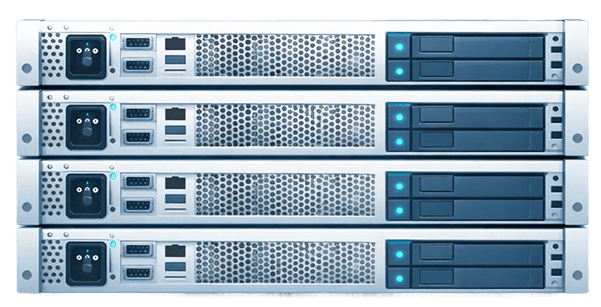
Self-host n8n on a Kimsufi dedicated server and stay in control of your automation, with no per-execution billing. The processor, RAM and storage are reserved for you, and you get full root access: your n8n instance runs 24/7 on a machine you control.
Why self-host n8n instead of using n8n Cloud or Zapier?
n8n is a fair-code licensed automation platform that connects your applications, APIs and data in workflows built from a visual interface. Each workflow chains nodes: a trigger (webhook, schedule, new email), then actions, conditions, transformations and, more and more often, calls to AI models. It is an alternative to cloud services such as Zapier or Make, with one major difference: the software can run on your own machine.
You have two options for n8n hosting:
- n8n Cloud: the vendor hosts the service for you. It is simple, but the plans are paid and set a monthly execution quota, in the same way that Zapier bills by number of tasks.
- Self-hosted n8n: you deploy the community edition on your own server. No per-execution billing, your data stays with you and you can extend the tool with community nodes or nodes developed in-house.
Self-hosting, however, requires a real machine. Shared hosting is not suitable: n8n is a Node.js application that must run continuously, listen for webhooks and launch scheduled tasks at any hour, which a typical shared hosting plan does not allow. You need an environment where you have root access.
Why choose a Kimsufi dedicated server for n8n hosting?

Reserved resources
CPU, RAM and storage are not shared with anyone. Your workflows run with stable performance, even during execution peaks or when processing large files.

Full root access
You choose the Linux distribution, the n8n version, Docker or npm, the database and the reverse proxy. You customize the configuration to fit your automation needs.

Built-in security
Anti-DDoS protection is included with every offer and helps keep your workflows available; our datacenters are ISO 27001 certified. Your credentials and data stay on your machine, not in a third-party cloud.

Predictable costs
Unmetered traffic is included and self-hosted n8n does not bill per execution: the cost of your automation does not climb with your workflow volume.
Chargement du catalogue…
n8n VPS or dedicated server: which should you choose?
Many hosting providers and platforms offer a ready-to-use n8n VPS. A VPS is a virtual machine carved out of a physical server shared with other customers: each VPS gets a share of the processor, memory and disk. A dedicated server, on the other hand, gives you the entire physical machine.
- To test or get started: a small VPS is enough to discover n8n and run a few simple workflows.
- For production: as soon as automation becomes critical (CRM sync, invoicing, file processing, AI agents), a dedicated machine provides resources that do not depend on any neighbor. No other VPS draws on your processor when your webhooks come in.
- For a full stack: on an n8n VPS, available memory quickly limits what you can run alongside it. On a dedicated server, n8n runs alongside PostgreSQL, Redis, a reverse proxy, workers or a local AI model.
Another point of comparison with n8n VPS hosting: getting started. A Kimsufi dedicated server is ready a few minutes after you order, and the technical team is available 24/7 for hardware. Moving from a VPS to a dedicated server stays simple: export your workflows, then import them on the new machine with the same encryption key to recover your credentials.
How do you choose the configuration of your n8n server?
n8n itself uses few resources. Your usage is what sizes the resources: execution volume, size of the data processed, number of parallel API calls, JavaScript or Python code in your workflows, and applications hosted alongside it. A few guidelines based on your needs:
- Processor: a few cores are enough for n8n on its own. More cores become useful in queue mode, where several workers process workflows in parallel, or if you run AI locally.
- Memory: RAM is used by n8n, PostgreSQL, Redis and the data handled by each execution (files, large JSON payloads, attachments). Leave some headroom if your workflows process large files.
- Storage: an SSD or NVMe drive speeds up PostgreSQL, which stores the execution history. A higher-capacity HDD can hold backups and processed files.
- Network and location: choose a datacenter close to the services you connect and to your users: France, Germany, United Kingdom, Poland, Canada, India, Singapore or Australia. Network connectivity ranges from 100 Mbps to 1 Gbps depending on the offer, with unmetered traffic.
To get started or automate a small team's tasks, the KS range is a good starting point. For production in queue mode, hundreds of workflows or AI agents, the SYS and RISE ranges provide more cores and memory. If your workflows use AI that requires a GPU, the RISE-GPU-1 server comes with one.
How much does n8n hosting on a dedicated server cost?
The n8n community edition is free to self-host: you only pay for the machine. Its price depends on the range (KS, SYS or RISE), the configuration and the country; it is shown on each offer. Unmetered traffic and Anti-DDoS protection are included. Unlike n8n Cloud or Zapier, nothing is billed per execution.
What is self-hosting and what are its advantages?
Self-hosting means running software on a server you administer, instead of using a cloud service. For n8n, the advantages are control over your data, no per-execution billing and the freedom to use community nodes or connect internal services. In return, you handle configuration, security and updates.
How does n8n work and what are the steps to deploy it?
n8n runs workflows made of nodes: a trigger starts the workflow, then each node processes the data or calls an API. To deploy it: prepare Linux and Docker, write a Docker Compose file (n8n, PostgreSQL, reverse proxy), point a domain name to the server, then start everything and create the admin account.
Which configuration should you choose for intensive n8n workflows?
For heavy automation and many workflows, go for a multi-core processor to spread executions across workers, generous RAM for in-memory data and SSD or NVMe storage for PostgreSQL. The SYS and RISE ranges suit these uses; the KS range is enough to get started.
How do I secure my n8n instance?
Put n8n behind an HTTPS reverse proxy, open only the necessary ports, use SSH keys, enable two-factor authentication, keep the encryption key safe, back up PostgreSQL and apply updates. The included Anti-DDoS protection complements these measures at the network level.
Does Kimsufi install n8n for me?
No. Kimsufi provides the machine, with root access and one-click operating system installation; you set up and administer n8n yourself. That is the principle of an unmanaged dedicated server: complete freedom, in exchange for handling the administration.