









Dedicated Server with cPanel - Web Hosting Made Simple
Manage websites, emails, databases and domains from one intuitive interface. The power of a dedicated server, the simplicity of cPanel. Starting from £8.89/month.
What Is a Dedicated Server with cPanel?
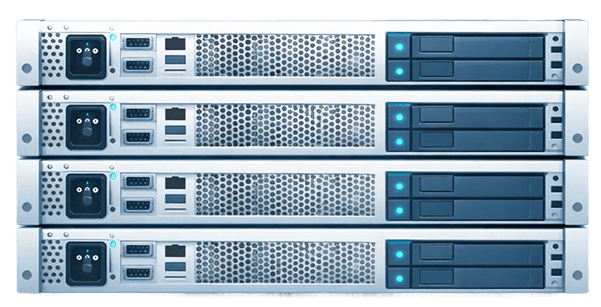
A dedicated server with cPanel is a physical server exclusively allocated to you, pre-configured with the cPanel control panel for easy hosting management. Instead of managing your server through the command line, cPanel gives you a graphical web interface to handle domains, email accounts, databases, files, and SSL certificates.
Paired with WHM (Web Host Manager), a cPanel dedicated server lets you manage multiple hosting accounts from a single platform, ideal for web agencies, resellers, and hosting professionals. cPanel transforms server administration into clickable tasks: creating hosting accounts, configuring mail, MySQL databases, SSL certificates, backups. WHM adds multi-account management for resellers and administrators.
Why cPanel on a Kimsufi Dedicated Server?

Complete graphical interface
Manage domains, email, databases, files and SSL from your browser. No command line required for day-to-day work, so hosting administration becomes accessible to the whole team.

Multi-account and resellers with WHM
WHM lets you create and manage multiple hosting accounts, define plans and quotas and delegate administration, the foundation of reseller offers.

Email, databases and one-click apps
Email accounts with spam filtering and webmail, MySQL and MariaDB management with phpMyAdmin, plus Softaculous one-click installs (WordPress, Joomla, Drupal and 400+ apps) with backup and restore tools.

Security and SSL
SSL/TLS certificate management with Let's Encrypt integration, two-factor authentication support, IP blocker and hotlink protection.

Anti-DDoS included
OVHcloud anti-DDoS protection included on all configurations: unlimited traffic, 500 Mbps guaranteed.

Dedicated resources, not shared
Unlike shared cPanel hosting you have exclusive CPU, RAM and storage, so one account's performance never depends on a noisy neighbour. IPv4 and IPv6 included, IPMI console for out-of-band management.
Chargement du catalogue…
How Does Dedicated cPanel Hosting Work?

Step 1: Choose your configuration
Browse Kimsufi servers, from entry-level Intel Xeon (KS-1 to KS-5) to multi-core AMD EPYC (KS-6, KS-7). For standard hosting, KS-1 to KS-5 work well; for high-traffic or reseller environments, KS-6/KS-7 are recommended.
Step 2: Select cPanel at order time
Choose the cPanel option in the OVHcloud configurator: the license is billed separately via OVHcloud, together with the server. No third-party purchase, no manual install.
Step 3: Access your panels
Once provisioned, log in to WHM for server administration and create your cPanel accounts (URLs and personal credentials provided). Deploying hosting for clients or projects starts right away.
cPanel Version & Base OS
AlmaLinux 8 and 9 are the reference distributions for the Kimsufi cPanel dedicated server: the OVHcloud install templates deliver cPanel pre-configured on AlmaLinux (alma8-cpanel-latest, alma9-cpanel-latest), and cPanel accounts on dedicated servers run on AlmaLinux.
Other Linux distributions (Ubuntu, Debian, AlmaLinux, Fedora, Rocky Linux) remain available free of charge on the same configurations, without the cPanel license.
Pricing, cPanel Dedicated Server
Kimsufi dedicated hardware starts from £8.89/month. The cPanel license is billed separately via OVHcloud, at the same time as the server, on compatible configurations.
Day to day, cPanel cuts administration time: graphical multi-account management makes accessible tasks that would otherwise require scripts and SSH maintenance, especially cost-effective when you host several sites or clients.
How to Choose a Dedicated Server with cPanel
Choosing the right dedicated server with cPanel comes down to a few criteria:
1. Load per hosted account: the number of hosting accounts drives RAM: entry-level (KS-1 to KS-5) covers standard hosting; KS-6/KS-7 (AMD EPYC) are recommended for high-traffic or reseller environments.
2. Expected traffic and storage: SSD NVMe (KS-2, KS-4, KS-5) carries databases and I/O-heavy sites; large HDD (KS-STOR, 4×4 TB) targets big archiving and backup volumes.
3. Network: unlimited traffic and anti-DDoS on all configs; vRack on compatible models if you isolate the management network from the client one.
4. License: the cPanel license is monthly and separate from the hardware. Add it to your TCO: hardware + license + (eventually) reseller plans.
Use Cases, Who Is a cPanel Dedicated Server For?
Reseller Hosting
Create plans, allocate quotas, delegate per-client management through cPanel/WHM, your own shared-hosting platform on dedicated hardware, with no opacity from third-party resellers.
Polyglot Apps (WordPress & co)
Host many WordPress sites, e-commerce, CMS and one-click apps (Softaculous) on a single server, with per-account isolation and centralised WHM backups.
Agencies & Freelancers
Bill your clients' hosting around a dedicated server you control: accounts, emails, backups and SSL per client, all manageable graphically.
Explore our servers
What is a dedicated server with cPanel?
A dedicated server with cPanel is a physical server exclusively allocated to you, running the cPanel control panel on AlmaLinux 8 or 9. You get dedicated hardware resources (no sharing) with a graphical interface to manage hosting, email, databases, and domains.
How do I choose a cPanel dedicated server?
Consider your workload: number of hosting accounts (affects RAM requirements), expected traffic, and storage needs. Entry-level KS-1 to KS-5 (from £8.89/month) suit standard hosting; KS-6 and KS-7 (AMD EPYC) are recommended for high-traffic or reseller environments.
What are the benefits of cPanel hosting?
cPanel simplifies server management with a graphical interface for domains, email, databases, files, and SSL. WHM adds multi-account management for resellers. Combined with dedicated hardware, you get performance, control, and ease of use.
What is the pricing for a cPanel dedicated server?
Kimsufi dedicated server hardware starts from £8.89/month. The cPanel license is billed separately via OVHcloud.
How do I install cPanel on a dedicated server?
With Kimsufi, cPanel is pre-installed automatically, no manual setup required. Select cPanel during checkout and your server is deployed with AlmaLinux 8 or 9, cPanel, and WHM already configured.
What is the difference between a VPS and a dedicated server with cPanel?
A VPS shares physical hardware; a dedicated server gives you exclusive access to all CPU, RAM, and storage. For resellers, high-traffic sites, or production hosting environments, a dedicated server delivers more consistent performance and greater control.
Is WHM included with the cPanel dedicated server?
Yes. WHM (Web Host Manager) is included with the cPanel installation on Kimsufi dedicated servers, allowing you to manage multiple cPanel accounts from a single admin interface.