









Serwer dedykowany Linux: dostęp root i darmowa reinstalacja systemu
Pełna kontrola od pierwszego dnia. Wybierz swoją dystrybucję Linux, połącz się przez SSH i wdróż swój stack po swojemu. Od 46,00 zł/miesiąc.
Czym jest dedykowany serwer Linux?
Co daje Ci dedykowany serwer Kimsufi Linux

Pełny dostęp root przez SSH
Od momentu wdrożenia kontrolujesz wszystko: jądro, stos sieciowy, polityki bezpieczeństwa, każdy zainstalowany pakiet i konfigurację systemu. Żadnej warstwy zarządzanej między Tobą a Twoim serwerem.

Darmowe dystrybucje open source
Ubuntu, Debian, AlmaLinux, Fedora, Rocky Linux i CentOS Stream są darmowe i instalowane automatycznie. Bez opłat licencyjnych, bez kosztów za użytkownika.

Wydajność i stabilność
Linux to system operacyjny z wyboru dla wymagających obciążeń serwerowych: stabilność pod obciążeniem, efektywne zarządzanie zasobami i solidny ekosystem open source dla stałej wydajności produkcyjnej.

Natywny dla nowoczesnego stosu dev i DevOps
Od Docker i Kubernetes po pipeline'y CI/CD i kontenery bare metal: Linux to natywna platforma dla nowoczesnych workflow. Czysta, wydajna baza do budowania, testowania i wdrażania.

Dedykowane zasoby i anti-DDoS w zestawie
Brak współdzielenia CPU, RAM i pamięci masowej, adresy IPv4 i IPv6 w zestawie. Ochrona anti-DDoS jest dołączona do każdej konfiguracji, z nielimitowanym transferem (gwarantowane 500 Mbps).

Administracja samoobsługowa
Klucze SSH, reinstalacje systemu i konsola IPMI są obsługiwane z panelu OVHcloud Control Panel, bez zgłoszenia do pomocy technicznej. Prywatna sieć vRack jest dostępna w wybranych modelach (z wyłączeniem konfiguracji wejściowych KS-1).
Chargement du catalogue…
Jak działa hosting na dedykowanym serwerze Linux?

Krok 1: Wybierz konfigurację
Przejrzyj serwery Kimsufi od 46,00 zł/miesiąc i wybierz CPU, RAM i pamięć masową dopasowane do Twojego obciążenia. Od wejściowego Intel Xeon (KS-1 do KS-5) po wielordzeniowy AMD EPYC (KS-6, KS-7): każda konfiguracja obsługuje wszystkie dystrybucje Linux.
Krok 2: Wybierz dystrybucję Linux
Wybierz system z pełnej listy dostępnych dystrybucji: Ubuntu, Debian, AlmaLinux, Fedora, Rocky Linux, CentOS Stream i inne, wszystkie darmowe, wszystkie instalowane automatycznie.
Krok 3: Wdróż i połącz się przez SSH
Twój serwer jest provisionowany automatycznie i gotowy w kilka minut. Połącz się przez SSH z dostępem root i zacznij konfigurować środowisko od razu. Zmień dystrybucję w dowolnym momencie dzięki darmowej reinstalacji systemu z panelu OVHcloud Control Panel.
Dostępne dystrybucje Linux
Ile kosztuje dedykowany serwer Linux?
Jak wybrać dedykowany serwer Linux?
Zastosowania: co możesz zbudować?
Hosting WWW i stos LAMP
Wdróż Apache lub Nginx, MySQL i PHP na dedykowanym sprzęcie z pełnym dostępem root. Bez ograniczeń hostingu współdzielonego, bez wahań wydajności, stałe zasoby dla Twoich aplikacji webowych.
Kontenery i pipeline'y DevOps
Uruchamiaj Docker, Podman lub Kubernetes na bare metal. Obciążenia kontenerowe mają bezpośredni dostęp do zasobów sprzętowych, eliminując narzut zagnieżdżonej wirtualizacji. Idealne dla pipeline'ów CI/CD, mikrousług i środowisk staging.
Bazy danych i infrastruktura danych
Hostuj MySQL, PostgreSQL, MongoDB lub Redis na dedykowanej pamięci masowej z pełnym dostępem root. Kontroluj konfigurację bazy danych, polityki bezpieczeństwa i strategię backupu: Twoje dane, Twoje zasady. KS-6 i KS-7 z procesorami AMD EPYC szczególnie dobrze nadają się do ciężkich obciążeń bazodanowych.
Odkryj nasze serwery
Czym jest dedykowany serwer Linux?
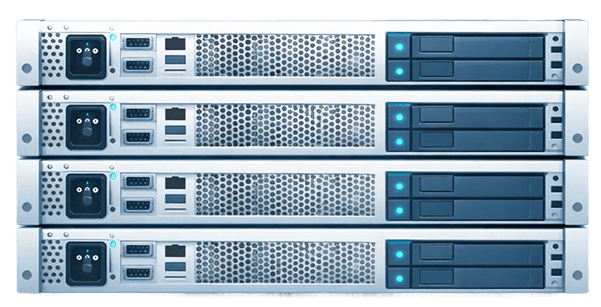
Dedykowany serwer Linux to serwer fizyczny działający na systemie Linux, przydzielony wyłącznie jednemu użytkownikowi. Otrzymujesz pełny dostęp root, dedykowane zasoby sprzętowe (CPU, RAM, pamięć masowa) i pełną kontrolę nad swoim środowiskiem.
Jakie są zalety dedykowanego serwera Linux?
Kluczowe zalety to pełny dostęp root, darmowy system open source (bez opłat licencyjnych), wysoka wydajność i stabilność, szerokie wsparcie społeczności oraz natywna zgodność z nowoczesnym ekosystemem DevOps, kontenerami, bazami danych, serwerami WWW i nie tylko.
Jak działa hosting na dedykowanym serwerze Linux?
Wybierasz konfigurację serwera Kimsufi i dystrybucję Linux. Twój serwer jest provisionowany automatycznie i gotowy w kilka minut. Otrzymujesz dane dostępowe SSH i łączysz się z dostępem root od razu.
Jakie dystrybucje Linux są dostępne?
Kimsufi obsługuje Ubuntu (20.04, 22.04, 24.04 LTS), Debian (10, 11, 12), AlmaLinux (8, 9), Rocky Linux (8, 9), CentOS Stream (8, 9), Fedora i inne. Wszystkie dystrybucje są darmowe.
Ile kosztuje dedykowany serwer Linux w Kimsufi?
Dedykowane serwery Kimsufi Linux zaczynają się od 46,00 zł/miesiąc. Nie ma opłat licencyjnych za dystrybucje Linux. Ceny obejmują ochronę anti-DDoS, nielimitowany transfer i całodobowy monitoring infrastruktury.
Na jakie funkcje powinienem zwrócić uwagę w dedykowanym serwerze Linux?
Kluczowe funkcje: pełny dostęp root, zarządzanie kluczami SSH, darmowa reinstalacja systemu, wybór dystrybucji Linux, ochrona anti-DDoS, opcje pamięci SSD/NVMe i dostęp do konsoli IPMI. Wszystko to jest standardowo dostępne w Kimsufi.
Czy mogę zmienić dystrybucję Linux po wdrożeniu?
Tak. Możesz w dowolnym momencie zainstalować system ponownie i wybrać inną dystrybucję Linux z panelu OVHcloud Control Panel, bezpłatnie i bez zgłoszenia do pomocy technicznej.