




















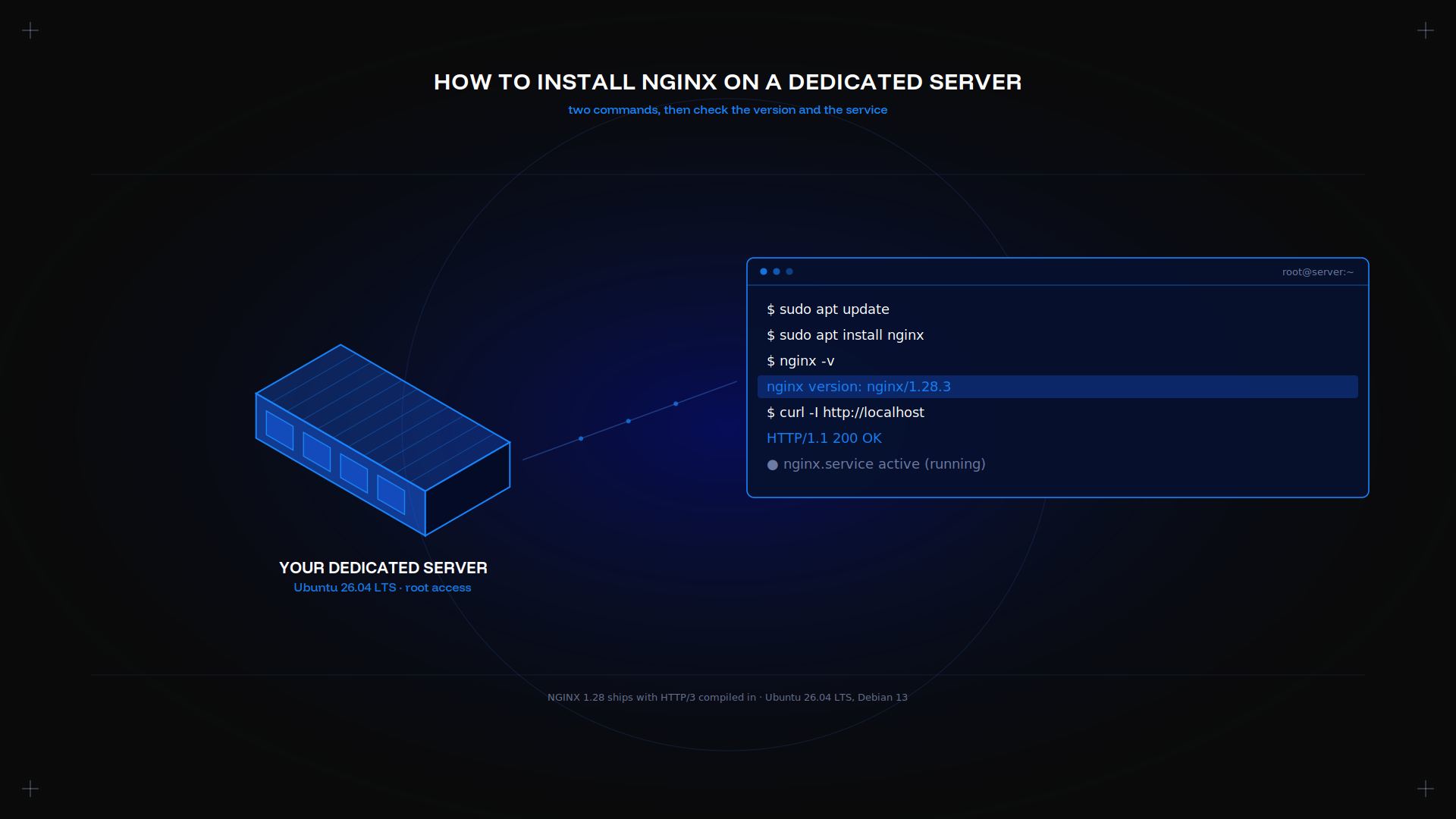
Installing the nginx server takes two commands. The work is what follows: a server block per site, a certificate, a firewall rule, and knowing which directive to reach for when a request returns 403.
Key takeaways
- The current LTS release ships NGINX 1.28 with HTTP/3 already compiled in. Two apt commands are enough.
- One server block per site, in /etc/nginx/sites-available, symlinked into sites-enabled.
- Always run nginx -t before you reload. A broken config fails closed.
- One firewall sudo ufw rule, allow 'Nginx Full', opens 80 and 443.
- 403 is permissions, 404 is the root directive, 413 is clientmaxbody_size.
Getting a dedicated server ready
Start from a clean OS install with a public IP address and SSH access. NGINX is light: an entry machine handles thousands of client connections before the hardware matters.
Our guide on how to set up a dedicated machine covers the provisioning step.
Prerequisites: OS, access, and packages
You need Ubuntu 26.04 LTS or Debian 13, a non-root user with sudo, and port 80 free. Apache often holds it on a reused machine, so stop that service first:
sudo systemctl stop apache2
sudo apt update
The official NGINX repository builds for amd64, arm64, and s390x if you need a newer version than the distribution ships.
Installing NGINX on Ubuntu/Debian
Two commands do it:
apt update
sudo apt install nginx
The 26.04 release simplified the packaging: two packages, with no choice between full and core. It starts on its own.
Verifying the installation and version
nginx -v
curl -I http://localhost
Expect nginx version: nginx/1.28.3. A 200 OK from localhost means the default page is being served.
Basic NGINX configuration file overview
The main nginx conf file is /etc/nginx/nginx.conf. It sets the worker model, then includes everything in the drop-in directory and sites-enabled. Compiling from source puts it under usr/local/nginx instead.
Each instruction is a directive. A simple directive ends in a semicolon; a block directive wraps others in braces. The http, server, and location blocks nest in that order, and a directive set in an outer block is inherited by the inner ones unless a nested directive overrides it. Every module you enable adds its own directive set.
Creating server blocks (virtual hosts)
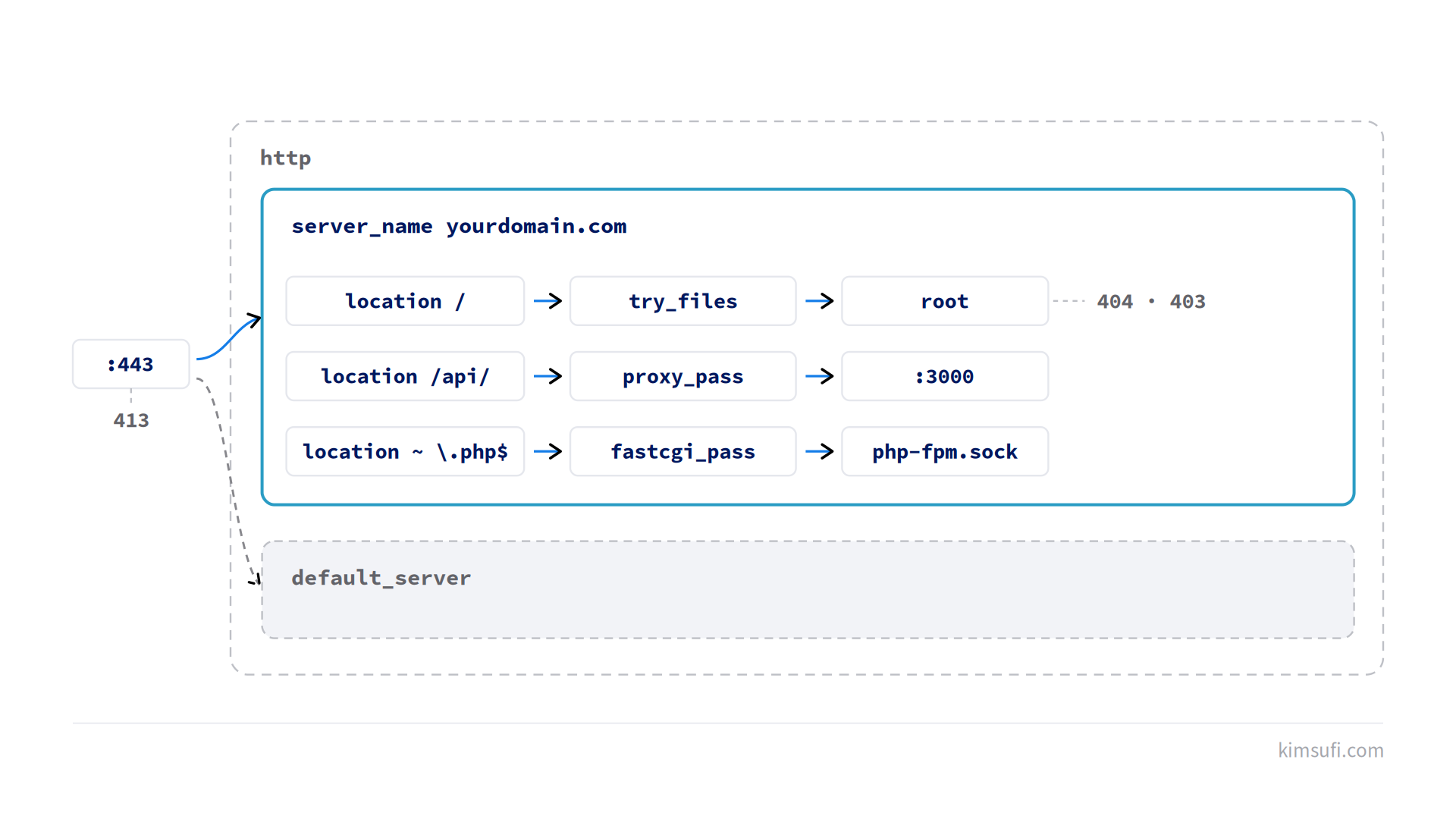
One server block per site. Create /etc/nginx/sites-available/yourdomain.com:
server {
    listen 80;
    server_name yourdomain.com www.yourdomain.com;
    root /var/www/yourdomain.com;
    index index.html;
    location / {
        try_files $uri $uri/ =404;
    }
}
The root directive names the directory on disk, and the server location follows from it. The location block matches the request path, so a static file and a proxied route are handled from the same block. Enable the site, then apply it:
sudo ln -s /etc/nginx/sites-available/yourdomain.com /etc/nginx/sites-enabled/
nginx -t
systemctl reload nginx
Setting up your domain and DNS
Point an A record for yourdomain.com at the IP address of the machine, and a second for www.yourdomain.com. Configure both before you request a certificate. Propagation is usually minutes. Confirm before you request a certificate:
dig +short yourdomain.comThe server_name directive must match the domain exactly, or NGINX falls back to its default block.
Enabling HTTPS with free SSL (Let's Encrypt)
Certbot reads your server block, requests the certificate, and rewrites the config. You do not configure TLS by hand:
apt install certbot python3-certbot-nginx
certbot --nginx -d yourdomain.com -d www.yourdomain.com
It adds a listen 443 ssl directive and an HTTP redirect. Renewal runs from a systemd timer, so test it once with certbot renew --dry-run.
Configuring reverse proxy and load balancing
As a reverse proxy, the proxy server terminates the client connection and forwards to an application. This is the proxy server feature most teams reach for. The proxy_pass directive does the work:
location /api/ {
    proxy_pass http://localhost:3000;
    proxy_set_header Host $host;
    proxy_set_header X-Real-IP $remote_addr;
}
For several backends, declare an upstream and let the proxy server spread requests across them:
upstream app {
    least_conn;
    server localhost:3000;
    server localhost:3001;
}
A PHP site uses the fastcgi directives instead. The fastcgi server listens on a socket, and nginx sends each request to it:
location ~ \.php$ {
    include fastcgi_params;
    fastcgi_pass unix:/run/php/php8.5-fpm.sock;
}
Optimizing performance: gzip, caching, and buffering
gzip on;
gzip_types text/css application/javascript image/svg+xml;
location ~* \.(css|js|png|jpg|woff2)$ {
    expires 30d;
    add_header Cache-Control "public";
}
Compression cuts transfer size on text. The expires directive stops a browser re-requesting a png or a stylesheet on every visit, and a png served from cache never reaches the machine. Buffering is on by default; turn it off only for streaming responses.
Managing NGINX with systemctl
sudo systemctl start nginx
sudo systemctl stop nginx
sudo systemctl reload nginx
sudo systemctl enable nginx
Reload is not restart. The signal nginx receives tells the master process to read the new config and retire old workers gracefully, so live connections finish. Restart drops them, and the nginx master keeps running throughout.
Firewall configuration: allow HTTP/HTTPS with UFW
sudo ufw allow 'Nginx Full'
sudo ufw allow OpenSSH
sudo ufw enable
ufw status
The ufw nginx profile covers both 80 and 443. Configure SSH access before you enable the firewall, or you will lock yourself out. Our firewall configuration guide goes further.
Common errors and troubleshooting (403, 404, 413)
403 Forbidden. Permissions. The www-data user needs execute on every parent directory, and read on the files.
404 Not Found. Usually the root directive points somewhere that does not exist, or index names a file that is not there.
413 Payload Too Large. Raise the limit with the clientmaxbody_size directive, then apply it.
Read /var/log/nginx/error.log first. It names the file and the reason.
NGINX vs Apache: when to choose NGINX
NGINX uses an event loop; apache2 uses a process or thread per request. That makes it lighter under concurrency and faster to serve a static file.
Choose apache2 when an application ships .htaccess rules you cannot move into a server block. Otherwise nginx is the better default, and many a setup runs it in front of apache2 as a proxy server.
Quick pre-launch checklist
- nginx -t passes
- HTTPS works and HTTP redirects to it
- Firewall allows 80, 443, and SSH
- clientmaxbody_size matches your upload size
- Logs rotate, and you know where they are
Then keep it patched. Our dedicated server maintenance guide covers the routine, and the website dedicated server guide covers sizing.
Conclusion
Two commands install it. One server block per site, one certificate, one firewall rule, and nginx -t before you apply anything.
Kimsufi machines start at $11.10 USD/month with full root access, and our game server and mods guides cover other workloads on the same machine.
Frequently asked questions
How to install NGINX server?
On Debian-family systems, apt update then apt install nginx as root. The service starts automatically, and curl -I http://localhost confirms it.
Is NGINX using port 80 or 8080?
Port 80 by default for HTTP, and 443 for HTTPS. 8080 is a convention for an application behind a reverse proxy, not a default.
Is NGINX better than Apache?
For static files and high concurrency, yes. For per-directory .htaccess rules and in-process modules, apache2 still wins. Match the tool to the workload.
Is there a GUI for NGINX?
Not officially. A control panel such as Plesk exposes a panel over the config, but production setups edit the files and reload.