

























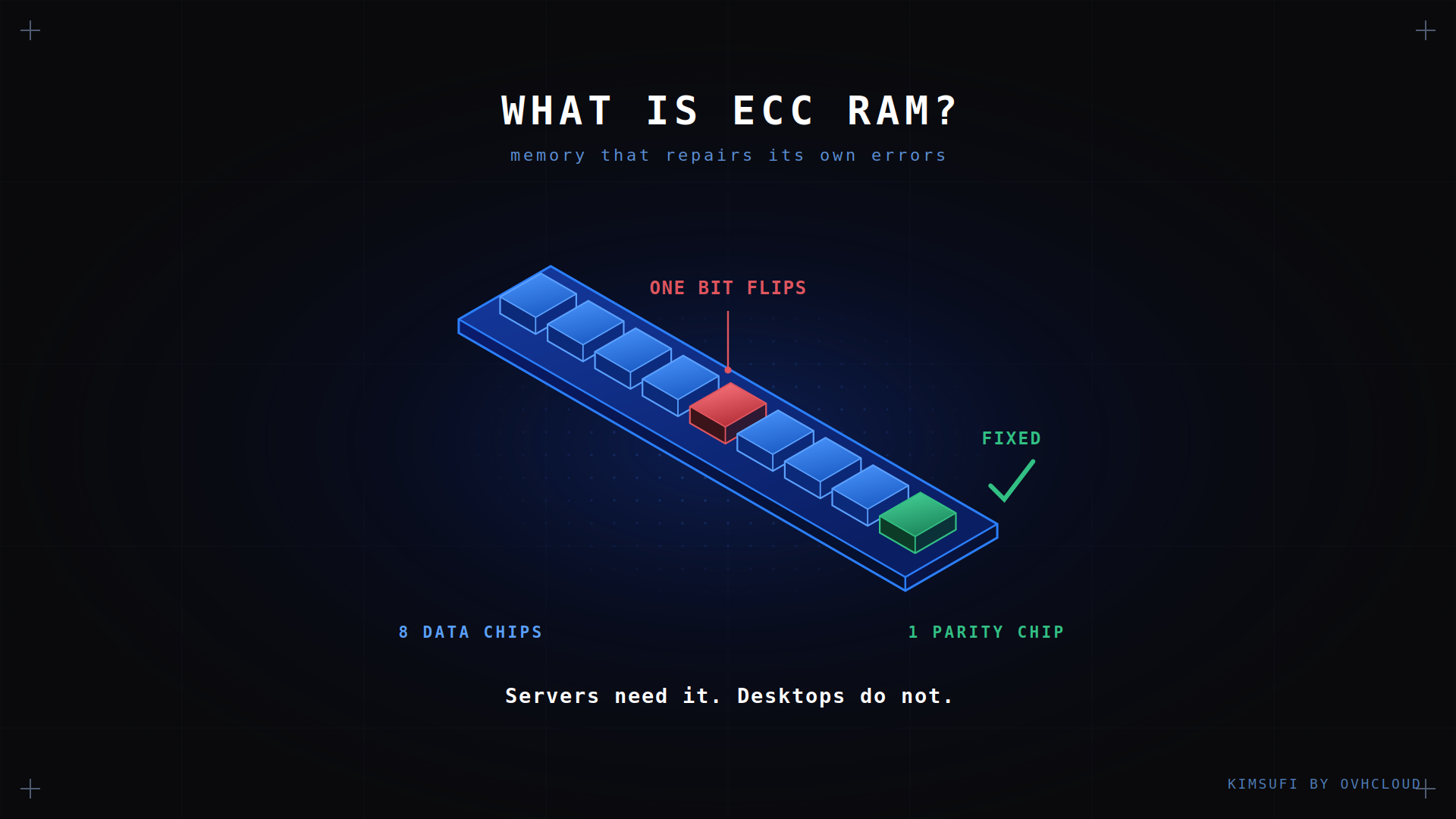
ECC RAM is memory that spots and repairs bit errors before they reach your application. The short answer to "do I need it?": for a machine running 24/7, yes. For a desktop you reboot when it misbehaves, no. This guide covers the mechanism, the platform requirements, and how to tell what you have.
Key takeaways
- ECC RAM adds extra parity bits per word, letting the controller correct a single bit error and flag a double one.
- A server running unattended needs ECC. A desktop you can reboot does not.
- ECC needs motherboard and CPU support: Xeon and EPYC always, consumer Ryzen sometimes, most Intel consumer chips never.
- DDR5 on-die ECC is not full ECC. It guards the chip, not the path to the CPU.
- The performance cost is roughly 2%, irrelevant next to one silent data corruption.
What is ECC RAM?
ECC stands for error-correcting code. An ECC RAM module carries extra chips beyond the data it stores, holding parity bits calculated from each word written.
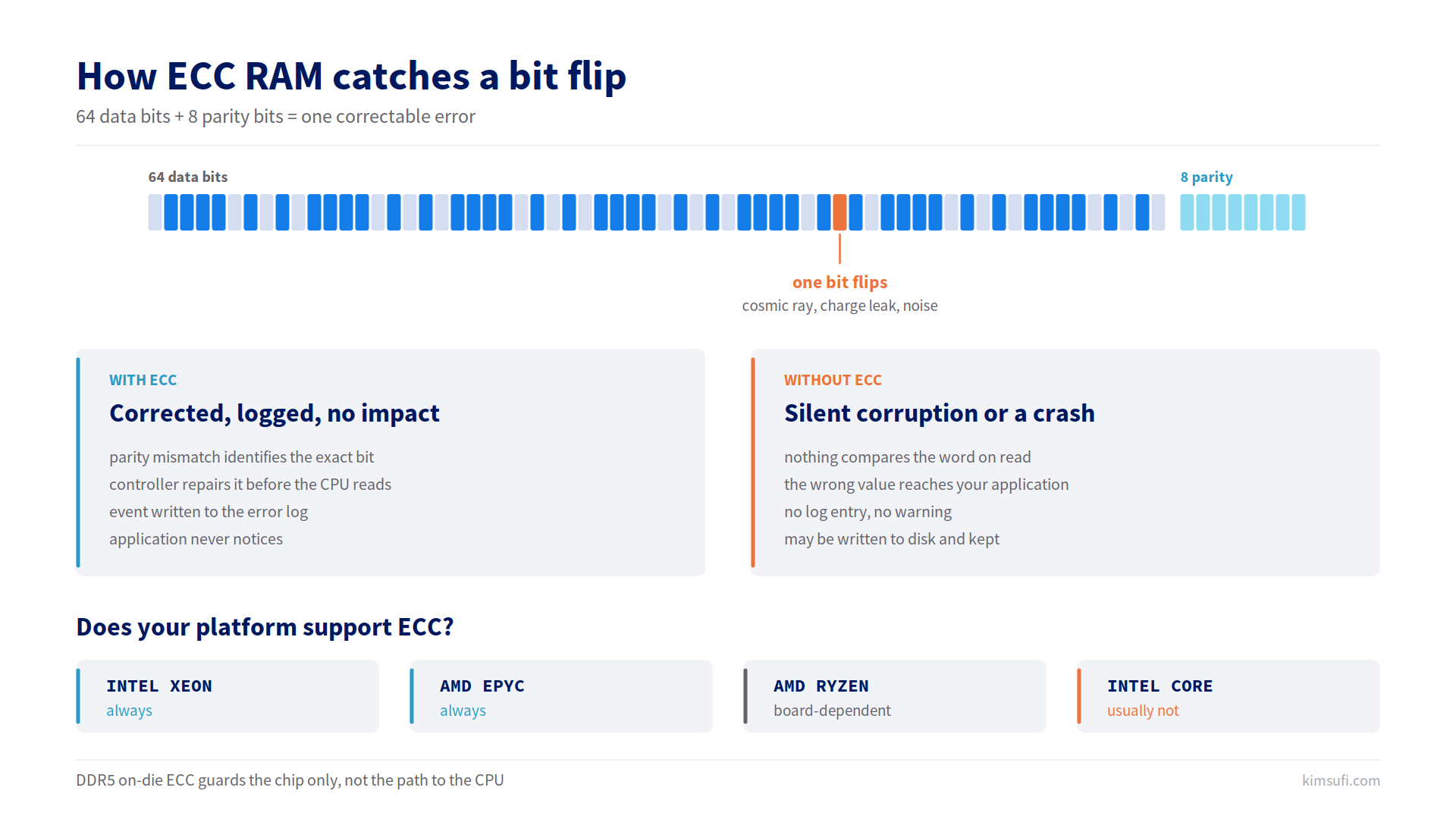
Standard non-ECC memory moves 64 bits per transfer. An ECC module moves 72, the same data plus 8 parity bits. Those extra bits let the controller notice that what it read back is not what was written.
The errors are real and mundane. A DRAM cell leaks charge, cosmic rays flip bits, electrical noise corrupts a transfer. On a desktop the result is a crash you blame on software. On a database server it can be a wrong value written to disk and never noticed.
How ECC memory detects and corrects errors
ECC uses a Hamming code, described as SECDED: single error correct, double error detect.
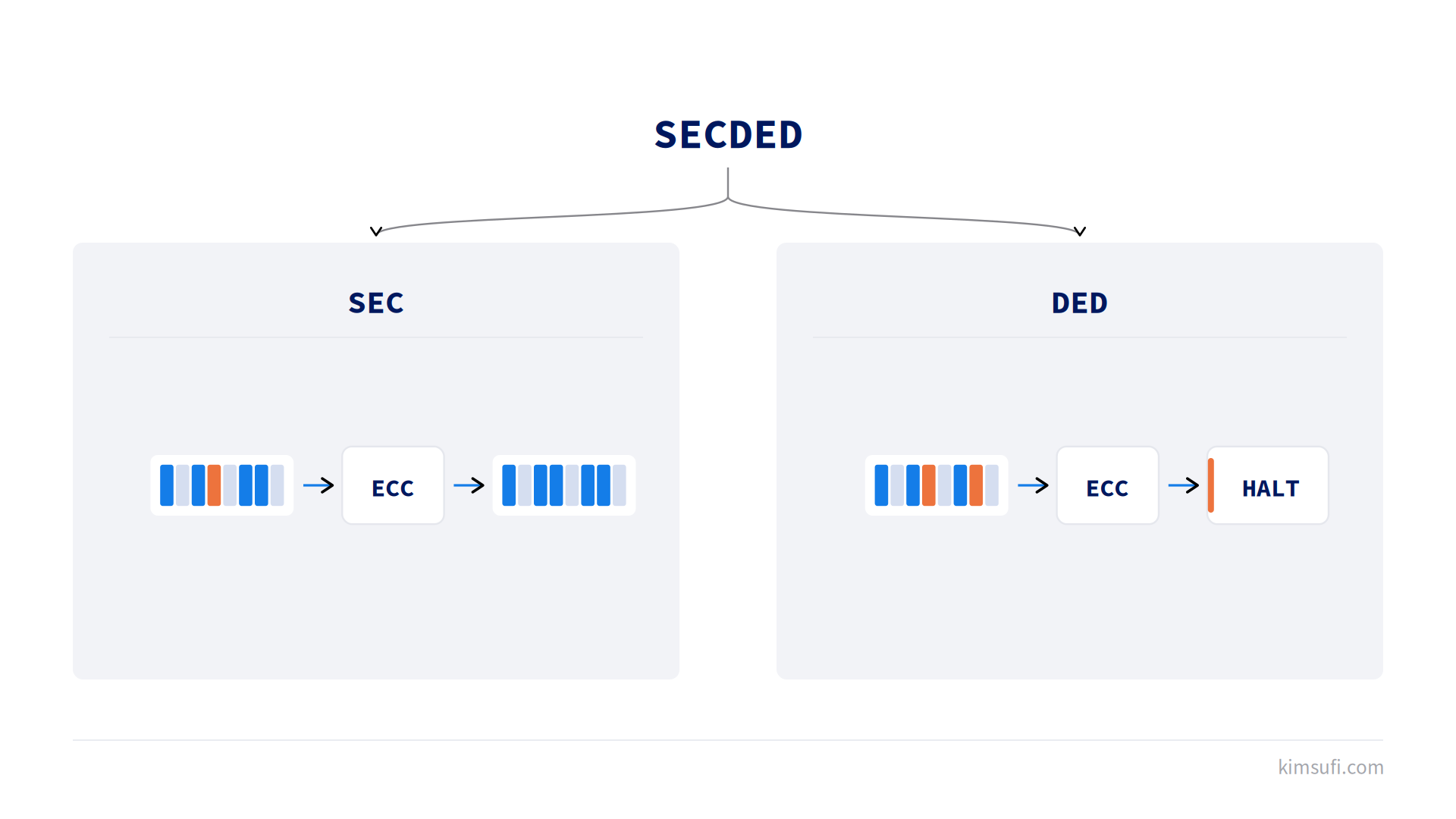
When the controller writes a word it computes the parity bits and stores both. On every read it recomputes and compares. If they match, the data is clean. If one bit flipped, the mathematics identify which one and the controller repairs it before the data reaches the CPU. The application never knows, though the event is logged.
A double fault is different. ECC detects that two bits are wrong but cannot repair them, so the system logs a fatal error and halts rather than continue with data it knows is corrupt. That beats a silent wrong answer.
Simple parity memory used one extra bit and could only spot an odd number of flips. It repaired nothing, which is why parity alone disappeared from servers once ECC became affordable.
Key benefits of ECC RAM
Data integrity. A corrected error is a non-event. Without ECC the same flip corrupts whatever sat at that address, maybe a database row or a filesystem structure. RAID disk redundancy does not help here: the array faithfully writes the corrupted value to every disk.
Uptime. Recoverable errors are handled transparently, so the machine keeps running. On unmanaged hosting, where nobody waits to press reset, that beats any benchmark.
Early warning. ECC logs every repair, so a failing stick warns you weeks ahead, turning an outage into scheduled maintenance. On server boards the same events reach the IPMI system event log, readable even when the OS is down.
Predictability. Error rates rise with capacity, temperature and uptime, so the most exposed machines are those running critical workloads continuously.
ECC vs. non-ECC RAM: a quick comparison
| col1 | ECC RAM | Non-ECC RAM |
|---|---|---|
| Data path | 72-bit (64 plus parity) | 64-bit |
| Single bit error | Corrected silently | Corrupts data or crashes |
| Double fault | Flagged, system halts | Missed entirely |
| Error logging | Yes, per event | None |
| Motherboard | Server or workstation | Any |
| Cost | 10 to 20% more | Baseline |
| Performance | About 2% slower | Baseline |
The table understates one thing: non-ECC memory fails quietly, and you find out later.
Who should use ECC RAM? (servers, workstations, gaming PCs)
Servers: yes. Anything running unattended or serving other people's data needs it. A dedicated database server holds working sets in memory for hours, so an unrepaired flip lands straight in your data.
Workstations: usually yes. CAD, rendering and long compiles run jobs where one corrupted intermediate result wastes hours. Any workstation handling money or medical records needs it.
Gaming PCs: no. A game does not care about one wrong pixel, gaming boards rarely support ECC, and the money is better spent on speed.
Virtualization: yes. A virtualization server multiplies the blast radius, since one bad bit in the hypervisor reaches every guest.
Motherboard & CPU compatibility
ECC is not a property of the memory alone. Three things must support ECC: the memory, the controller inside the CPU, and the board firmware.
Intel. Xeon handles ECC across the range. Consumer Core chips generally do not, with a few exceptions on workstation chipsets.
AMD. EPYC handles it as standard. Consumer Ryzen has a controller capable of ECC, but whether it works depends on the motherboard firmware, so the honest answer for Ryzen is "verify the specific board".
On Kimsufi hardware the position is documented per range. Every Rise machine ships DDR4 or DDR5 ECC memory, which is what critical workloads need. Xeon machines support ECC throughout, and the AMD Ryzen and EPYC range uses it on Rise configurations. Entry models vary, so check the configurator.
💡 Tip: DDR5 introduced on-die ECC on every stick, including consumer ones. It repairs faults inside the DRAM chip only, not on the bus to the CPU, and reports nothing to the operating system. A DDR5 stick is not ECC memory just because of it.
Choosing the right ECC RAM module
Two types matter.
ECC UDIMM is unbuffered. It runs on Xeon and EPYC platforms and some Ryzen boards, and it is what entry-level machines use. Capacity per channel is limited.
ECC RDIMM is registered. A register buffers address and command signals, cutting electrical load so the platform addresses far more memory. It needs a server controller and will not run in a consumer board.
Match three things: UDIMM or RDIMM, DDR4 or DDR5, and the speed your CPU takes. Buy identical sticks from one manufacturer, since mixed kits are a frequent source of instability that undermines the data integrity you paid for. Kimsufi's guide to server RAM types covers the capacity trade-offs.
Installing ECC RAM: step-by-step guide
- Confirm compatibility. Check that the CPU and motherboard support ECC, and which kind they accept.
- Power down fully. Unplug, then discharge static before handling a stick.
- Populate channels in order. Follow the manual's slot sequence; wrong placement costs bandwidth or blocks POST.
- Enable ECC in firmware. Some boards default it off. Look for an ECC or memory integrity setting.
- Verify from the OS. Run sudo dmidecode -t memory | grep -i ecc as a final check.
Common issues and troubleshooting
| Symptom | Likely cause | Fix |
|---|---|---|
| System will not POST | RDIMM in a board needing UDIMM | Verify the type against the board |
| ECC not reported by the OS | Disabled in firmware | Enable ECC, then re-run dmidecode |
| Recoverable errors climbing | A module beginning to fail | Identify it via EDAC logs, then replace it |
| Unexpected halts | Double fault detected | Read the logs, then swap the failing stick |
| Slower than expected | Sticks at different speeds | Match speeds, or accept the slowest |
On Linux, edac-util -v reports errors per slot, the fastest way to find one failing stick instead of swapping all of them. On a critical machine, do that before the second error arrives.
Performance impact and benchmarks
Verification adds a step to every memory access, so ECC costs latency. That measures around 2%, and synthetic benchmarks show the gap more clearly than real workloads.
Registered sticks add a little more, since signals pass through the register. Against that, ECC platforms allow more capacity and channels, so an ECC machine often has better aggregate throughput than a desktop.
The trade is not complex: about 2% of memory performance for protection against a failure class you cannot otherwise see.
Conclusion
For a critical server it is not optional: unattended operation plus other people's data makes silent corruption the worst failure mode available. For a gaming PC it wastes money. Workstations sit between, and the question is what a wrong result costs you. If you rent rather than build, verify the spec per model, since every Rise machine lists ECC explicitly while entry ranges state their memory type in the configurator.
Need a machine with ECC memory? Browse Kimsufi dedicated servers from $11.10/month, with ECC on the Rise range and full root access.
FAQ
Can you use ECC RAM in a normal PC?
Sometimes. An ECC UDIMM often runs in a consumer board, but correction only works if the CPU and firmware support it. Otherwise it behaves as ordinary memory and you paid for nothing. RDIMM will not run at all.
Can I use ECC RAM for gaming?
You can, but there is no reason to. Games gain nothing from error correction, ECC sticks run slightly slower, and most gaming boards lack the feature. Spend the money on speed instead.
How do I tell if my RAM is ECC or non-ECC?
On Linux, run sudo dmidecode -t memory and read the error correction type. On Windows, wmic memorychip get datawidth,totalwidth works: a 72-bit total against 64-bit data means ECC. Physically, an ECC stick carries nine chips per side rather than eight.
Should I have ECC on or off?
On, whenever the motherboard allows it. There is no benefit to disabling it: the roughly 2% cost buys silent repair of single bit errors plus detection of double ones that would otherwise corrupt data unnoticed.