























Ubuntu Server is the Linux distribution most server software is documented against, and a dedicated server gives it the whole box. This tutorial covers both routes to a clean install on a Kimsufi platform: the control panel template, and a manual install from the official ISO through the KVM console when you want to configure partitioning yourself. Prices start at $11.10/month.
Key Takeaways
- Two paths: the control panel template, which completes in minutes, and a manual Ubuntu Server install over the KVM console, which lets you choose the partition layout.
- Tools required: an SSH client, a browser, and the credentials sent by email.
- Estimated time: 10 minutes for a template install, 45 to 60 minutes to install Ubuntu manually.
- Ubuntu 26.04 LTS is supported until April 2031; 24.04 LTS runs to April 2029 and stays the safer option where third-party software has not caught up.
- The installation is half the job: SSH hardening, a firewall and backups make it a production platform.
Why Choose a Kimsufi Dedicated Server for Ubuntu
The whole machine, not a slice. No hypervisor sits between the OS and the disk, so every core and the drive throughput are yours alone, and benchmarks stay repeatable.
Root access from the first boot. You choose the kernel, the partition scheme and the package set. No permission is withheld.
Unlimited traffic. Kimsufi includes unmetered bandwidth and always-on DDoS protection, so a spike in internet traffic does not become an overage bill.
Recovery without a support ticket. The control panel exposes KVM over IP, OS reinstallation, IPMI management and a remote restart, so a wrong network setting is not fatal.
Our tutorial on how to host a dedicated server covers the wider setup.
Ubuntu Server Overview and Supported Versions
Ubuntu Server ships with no graphical interface: a minimal system, the apt package manager and five years of support on every LTS release. That is why this distribution dominates web and application hosting.
| Version | Codename | Supported until | Pick it when |
|---|---|---|---|
| 26.04 LTS | Resolute Raccoon | April 2031 | New builds, longest runway |
| 24.04 LTS | Noble Numbat | April 2029 | Broadest third-party software support |
| 22.04 LTS | Jammy Jellyfish | April 2027 | Legacy applications only |
Interim releases arrive every six months and last nine: fine for a lab, wrong for anything you leave running online. Pick the latest version. Ubuntu numbers each LTS by date.
💡 Tip Check the template list before you order. The recommended default at checkout has been Ubuntu Server 24.04 LTS; a newer distribution release can reach the catalogue after its upstream date.
Prerequisites: Hardware, Network and Account Setup
- A Kimsufi account and an active server. Provisioning is automated and completes in minutes.
- The server IP address and credentials, emailed automatically once the machine is online.
- An SSH client: Terminal on macOS and Linux, PowerShell or PuTTY on Windows.
- A stable internet connection throughout: a dropped connection mid-partitioning costs you a restart.
Ubuntu is undemanding: 2 GB RAM and 10 GB of disk will boot it, with no licence limit on cores. What you run on top decides the specification.
| Workload | Suggested range |
|---|---|
| Personal project, small site | Kimsufi KS-2 dedicated server |
| Web application, light database | Kimsufi KS-3 dedicated server |
| Busy site, several services | Kimsufi KS-4 dedicated server |
| Virtualisation, high core count | Kimsufi KS-6 dedicated server |
| Sustained load, heavy indexing | Kimsufi KS-7 dedicated server |
Step 1: Download the Ubuntu Server ISO
Skip this step if you are using the template. Fetch the image from the official source and check it first. The architecture to target on Kimsufi hardware is amd64:
wget https://releases.ubuntu.com/26.04/ubuntu-26.04-live-server-amd64.iso
wget https://releases.ubuntu.com/26.04/SHA256SUMS
sha256sum -c SHA256SUMS 2>&1 | grep OK
A checksum mismatch means a corrupted download, not a bad mirror. Keep the ISO in a directory you can find later.
Step 2: Create Bootable Media (USB or Virtual Media)
On a rented server there is no USB port you can reach, so the equivalent of a bootable stick is virtual media: the ISO mounts over the network and the machine boots from it as though it were physical.
Via the control panel. Open the KVM over IP console, attach the ISO as virtual media, and restart. The console shows the boot screen in a browser window, exactly as a monitor would. This option is the one to configure when the template cannot give you the layout you want.
Via a USB stick. Relevant only on a machine you can touch, where the client and the target device sit on the same desk:
sudo dd if=ubuntu-26.04-live-server-amd64.iso of=/dev/sdX bs=4M status=progress⚠️ Warning Check the target device letter twice before you run dd. There is no confirmation prompt and no undo.
Step 3: Install Ubuntu Server via the Console
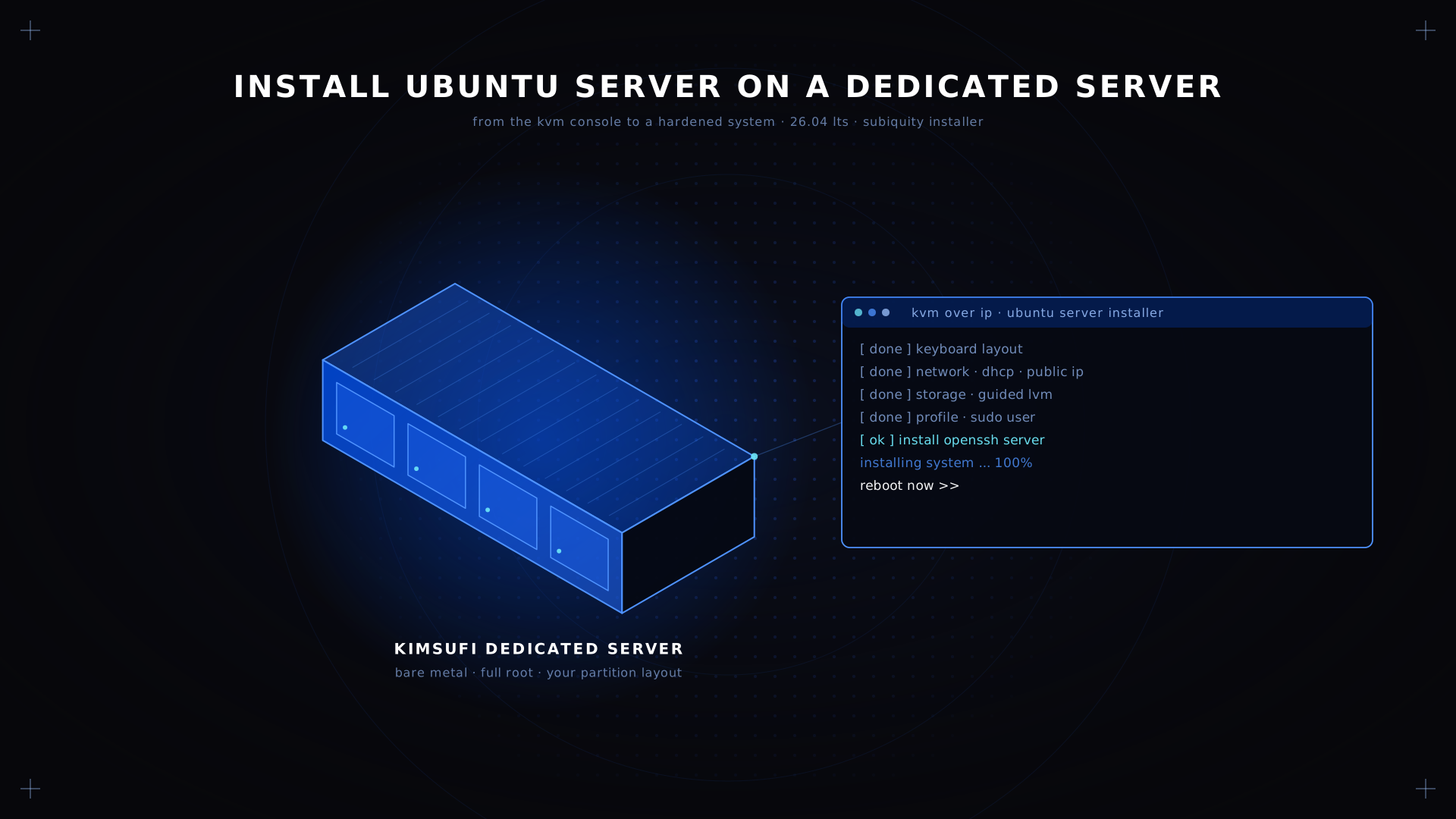
The Ubuntu Server installer, Subiquity, is a text interface driven by the arrow keys and Enter. One question per screen, and a summary before it commits anything.
- Language and keyboard. Two cosmetic screens. Accept the defaults, then press Enter.
- Network. DHCP is picked up automatically and the network device appears here. Confirm the interface shows your public IP address.
- Storage. The screen that matters. Select a device, pick the guided option or configure the partition table by hand, then confirm before anything is written.
- Profile. Enter a hostname and the first user account, which the installer will create with sudo permission.
- SSH. Tick the OpenSSH server box. Skip it and you have no remote access after the first reboot.
- Snaps. Decline them on a server and add what you need afterwards.
When the installation is complete, detach the virtual media and reboot, or the machine boots back into the installer screen.
💡 Tip on partitioning Guided LVM suits most people: one boot partition, one large system volume. Give /var its own partition when the OS runs databases or heavy logging.
Post-Installation: Initial Configuration (SSH, Users, Updates)
Connect over SSH with the account you created during the installation, then update the package list:
ssh youruser@YOUR_SERVER_IP
sudo apt update && sudo apt upgrade -y
Copy your key up from the client device, then close the door behind you:
ssh-copy-id youruser@<your-ip>
sudo nano /etc/ssh/sshd_config   # PermitRootLogin no, PasswordAuthentication no
sudo systemctl reload ssh
⚠️ Warning Confirm key login works from a second terminal before you disconnect. The KVM console is the way back in if it does not.
Each of these steps, plus user creation and firewall rules, is detailed in our Linux server configuration walkthrough.
Configuring a Secure Firewall with UFW
Ubuntu ships UFW, a front end to the kernel firewall that is readable enough to audit at a glance. Deny everything inbound, then configure the ports you serve:
sudo ufw default deny incoming
sudo ufw allow OpenSSH
sudo ufw allow 80,443/tcp
sudo ufw enable
Allow that profile before you enable the firewall: doing it the other way round is the most common way to lose access to a freshly built server. Every open TCP port is an additional thing to monitor, and an additional reason to install only what you actually serve.
Setting Up Apache or Nginx Web Server on Ubuntu
Both are one command away. Apache is more forgiving with .htaccess; Nginx uses less memory under concurrency.
sudo apt install -y apache2
sudo systemctl enable --now apache2
For Nginx, swap apache2 for nginx, then browse to your IP address to confirm the default page is served. Virtual host files live under sites-available, each site with its own configuration.
💡 Tip Do not run both at once. They both claim port 80, and the second to start fails with a bind error that reads like a firewall problem but is not.
Managing Services with systemctl
Every service on this distribution is a systemd unit, and systemctl is the tool that drives them:
sudo systemctl status apache2
sudo systemctl enable apache2
sudo journalctl -u apache2 -n 50
The first command reports whether a unit is active. The enable command makes a service start automatically at boot, and it is the one people forget: a service started by hand disappears on the next restart.
Backup Strategies for Ubuntu Dedicated Servers
A backup that has never been restored is a hypothesis. Three approaches, by effort:
File-level with rsync. A cron job pushing /etc, /var/www and your data directory to a remote target over the internet. Enough for most sites.
Database dumps. mysqldump or pg_dump on a schedule, kept separately. Copying live database files rarely produces something that restores.
Full image. A snapshot of the whole disk, so recovery is a restore rather than a rebuild.
Keep one complete copy off the server and test a restore quarterly, as part of a regular server maintenance checklist. A backup on the same drive covers a mistake, not a disk failure.
Pricing Overview and Billing Options
Kimsufi bills monthly with no long-term commitment, and Ubuntu adds nothing to the total: the software is free.
| Range | From | Suited to |
|---|---|---|
| KS | $11.10/month | Personal projects, entry-level game servers, development |
| SYS | $33.20/month | Production web applications and databases |
| RISE | $64.00/month | Demanding workloads, large game servers |
All ranges include unmetered bandwidth, DDoS protection, root access and KVM over IP. Installation fees apply on some configurations, so check the order summary first.
sudo apt install -y openssh-server
sudo systemctl enable --now ssh
Can I install Ubuntu Server without a graphical interface?
That is the default. Ubuntu Server has no desktop, which is the point: no display stack means less memory in use, fewer packages to patch and a smaller attack surface. Everything happens at the command line or a remote terminal.
What are the recommended partitioning schemes for Ubuntu on a dedicated server?
Guided LVM covers most cases: a small /boot partition and one system volume you can resize later. Separate /var when the server runs a database or writes heavy logs. Software RAID does require planning: configure it in the installer, because adding it afterwards means a rebuild.
Conclusion
You now have Ubuntu Server running on dedicated hardware, with key-based SSH, a closed firewall, a web server answering on port 80 and a backup plan. The template route gets you there in minutes; the ISO route is for the times the partition layout has to be exactly right.
Deploy your Ubuntu server today Get started with Kimsufi dedicated servers from $11.10/month. Root access, unmetered bandwidth, built-in DDoS protection.
FAQ
Can I use Ubuntu as a home server?
Yes, and it is a good way to learn. The limits are practical: residential connections usually block ports 80 and 443, and upload speed is a fraction of download speed. For anything others depend on, a rented server is steadier.
How much RAM is needed for an Ubuntu server?
The OS alone runs in 2 GB. What matters is the workload: 4 GB for a static site, 8 to 16 GB for a web application with a database, 32 GB or more for virtualisation. Memory is awkward to add later, so buy ahead.
How to set up a dedicated server?
Order the server, choose the operating system at checkout, then connect over SSH when the provisioning email arrives. The process to operate a new box is always the same: update packages, create a standard user with sudo rights, move to key-based authentication, close the firewall, then install your app stack.
Is the Ubuntu server free?
Ubuntu Server is free and open source, with no licence fee and no per-socket charge. Canonical sells Ubuntu Pro for extended security maintenance, but it is optional. You pay for the hardware, not the software.
What is the latest LTS version of Ubuntu for servers?
Ubuntu 26.04 LTS, codenamed Resolute Raccoon, released in April 2026 and is supported until April 2031. Ubuntu 24.04 LTS remains sound where an application has not certified against the newer version yet.
How do I enable SSH access after installation?
If you missed the OpenSSH box during the install, add it from the console, then open it in the firewall with sudo ufw allow OpenSSH: