








K3s is a lightweight, certified K8s distribution that packs the whole control plane into one binary of under 100 MB. On a dedicated server, it gives you a real K8s cluster with root access, no hypervisor overhead and no per-node cloud bill. This tutorial covers every step of the K8s setup, from the first command to ingress, storage, backups and hardening. If bare metal is new to you, our guide on how to host a dedicated server covers the basics. Plans begin at $11.10/month.
Key Takeaways
- One command gives you a complete single-node setup: the binary, a systemd service, containerd, Traefik and a local storage class.
- Tools required: SSH access as root,
curl, and about 30 minutes.
- A server node needs 2 CPU cores and 2 GB of RAM; real workloads need more.
- Extra machines join as a K3s agent with two variables:
K3S_URLandK3S_TOKEN.
- Before production: back up the datastore, lock down port 6443 and pin your release.
What Is K3s and Why Use It on a Dedicated Server?
K3s is a fully conformant K8s distribution maintained under the CNCF. Compared with a full Kubernetes install with kubeadm, it strips out legacy and alpha features, uses SQLite instead of etcd by default on a single node, and bundles the rest into one pack:
- containerd as the container runtime, so there is no Docker to set up.
- Flannel for networking, with a VXLAN backend by default.
- CoreDNS, metrics-server and the local-path storage provisioner.
- Traefik as ingress controller and ServiceLB as a simple load balancer.
- A Helm controller that deploys charts from manifests.
It was built for edge devices, and the traits that suit the edge also suit a dedicated server. A cloud provider bills a managed K8s control plane and every node; on bare metal, the same K8s runs on hardware you rent at a fixed price, with every core and the full disk throughput for your workloads.
Prerequisites: Dedicated Server Specs and OS Requirements
Hardware. The K3s documentation sets 2 CPU cores and 2 GB of RAM as the minimum for a server node, and 1 core with 512 MB for an agent. Treat those as floors: a node running a database and a few applications wants 8 GB or more, on SSD or NVMe.
Operating system. Any modern 64-bit Linux is supported. Ubuntu 24.04 LTS and Debian 12 are the common choices. K3s relies on iptables, so keep that package in place, even where nftables is the default.
Network. Note the public IP address and check which port each role needs:
| Port | Protocol | Purpose |
|---|---|---|
| 6443 | TCP | K8s API (kube-apiserver) |
| 8472 | UDP | Flannel VXLAN between nodes |
| 10250 | TCP | Kubelet metrics |
| 51820 | UDP | Flannel WireGuard backend, if used |
| 80, 443 | TCP | Ingress traffic |
Access. A root shell. Set a unique hostname first, because the node registers under it:
sudo hostnamectl set-hostname k3s-node1Downloading and Verifying the K3s Binary
The script downloads the binary for you, but on a production host it is worth checking what you execute. Each GitHub release publishes the binary and a checksum file:
VER=v1.36.5+k3s1
curl -LO https://github.com/k3s-io/k3s/releases/download/${VER}/k3s
curl -LO https://github.com/k3s-io/k3s/releases/download/${VER}/sha256sum-amd64.txt
sha256sum --check --ignore-missing sha256sum-amd64.txt
A line ending in k3s: OK confirms the download. The tag above is an example: check the stable channel and pin the one you tested.
💡 Tip Behind a corporate proxy, export HTTP_PROXY and HTTPS_PROXY before you download. K3s passes them on to containerd for image pulls too.
Installing K3s Server with Systemd
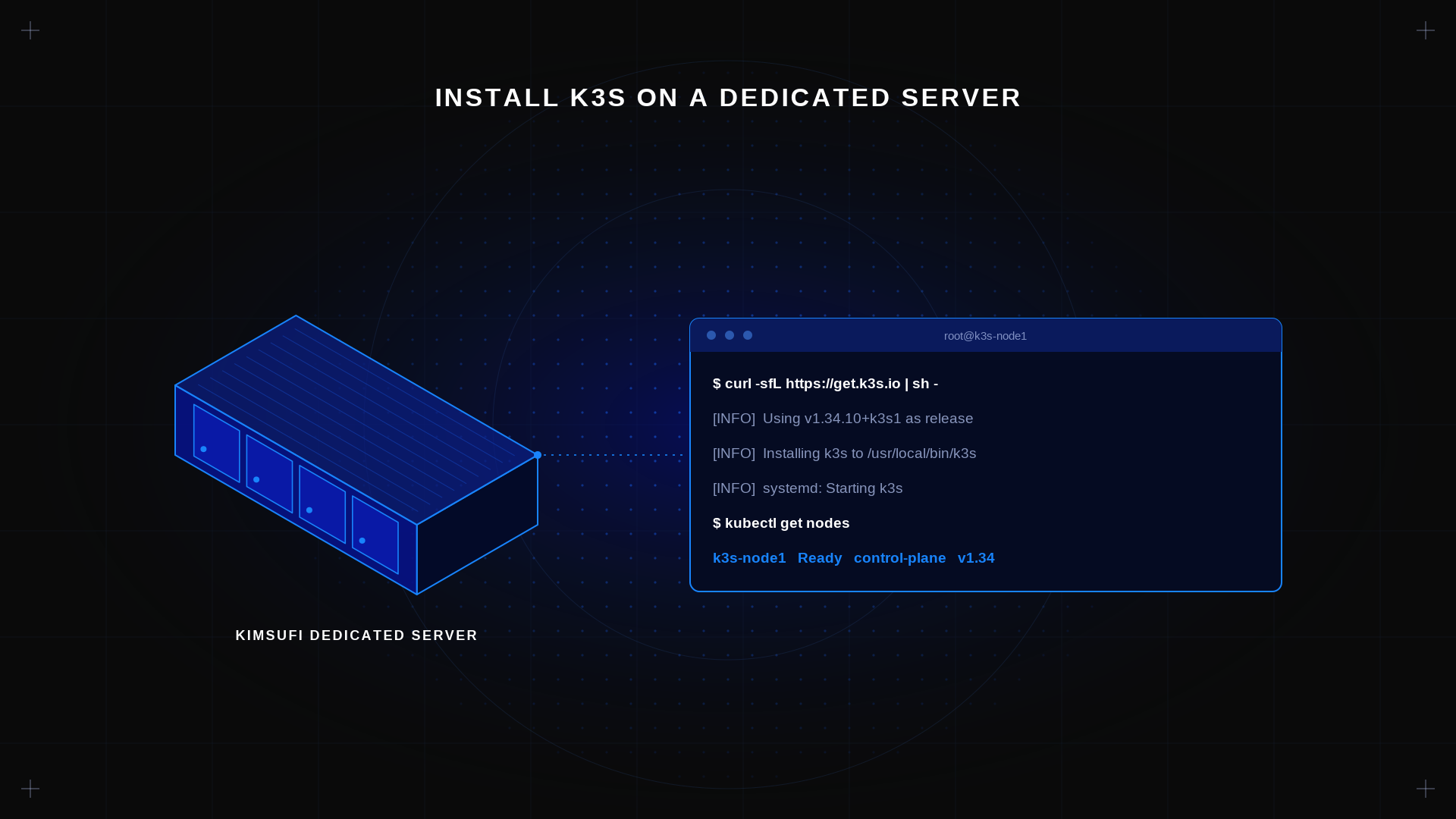
The standard installation is one line, run with sudo or as root:
curl -sfL https://get.k3s.io | sudo sh -The script places the binary in /usr/local/bin, adds kubectl, crictl and ctr symlinks in the same bin directory, writes an uninstall script and registers a systemd unit named k3s.service. The K3s supervisor process then runs the kube-apiserver, scheduler, controller manager, kubelet and kube-proxy inside one binary, with containerd alongside it. One supervisor means one process to monitor instead of six.
To pin the build you tested, pass it as a variable:
curl -sfL https://get.k3s.io | sudo INSTALL_K3S_VERSION="v1.36.5+k3s1" sh -Check the systemd service and follow its log with two commands:
sudo systemctl status k3s
sudo journalctl -u k3s -f
✅ Expected result active (running) in the systemd status, and log lines showing the node as Ready.
Generating and Securing the K3s Token
Every node that joins the cluster authenticates with a token, written on first run:
sudo cat /var/lib/rancher/k3s/server/node-tokenTreat it as a root credential: anyone holding it, with network access to port 6443, can join a machine to your cluster. Three rules keep it secure:
- Set your own secret at installation with
--tokenorK3S_TOKEN, generated withopenssl rand -hex 32.
- Use short-lived bootstrap tokens for new nodes:
k3s token create --ttl 1h.
- Rotate the server token if it leaks, with
k3s token rotate.
Configuring the K3s Server (Flags, Options, and Environment Variables)
K3s reads settings from environment variables, a config file and flags, in that order of precedence. The config file is the one to use, because it survives upgrades and is easy to review:
# /etc/rancher/k3s/config.yaml
write-kubeconfig-mode: "0600"
tls-san:
  - k3s.example.com
  - 203.0.113.10
disable:
  - traefik
secrets-encryption: true
Options worth knowing:
tls-san: adds the public IP or a domain to the API certificate, so a remote kubectl client can connect.
disable: skips bundled components such astraefik,servicelborlocal-storage.
flannel-backend:wireguard-nativeencrypts traffic between nodes.
cluster-init: uses embedded etcd instead of SQLite, required for several server nodes.
disable-cloud-controller: turns off the embedded cloud controller manager. On bare metal it only sets node addresses, so keep the default.
Private registry. containerd reads /etc/rancher/k3s/registries.yaml for each registry mirror and its credentials, so you can pull from a private registry without editing the containerd configuration. The embedded registry mirror, enabled with --embedded-registry, shares images between nodes so each one is pulled from the public registry once.
Restart the service after any change, and check the logs before you start the next step: sudo systemctl restart k3s.
Setting Up K3s Agent Nodes on the Same Dedicated Host
The server node already runs a kubelet and containerd, so one dedicated host is a working cluster on its own: a separate agent on the same host adds nothing. The K3s agent becomes useful when you add a second machine:
curl -sfL https://get.k3s.io | K3S_URL=https://203.0.113.10:6443 \
  K3S_TOKEN=<token> sh -
The K3s agent registers as k3s-agent.service, opens a connection to the kube-apiserver and appears in the node list within a minute. Each K3s agent runs its own containerd as the agent runtime.
Across data centers. Kimsufi servers talk over the public internet, so traffic between nodes should be encrypted. K3s offers two options:
- WireGuard: set
flannel-backend: wireguard-nativeand open UDP 51820 between nodes only.
- VPN integration: K3s can join every node to a Tailscale VPN with
--vpn-auth, so nodes reach each other over VPN addresses instead of public IPs. The VPN then carries all node-to-node traffic, and port 6443 can stay closed to the internet. Any device you add to the VPN, your laptop included, gets a secure connection to the API endpoint.
Post-Installation: Verifying the Cluster with kubectl
K3s writes an admin kubeconfig to /etc/rancher/k3s/k3s.yaml and ships its own client. Run these two commands:
sudo kubectl get nodes -o wide
sudo kubectl get pods -n kube-system
Once the services start, expect the node in Ready state with the roles control-plane,master, and CoreDNS, Traefik, metrics-server and local-path-provisioner running in the kube-system namespace.
To manage the cluster from your workstation, copy the kubeconfig to ~/.kube/config, replace 127.0.0.1 with the node IP, and connect. The API port must be reachable from your IP, and that IP or domain must be listed in tls-san.
Deploying a Sample Application (Hello-World Pod)
A quick test deployment proves that scheduling, networking and service discovery work after the installation:
apiVersion: apps/v1
kind: Deployment
metadata:
  name: hello
spec:
  replicas: 2
  selector:
    matchLabels: { app: hello }
  template:
    metadata:
      labels: { app: hello }
    spec:
      containers:
        - name: hello
          image: nginxdemos/hello
Apply the manifest, expose the deployment and watch it roll out, one command each:
kubectl apply -f hello.yaml
kubectl expose deployment hello --port 80
kubectl rollout status deployment/hello
Two replicas should be ready within seconds, one pod each. If a pod stays in Pending or ContainerCreating, the command kubectl describe pod shows why, usually an image pull or a resource limit.
Integrating Helm Charts on K3s
K3s works with the standard Helm client: point it at the K3s kubeconfig and use charts as usual. Install cert-manager this way, for TLS certificates later:
export KUBECONFIG=/etc/rancher/k3s/k3s.yaml
helm repo add jetstack https://charts.jetstack.io
helm install cert-manager jetstack/cert-manager -n cert-manager --create-namespace --set crds.enabled=true
K3s also has a built-in Helm controller. Drop a HelmChart manifest into the server/manifests directory under /var/lib/rancher/k3s, and K3s applies the chart automatically, the same way it sets up Traefik. Your cluster add-ons then live in the server configuration, which is easy to keep in Git and customize per environment.
Enabling Ingress with Traefik or NGINX
Traefik runs by default and listens on ports 80 and 443 through ServiceLB, which binds those ports on the node IP. Point a DNS record for your domain at the server, and one Ingress resource is enough:
apiVersion: networking.k8s.io/v1
kind: Ingress
metadata:
  name: hello
  annotations:
    cert-manager.io/cluster-issuer: letsencrypt
spec:
  rules:
    - host: hello.example.com
      http:
        paths:
          - path: /
            pathType: Prefix
            backend:
              service: { name: hello, port: { number: 80 } }
  tls:
    - hosts: [hello.example.com]
      secretName: hello-tls
With cert-manager and a Let's Encrypt issuer, the cert for each domain is requested and renewed automatically. A single public IP serves every domain you route through Traefik.
NGINX instead. Disable Traefik in the config file, then deploy the ingress-nginx chart with Helm. ServiceLB still exposes it on ports 80 and 443.
Configuring Persistent Storage (Local Path, S3, or etcd)
The three options in the title answer different needs:
- Local path is the default storage class. Each PersistentVolumeClaim becomes a directory under
/var/lib/rancher/k3s/storageon the node: fast and simple, but on one disk only.
- S3 is for backups and application files, not block volumes. K3s can send etcd snapshots to any S3-compatible bucket.
- etcd is the cluster datastore, not storage for your workloads. With
--cluster-init, it replaces SQLite and lets you add server nodes.
For volumes that must survive a disk failure on one machine, rely on RAID at the hardware level, or on a replicated storage tool such as Longhorn once you run three nodes.
Monitoring and Logging (Prometheus, Grafana, Loki)
The bundled metrics-server feeds kubectl top nodes, which is enough for a first look. For a real monitoring stack, add kube-prometheus-stack with Helm: it brings Prometheus, Alertmanager, Grafana and a ready-made dashboard for each node, workload and the K3s control plane. Add Loki with Grafana Alloy to collect container logs in the same Grafana instance, next to the cluster dashboard.
On a single node, keep retention modest: metrics and logs compete with K8s workloads for disk.
Upgrading K3s and Managing Versions
K3s follows upstream K8s minor releases, and each tag ends in +k3s1, +k3s2 and so on. To upgrade, rerun the script with the target tag pinned as shown above, and the same options as before. Workloads keep running while the systemd service restarts, because containerd keeps each container alive.
Three rules avoid surprises:
- One minor release at a time: never jump from 1.34 to 1.36.
- Server nodes before agents.
- An etcd snapshot first if you run embedded etcd.
For larger clusters, the system-upgrade-controller automates a rolling upgrade of each node through a Plan resource, the same logic as a rolling deployment.
Backup and Disaster Recovery Strategies
What to back up depends on the datastore:
- SQLite (single node): stop the service and copy the
server/db/directory under/var/lib/rancher/k3s, along with the token file.
- Embedded etcd: K3s takes a snapshot every 12 hours and keeps five by default. Take one on demand with the command
k3s etcd-snapshot save, and ship them off the machine to an S3 bucket with--etcd-s3and--etcd-s3-bucket.
Each bucket should sit with a different provider or region from the cluster itself. Back up persistent volumes separately, since snapshots only cover cluster state. To restore, run the server with --cluster-reset --cluster-reset-restore-path=<snapshot>, and test a restore before you need one.
Security Hardening: RBAC, Network Policies, and Secrets
Firewall first. Port 6443 should never be open to the whole internet: allow it from your admin IP and your other nodes only, or reach it over the VPN. Our firewall configuration guide covers the rules, with one caveat: K3s and kube-proxy manage their own iptables chains, so add host rules without flushing existing iptables tables.
RBAC. K8s RBAC applies unchanged. Do not share the root kubeconfig. Bind one service account per person or pipeline to a Role limited to one namespace.
Network policies. Pod-to-pod traffic is open by default. K3s embeds a network policy controller, with full support for standard NetworkPolicy objects, enforced through iptables. Start each namespace with a default-deny policy and open only the traffic you need.
Secrets. Enable encryption at rest with secrets-encryption: true, as in the config file above. Otherwise, secrets sit in plain base64 in the datastore.
Hardening guide. For regulated workloads, the K3s CIS hardening guide details each kubelet and kube-apiserver flag.
Common Troubleshooting Issues
| Symptom | Likely cause | Fix |
|---|---|---|
| Service fails on boot | Port 6443 already in use | Check with ss -tlnp |
| Agent never appears | Wrong URL or token, or port 6443 blocked | Read journalctl -u k3s-agent and check the firewall |
| Pods stuck in ContainerCreating | Image pull failure | kubectl describe pod and the containerd log |
| No traffic between nodes | UDP 8472 blocked, or nftables instead of iptables | Open the Flannel port, or switch the iptables backend |
| x509 errors from a remote client | IP or domain missing from tls-san | Add it and restart the service |
For deeper inspection, the command crictl ps lists containers as containerd sees them, independent of the kube-apiserver, and the containerd log sits in /var/lib/rancher/k3s/agent/containerd/containerd.log.
Conclusion
K3s turns a single dedicated server into a production-capable K8s cluster in minutes, with a setup you can reproduce on the next node. What matters comes after the installation: lock down the API port, encrypt secrets, back up the datastore off the machine, and pin your release.
If your project runs a handful of containers on one host, a Docker setup on a dedicated server may be all you need, and our Kubernetes vs Docker comparison helps you decide. For the hardware itself, see our Kimsufi dedicated servers.
Run your K3s cluster on bare metal Kimsufi dedicated servers from $11.10/month. Root access, fixed monthly pricing, built-in DDoS protection.
FAQ
Can I use K3s without Traefik?
You can. List traefik under disable in the config file, or pass --disable traefik, then deploy ingress-nginx or another controller with Helm. ServiceLB keeps exposing ports 80 and 443 for whichever controller you choose.
How much RAM does K3s require?
A server node needs 2 GB at minimum and an agent 512 MB, according to the K3s documentation. Your workloads decide the rest: plan 8 GB for a small production node.
Should I install K3s as root?
The installation needs root privileges, because the script writes to /usr/local/bin, registers systemd units and configures iptables. Day-to-day administration does not: copy the kubeconfig to a regular user and rely on RBAC. Rootless mode remains experimental.
How do I install K3s?
Run curl -sfL https://get.k3s.io | sh - as root on a Linux host, then check the node with kubectl get nodes. Pin a specific build with a variable, and put any option beyond the defaults in /etc/rancher/k3s/config.yaml.