


Webmin is a browser-based administration panel for Linux: a dashboard over the files and services you would otherwise edit by hand, from users to firewall rules, disk service and backup. This guide covers the official repository method, SSL and hardening, from $11.10/month.
Key Takeaways
- The webmin-setup-repo.sh script is the supported route; a manual install is not recommended.
- Two commands add the repository, one adds the package, and the service starts itself.
- It listens on port 10000 over HTTPS with a self-signed certificate. Replace that before you rely on it.
- Never expose port 10000 to the open internet: restrict it by address, or use a VPN.
- Virtualmin is a separate product built on Webmin, for running many domains.
Prerequisites
- A dedicated server running Debian, Ubuntu, or an RPM distribution such as Rocky, Alma or Fedora. On a new machine, a clean Ubuntu Server install is the quickest base.
- Root access, or sudo rights: Webmin writes into
/etcand manages system daemons.
curlandwget, your server IP address, a route to port 10000, and 200 MB free.
| Workload | Suggested range |
|---|---|
| Single host, light administration tasks | Kimsufi KS-6 |
| Busy web host, heavy module use | Kimsufi KS-7 |
| Backup target, large disk service | Kimsufi KS-C |
Add the Official Webmin Repository
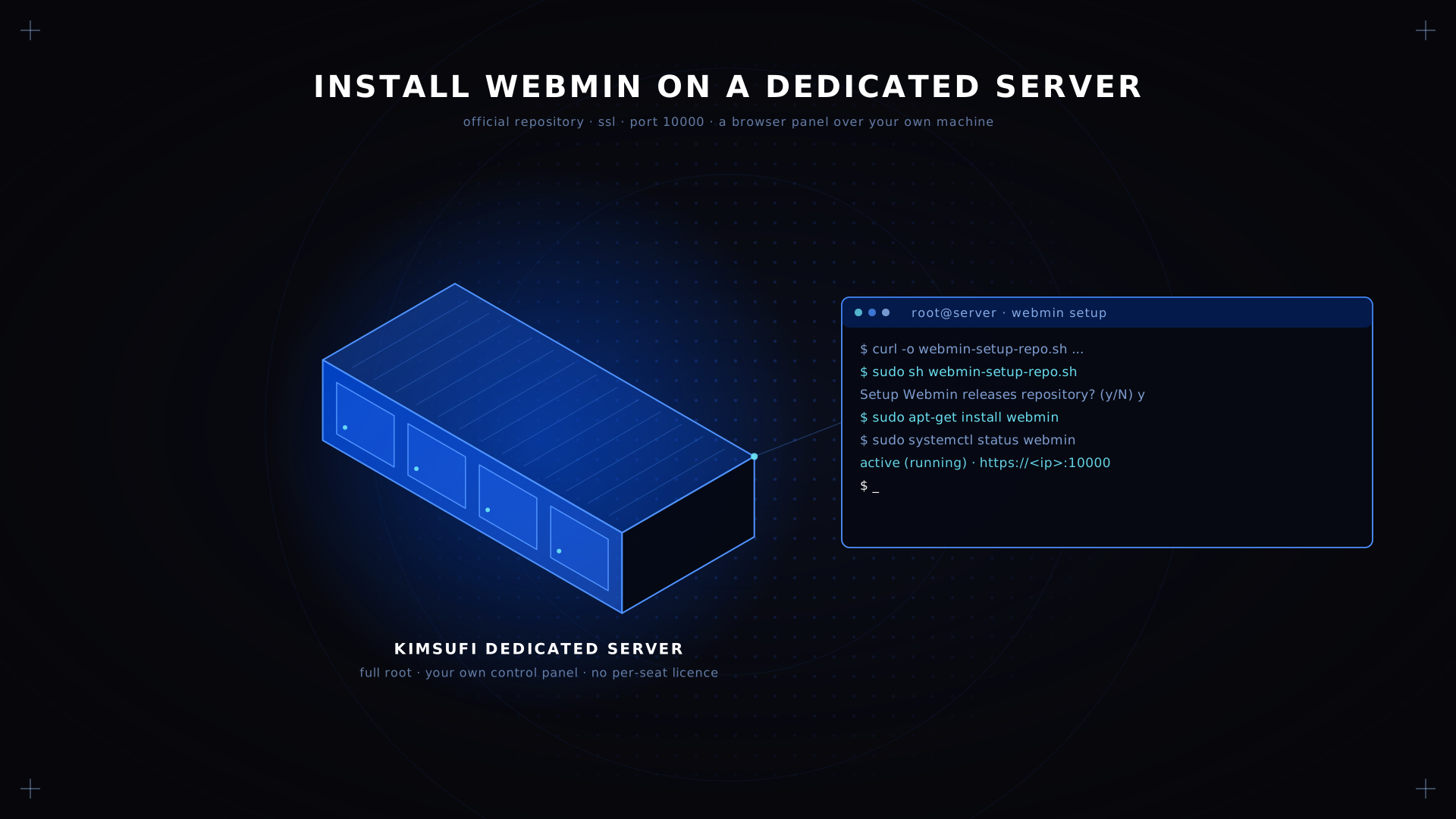
This webmin setup repo step adds the developers key, configures the Webmin releases repository and refreshes metadata.
curl -o webmin-setup-repo.sh https://raw.githubusercontent.com/webmin/webmin/master/webmin-setup-repo.sh
sudo sh webmin-setup-repo.sh
It prompts once: Setup Webmin releases repository? (y/N). Answer y. It downloads webmin-jcameron-key.asc, installs it, and writes the repository definition for your package manager.
⚠️ Warning Unpacking a tarball or an RPM by hand works but loses the update path. A separate dev repository carries pre-release builds, not for production.
Install Webmin via DNF/YUM or APT
Debian and Ubuntu:
sudo apt-get update
sudo apt-get install --install-recommends webmin
RHEL, Rocky, Alma and Fedora:
sudo dnf install webminOn older RPM systems, sudo yum install webmin is identical. That flag pulls the optional Perl packages several modules need; without it, parts of the dashboard fail.
✅ Expected result The package manager reports success and the Webmin install has started the daemon.
Configure SSL for Secure Access
Webmin serves HTTPS with a self-signed certificate, hence the browser warning on first contact. Point a hostname at the machine, then open Webmin Configuration → SSL Encryption → Let's Encrypt and request a real one; renewal runs on its own. To configure it from the shell instead:
sudo nano /etc/webmin/miniserv.conf
# keyfile=/etc/letsencrypt/live/panel.example.com/privkey.pem
# certfile=/etc/letsencrypt/live/panel.example.com/fullchain.pem
sudo systemctl restart webmin
⚠️ Warning Never disable SSL to silence a warning. The panel accepts root credentials here, and in plain HTTP they cross the network in the clear.
Enable and Start the Webmin Service
The package enables webmin, so this is a check:
sudo systemctl status webmin
sudo systemctl enable webmin
Enable it explicitly if not. After a hand edit, reload rather than restart to keep sessions alive.
Verify Installation and Log In to the Dashboard
A working Webmin installation answers on https://<your-server-ip>:10000. Accept the certificate warning, then log in as root or a sudo-enabled account; any browser client works. The Webmin dashboard opens on a system summary, with the left-hand menu grouping each module by category; clicking a module opens it in place. Confirm from the shell:
webmin --version
sudo ss -tlnp | grep 10000
Post-Installation Tweaks (Firewall, 2FA, Modules)
Lock down the port. Port 10000 should never face the internet, so restrict it to your own address:
sudo ufw allow from YOUR.IP.ADDRESS to any port 10000 proto tcp
sudo ufw reload
Our dedicated server firewall guide covers rule design in depth.
Restrict by address in Webmin too. Under Webmin Configuration → IP Access Control, allow only the addresses that should reach it.
Turn on two-factor authentication.Webmin Configuration → Two-Factor Authentication offers TOTP; enable it per account and enrol each client.
Change the default port. Moving off 10000 in miniserv.conf stops most drive-by scanning: obscurity, not security, but free.
Add only the modules you use. More come from Webmin Configuration → Webmin Modules, and every Webmin module you skip is surface you avoid. Switch the Backup Configuration Files module on early: that backup of /etc is the cheapest insurance you can buy, and a backup you schedule beats one you remember.
Troubleshooting Common Issues
| Symptom | Cause | Fix |
|---|---|---|
| Cannot reach port 10000 | Firewall closed, or bound to localhost | ufw status, then ss -tlnp |
| Access denied for root | Login restricted by address or user | Review IP Access Control, then Webmin Users |
| Certificate warning persists | Self-signed cert still in use | Request a Let's Encrypt cert, or set certfile |
| A module is greyed out | Recommended packages skipped | Reinstall with --install-recommends |
| Daemon will not start | Syntax error in miniserv.conf | journalctl -u webmin -n 50, undo, restart |
| Update does nothing | Repository not set up | Re-run the script, update the package index |
Conclusion
You now have a control panel over a machine you own outright: repository setup, one install command, a real certificate, a closed port and two-factor authentication. Secure it before you use it, because it authenticates as the root user. Then spend your time in the modules rather than the installer: the Users and Groups module, Software Packages, System Logs and Backup Configuration Files cover most day-to-day tasks. Our website dedicated server guide covers the hosting side, and our secure Linux server setup covers the system base underneath.
FAQ
Can I install Webmin on a dedicated server running CentOS, Rocky Linux, or Debian?
Yes. The script covers Red Hat Enterprise Linux, Alma, Rocky, Oracle, CentOS Stream, Fedora, Debian, Ubuntu and Kali. Only the command differs: sudo dnf install webmin on RPM, apt-get with the recommended packages on Debian.
Do I need root or sudo privileges to install Webmin?
Yes. It registers a system daemon and manages others, which an unprivileged account cannot do. Run both steps with sudo, then create a Webmin user with a limited module set so routine work avoids the root user.
How do I secure Webmin with SSL/TLS after installation?
Use Webmin Configuration → SSL Encryption → Let's Encrypt to request one, renewed for you. If you manage certificates elsewhere, set keyfile and certfile in miniserv.conf and restart.
What is the difference between Webmin and Virtualmin?
Webmin is a general administration panel. Virtualmin runs on top and adds virtual hosting: domains, mailboxes, DNS zones and per-domain users. Choose Webmin for one machine, Virtualmin for many sites and many customers; Virtualmin also manages its own module set. Virtualmin has its own repository and a modular package set, so you add only the Virtualmin parts you need.
How can I upgrade Webmin to the latest version on a dedicated server?
With the repository in place it is an ordinary package operation: sudo apt-get upgrade webmin on Debian, sudo dnf upgrade webmin on RPM. Webmin can also update itself from its configuration page, which leaves the package manager out of step.
Deploy your control panel on bare metal Kimsufi dedicated servers from $11.10/month. Root access, unmetered bandwidth, built-in DDoS protection.